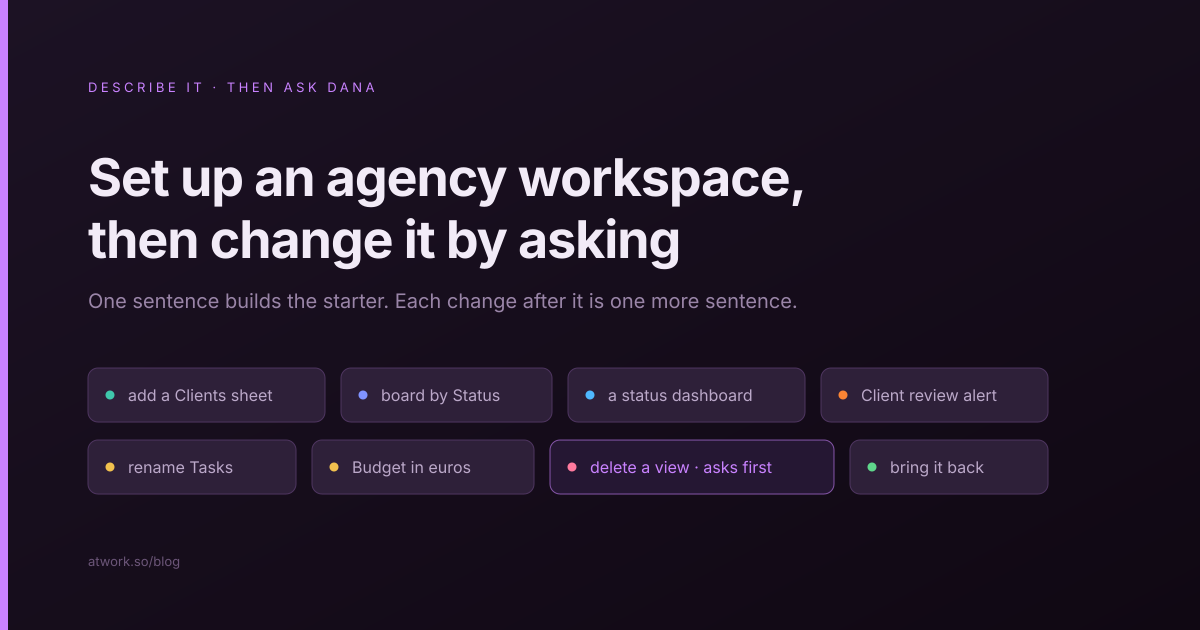
To set up an agency workspace in Atwork, describe your work in a sentence or two when you sign up. Atwork builds a starter workspace from that brief. Every change after it, from a Clients sheet to a status board or an automation, is one more sentence to Dana, the assistant built into Atwork. Deleting a view, sheet or workflow stops and asks first, and anything deleted can be brought back. Below are the exact sentences we ran, and what each one did.
What should you write when Atwork asks what your team works on?
Write one or two sentences that name the work you deliver, who you deliver it for, and what you need to see each week. That is enough for Atwork to pick the right starting shape and name it in your words.
Step 1 of 2 asks What does your team work on?, with a few example briefs under Try:. If you signed up with an email address, you also type your first and last name here. Here is a brief for a fictional 12-person design studio, Larkspur Studio:
"We are a 12-person design studio. We build websites for about 20 clients, most on monthly retainers, and each week we need to see every project, its deadline and how many retainer hours are left."
| Part of the brief | Example | What it does |
|---|---|---|
| The work | "We build websites" | Decides which kind of starter you get |
| Who it is for | "about 20 clients, most on monthly retainers" | Gives the starter your words instead of generic ones |
| What you check weekly | "every project, its deadline and the retainer hours left" | Gives you the first things to ask Dana for |
| What to leave out | Tool names, team structure, every status you use | Each is a one-sentence ask once the starter exists |
Your brief also becomes the first draft of your company profile, the background every Atwork agent reads about your business.
What does Atwork set up from your brief?
A starter workspace built from your brief, plus an optional team space, your role and your industry. The second screen, Here's what I'll set up for Larkspur Studio, lists all four, and you can remove any optional row before you click Build it.
- Workspace: sheets, views and sample rows built from your brief. Edit brief takes you back if the summary is off.
- Team space: a shared space where your team's work and updates live. You become its owner and invite teammates from it.
- Your role: Founder, Manager, Team member or Other. It sets your job title so teammates know who to ask.
- Industry: tunes examples and Dana's suggestions to your field, and is saved to your company profile.
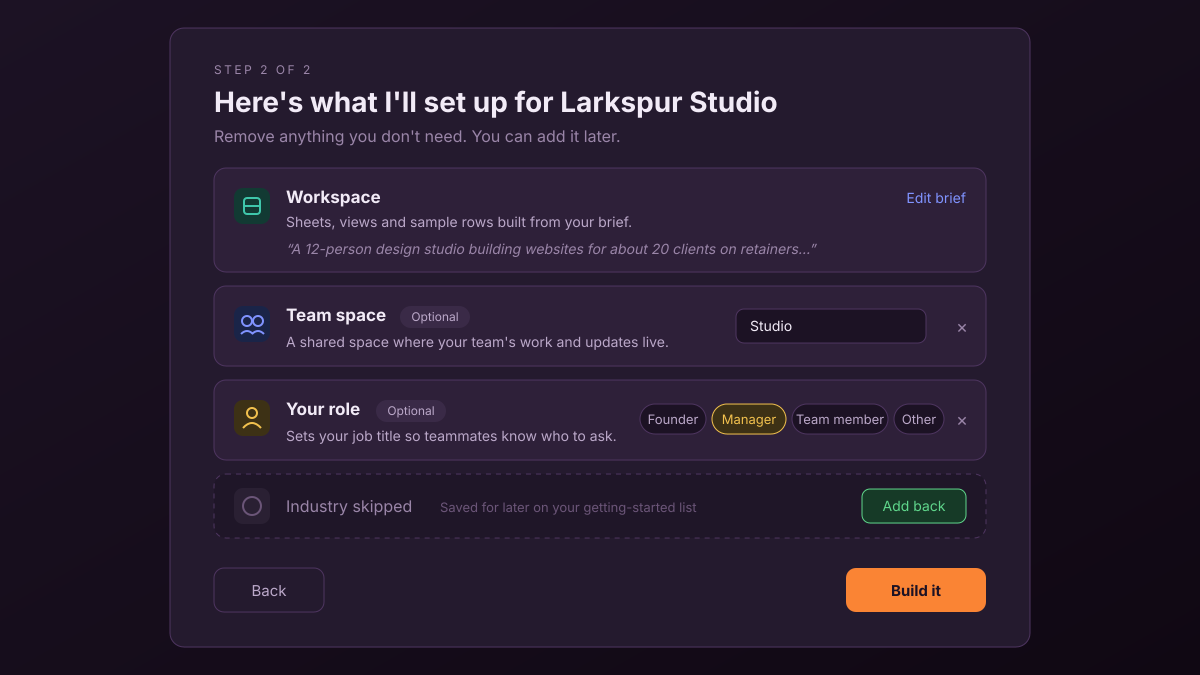
A removed row shows as skipped with Add back, and anything you skip waits on your getting-started list. Create your first workspace walks through both screens.
One brief builds a starter: one workspace with a main sheet and a handful of sample rows, named for your business. It does not build a whole agency's setup of linked clients, projects, retainers and dashboards. That comes from the next few requests, or from a template.
What happens when you land?
Go to my home opens your home screen with the new workspace pinned in your dock. Dana greets you by name, says what she set up and offers a quick walkthrough. Show me around starts a short getting-started plan picked for your business. I'll explore myself closes the guide until you want it.
Each step in Your getting-started plan has buttons: Take me there opens the right screen, Show me points at the control you need, and some steps offer Do it for me, which hands the step to Dana with the usual approvals. Steps tick themselves off as you do them. To pick the guide up again, open the avatar menu → Help & support → Help center and choose Resume guide.
How do you turn the starter into your agency's setup?
Ask Dana for the next piece in one sentence, from the sheet or space it belongs in. She reads what is already there, then builds the piece. Asked from the home screen instead, our Clients sheet landed in a new space of its own. New sheets and workflows arrive as a draft with an Apply button, so nothing new is created until you have looked at it; building with Dana covers what a draft can hold. Views and dashboards are added straight away.
These are the sentences we ran on a projects starter, each asked on its own:
- "Add a Clients sheet with Retainer hours and Account manager." Dana drafts a Clients sheet with a number field and a member field. Click Apply.
- "Link each project to a client." Projects gets a Client field that points at the Clients sheet. Existing projects need their client filled in.
- "Show Projects as a board grouped by Status." A board view appears with one column per status.
- "Add a dashboard to this space that shows how many projects are in each status." A dashboard with a column chart is added to the Projects sheet.
- "Add a workflow that notifies the client's account manager when a project moves to Client review." Dana drafts the workflow, including the lookup from project to client to account manager. It runs once you apply it.
The first build is the least important part. The setup that works in month three comes from the sentences you add after it.
Ask for one piece per sentence: a short request is easier to check, and a wrong draft can be corrected before you apply it. When we asked for the Clients sheet and the link in one sentence, the draft would not apply, and Dana offered to split it into two steps. For which structure to aim at, such as the client as a field on the work rather than a folder per client, see how to structure a multi-client agency workspace.
Can you change or delete what Dana built?
Yes. Renames, moves, field formats, views, dashboards and workflow steps change as soon as you ask. Deleting a view, sheet, dashboard, workflow or space, archiving rows, changing who can access a space and turning a switched-off workflow back on all show an approval card first. Deleted things can be brought back by asking.
| You ask | What changes | Asks first? |
|---|---|---|
| "Rename the Tasks sheet to Deliverables." | The sheet is renamed | No |
| "Show Budget as euros with 2 decimals." | The field's format changes; the numbers stay | No |
| "Add a table view called Old drafts that shows only projects in Brief." | A filtered view is added | No |
| "Delete the Old drafts view." | The view is deleted; the rows are untouched | Yes |
| "Bring it back." | The view returns with its settings | No |
| "Turn it back on." (a workflow you switched off) | The workflow runs again | Yes |
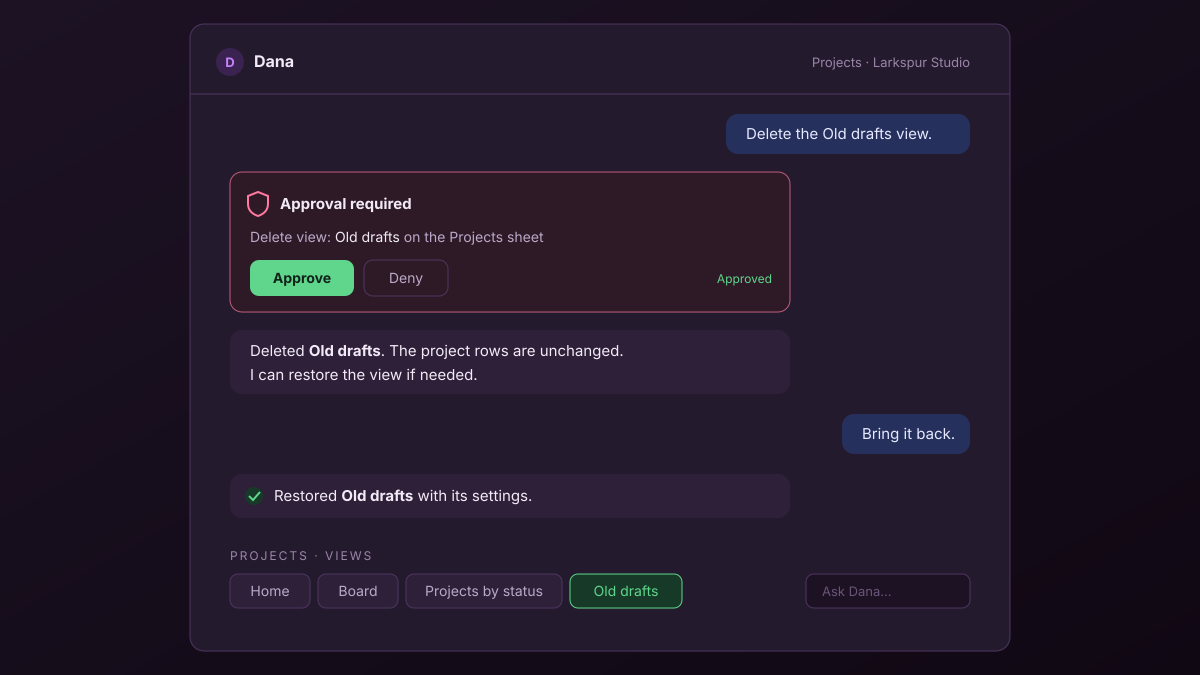
The approval card shows what Dana is about to do, with Approve and Deny; deny, and nothing changes. Removing a field is the exception: it happens without a card, because Dana can restore the field with its data. To make every change wait for a click, the owner can turn on Write actions ask for approval in chat in the AI policy, as An AI policy for a 10-person agency describes. AI agent safeguards explains why deletes always ask.
Which settings can you change by asking?
Your own settings change at once: theme, language, timezone, notifications, time off and focus blocks. Owners can also ask for organization settings, such as the company name, default language, calendar, start of the week and locations, behind an approval card.
- "Switch me to dark mode." Done immediately.
- "I'm off Monday to Wednesday next week." The time off goes on your calendar and profile, and your booking pages stop offering slots on those days.
- "Start the week on Monday for everyone in our organization." For the owner, this shows an approval card. For a member, Dana explains that only the owner can change it and names the screen.
Phrase organization changes as organization changes. "Start our week on Monday" made Dana ask whether we meant our own calendar or everyone's.
What Dana won't change
Some settings stay on their own screens, and Dana tells you where instead of changing them: billing and plans, AI credit and spending caps, passwords and sessions, API tokens, connecting accounts, roles and ownership, the organization logo, and the lists of teams and job titles. "Change my password" gets the path to Settings → Security.
When should you start from a template instead?
Start from a template when you already know the shape you want. A template installs a fuller setup on minute one than a brief does, with several linked sheets, dashboards and sample data. A brief gives a smaller starter in your words that you grow by asking.
For agency delivery, the Agency Client Delivery template installs linked Clients, Briefs, Deliverables and Freelancers sheets, with dashboards for hours committed, approvals waiting on the client and client health. It is the quicker path if your delivery already looks like it. Signing up from a template's page skips the brief. Every change afterwards works the same way: ask Dana.
Frequently asked questions
Does setting up with Dana use AI budget?
Yes. The tailoring at signup, the getting-started plan and every request to Dana draw on your organization's monthly AI budget, which every plan includes; Free has $1 per organization per month. If the budget runs out during signup, you still get a starter and a default plan, just less tailored. See how the AI budget works.
What if I skip the team, role or industry?
Nothing breaks. Skipped rows wait on your getting-started list, and you can add them any time from Set up your profile.
Can Dana see or change things I can't?
No. Dana acts as you, with your access and nothing more: she cannot open a sheet or space you have no access to.
Can I undo something Dana did?
Yes, by asking. Deleted sheets, views, fields, dashboards, workflows, pages and spaces can be restored, and a restored workflow comes back switched off. For a rename or a format change, ask her to change it back.
Can everyone on my team ask Dana to build?
Owners, admins and members can all ask Dana to build, each within their own access. Organization settings stay with the owner, who also sets member AI limits and approval rules in the AI policy.
Describe it, then keep asking
Write the brief in two sentences, review the plan, and build. Then spend your first hour asking for what your agency checks each week: the clients, the board, the dashboard and the one automation that saves a status email. For what Dana does beyond setup, read what an AI assistant does in an agency.
Describe one client's work in a sentence and change the rest by asking. Start free