Create your first workspace
A workspace is your company's home in Atwork — its people, its data and its own web address. Creating one takes a minute.
Steps
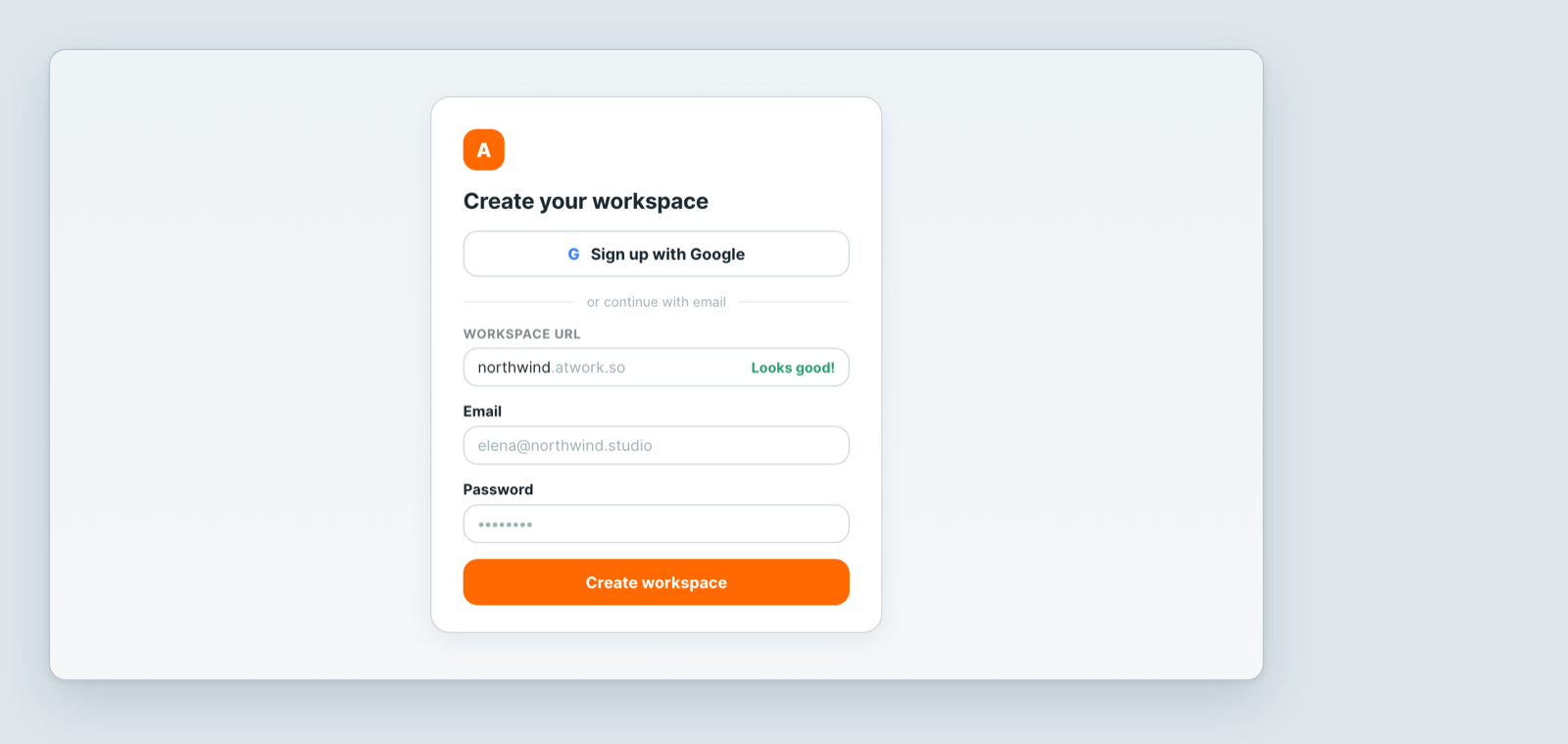
- Go to the sign-up page and choose Sign up with Google, or continue with email.
- Pick your Workspace URL. This becomes your permanent address, like
northwind.atwork.so. It must start with a letter and contain only letters and numbers, and it has to be unused — you will see Looks good! when it is available. - Enter your email and a password of at least 8 characters including numbers.
- Create the workspace, and you are in.
Bookmark your address
Everyone signs in at your workspace URL. Save it now — "I can't sign in" is very often someone trying the wrong address.
What to do first
- Create a space for an area of work — a team, a client, a department. Spaces are also how access is granted, so they are worth thinking about early.
- Add a sheet inside it, and give it the fields your work needs. Or install a ready-made template and adjust it.
- Invite your team, so the work has people on it.
You do not have to design everything up front. Fields, views and spaces can all be added as you go.
Related: Invite your team · Build a sheet with custom fields · Views: see the same data 12 different ways
Related articles
Create a sheet
How to create a sheet in Atwork: from the space sidebar or a folder, as a worksheet, tasksheet or template, and the access you need to do it.
Atwork in 5 minutes
The Atwork model explained: workspace, spaces, sheets, items and views, and the shortest path to something useful.
Install a template
Install an Atwork template to get a ready-made sheet with fields and views, then adapt it to how you actually work.