Run your whole company in one workspace
Early teams don't have time to stitch six tools together. Atwork gives product, ops, hiring and fundraising a single home — free to start, and flexible enough to grow with you.

Why early teams end up with six tools and no system
Nobody chooses tool sprawl. Each tool arrived to solve one real problem, and by the time there were six, the actual state of the company lived in no single place.
The company's state is spread across tools
Product is in one tracker, the pipeline in another, hiring in a spreadsheet, and the decisions behind all three in chat. Answering “where are we” means opening five tabs and trusting that all five are current.
Subscriptions grow faster than the team
Five seats across five tools at ten to fifteen dollars each is real money before there is revenue, and every hire multiplies it. The cost is not the problem so much as the fact that nobody can say what it buys.
Nobody owns the glue
There is no ops hire. The founder wires the integrations at midnight, and they break quietly the next time someone renames a field.
Context dies when someone leaves
The reason a decision was made lives in a direct message. Six months later the person who made it has moved on and nobody can reconstruct why.
What you can do
Move fast without the sprawl
Tasks, docs, chat and data in one place so nothing gets lost between tools.
Stay lean
One free-forever workspace replaces a pile of subscriptions while you find product-market fit.
Let AI do the busywork
Draft updates, plan the week and automate the repetitive parts so a small team ships like a big one.
How a small team runs on one workspace
Four steps from a pile of tools to one place that answers questions. None of them takes longer than an afternoon.
Start from a template, not a blank page
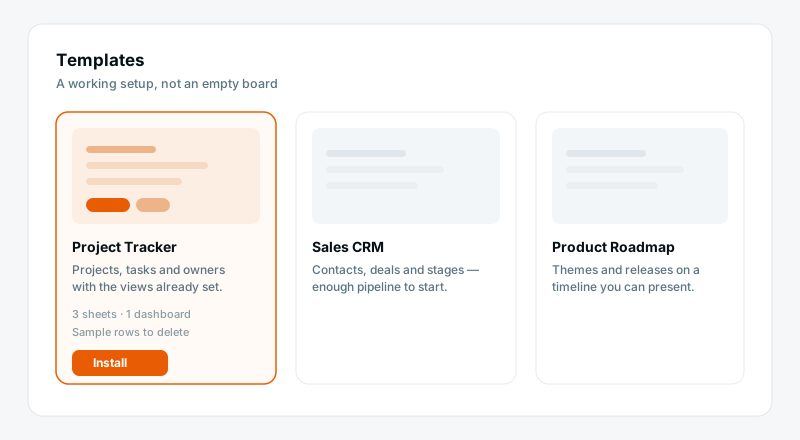
Install Project Tracker and you have sheets, views, statuses and a dashboard already built, with sample rows to delete. The blank workspace is the reason most tool migrations stall in week one.
Give each function its own space
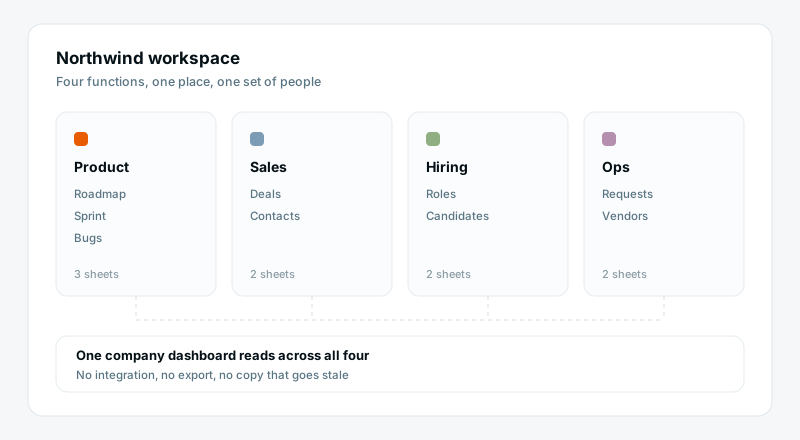
Product, Sales, Hiring and Ops become spaces in the same workspace. They stay separate enough that nobody wades through someone else's work, and connected enough that one dashboard can show the whole company.
Keep the decision next to the work
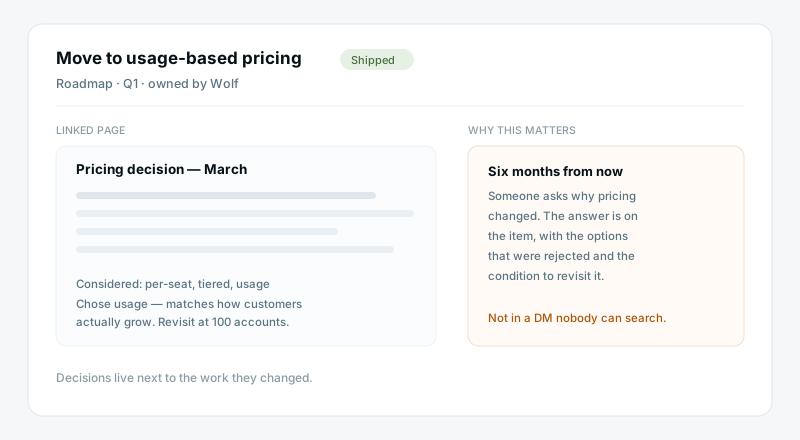
Specs, decisions and meeting notes are pages that link to the items they describe. When someone asks why the pricing changed in March, the answer is on the item, not in a thread nobody can search.
Automate the parts you keep redoing
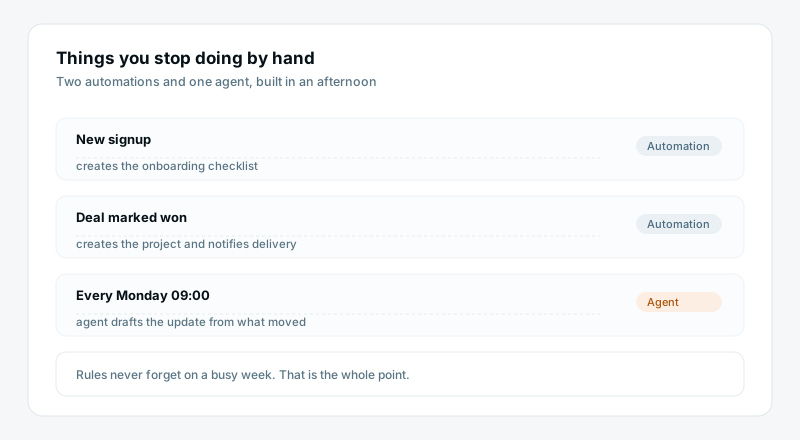
A new signup creates the onboarding checklist. A deal marked won creates the project. An agent drafts the Monday update from what actually moved. You build these in minutes and stop doing them by hand.
What one workspace gives a team of eight
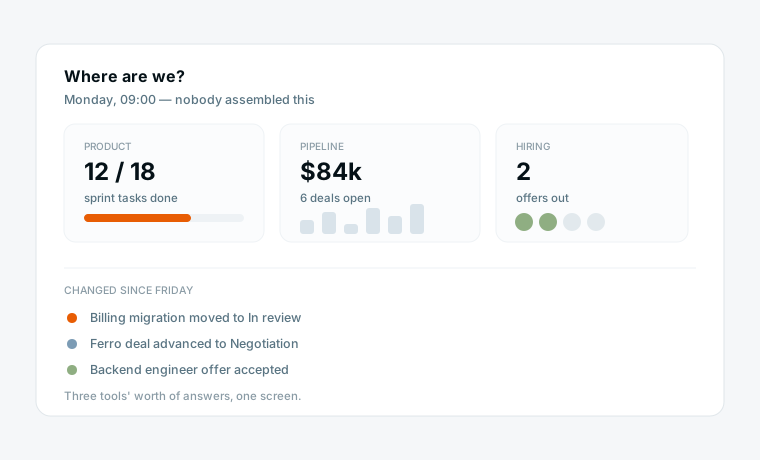
One place to answer “where are we”
Product progress, pipeline and hiring on one dashboard, live. The Monday meeting stops being an assembly job and becomes a conversation about the numbers already on the screen.
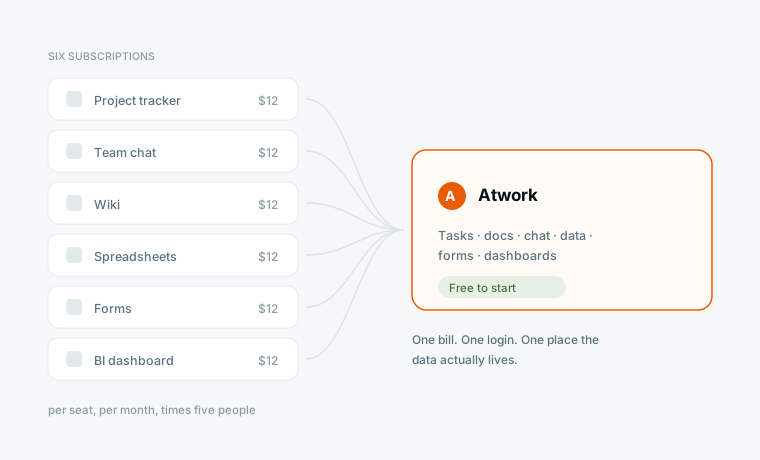
One subscription instead of six
Tasks, docs, chat, data, forms and dashboards are the same product. There is a free tier to start on, and when you outgrow it you are adding seats rather than adding vendors.
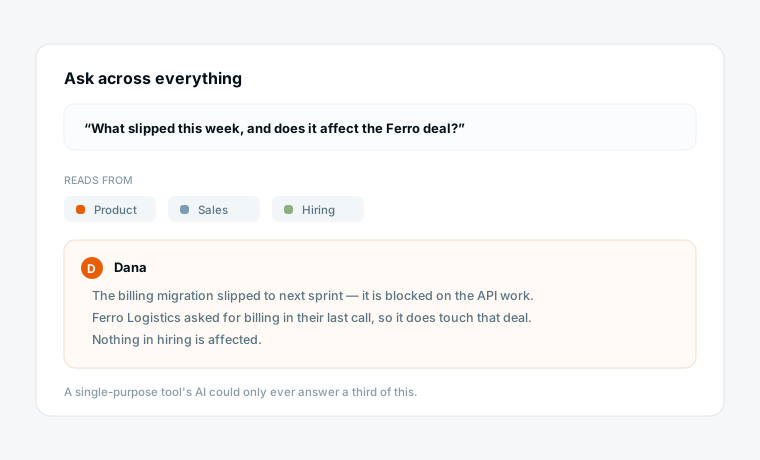
AI that can see all of it
Because everything is in one workspace, the assistant has the context to be useful. It can summarise the week across product and sales at once — something no single-purpose tool's AI can do, because it only ever sees its own slice.
What changes
Company state spread across five tools
A subscription per tool, per seat
The founder maintains the integrations
Decisions buried in chat threads
A new hire onboards by asking people
One workspace, one answer
One subscription, free to start
Nothing to integrate
Decisions as pages linked to the work
A new hire onboards by reading the workspace
Start from a template
Each installs a working space in a few minutes. Delete the sample rows and put your own work in.
Questions early teams ask
Is there really a free plan?
Yes, free forever with no credit card. It covers a small team running real work — tasks, docs, sheets, dashboards. You move to a paid plan when you need more seats or the heavier AI allowance, not when a trial expires.
We are three people. Is this too much tool for us?
Probably, if three is where you are staying. The teams this fits are the ones heading past five or six people, where the spreadsheet is starting to hurt. Below that a shared doc and a simple tracker is honestly fine.
Can it grow with us, or do we migrate again at fifty people?
It grows. The same workspace carries CRM, HR, operations and product as you add them, and the structure you build early stays — you add spaces rather than replacing the system. That is the migration this is meant to prevent.
How long until we are actually using it?
A template install is a few minutes. Moving one real project across is an afternoon. Most teams run one thing in Atwork alongside their old tools for a couple of weeks before switching the rest.
What can the AI do for a team this size?
The work a small team has nobody to hand to: drafting the weekly update, summarising a long thread, turning a goal into an assigned plan, filling in fields everyone forgets. Every run is priced so you can see what it costs.
What happens to our data if we leave?
It is yours and it is exportable. We are a Netherlands-based company hosting in the EU, and we can provide a data processing agreement if your customers ask for one.
Bring your team’s work together
Start free today — invite your team and shape a workspace that fits startups & smbs.
Start free