Standardize the way work gets done
Turn ad-hoc processes into repeatable workflows. Collect requests with forms, route them with automations, and watch it all on live dashboards.

Why processes drift back to email
You wrote the process down. People followed it for a month. Then someone urgent sent a direct message instead, it worked, and within a quarter the documented process was fiction.
Requests arrive five different ways
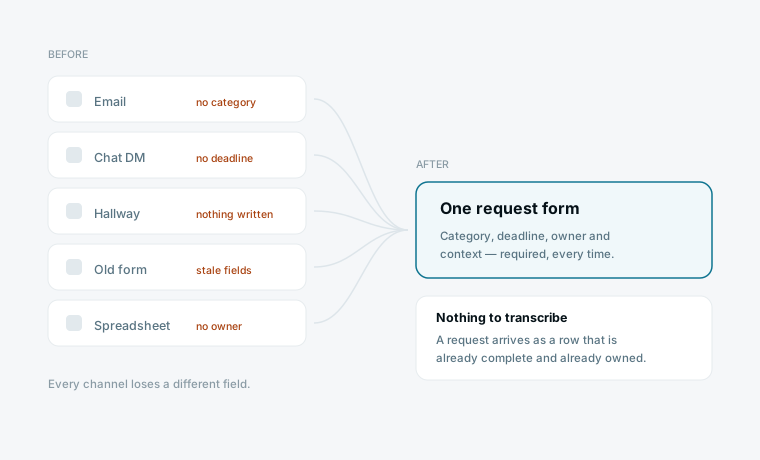
Email, a chat message, a hallway conversation, a form nobody maintains, and a spreadsheet someone still updates. Each channel loses a different field, so no two requests contain the same information.
The process lives in someone's head
One person knows who approves what and in which order. When they are on holiday the process stops, and when they leave it has to be reconstructed from memory.
Status means asking someone
Every requester interrupts to ask where their thing is, and every interruption costs the person doing the work more time than the update is worth.
You cannot improve what you cannot count
How long does an approval actually take? Where does work sit longest? Nobody knows, because the process never produced data — only messages.
What you can do
Intake without the chaos
Forms capture requests straight into your sheets — no more scattered emails and DMs.
Automate the routing
Multi-step workflows assign, notify and update as work moves, with no code.
See the whole operation
Real-time dashboards show throughput, backlog and risk at a glance.
How to turn a process into a system
Four steps, and the first one alone removes most of the chaos. Start with your highest-volume process, not the most complicated one.
Put a form in front of every intake
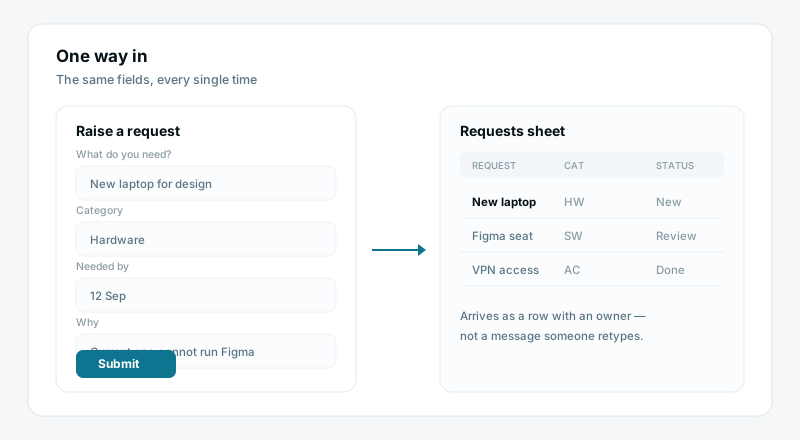
One public form becomes the only way to raise a request. It captures the same fields every time and writes straight into a sheet, so a request arrives as a row with an owner rather than a message someone has to transcribe.
Make the stages explicit
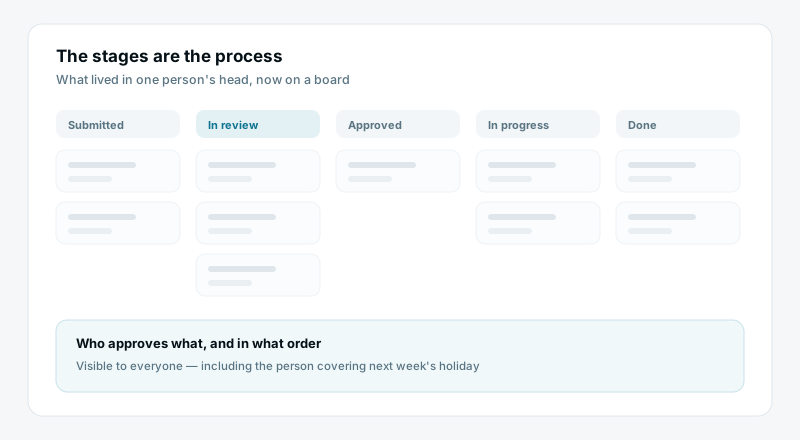
Give the process the statuses it actually has — submitted, in review, approved, in progress, done. The stages are the process; once they exist on a board, the thing that lived in someone's head is visible to everyone.
Let automations do the routing
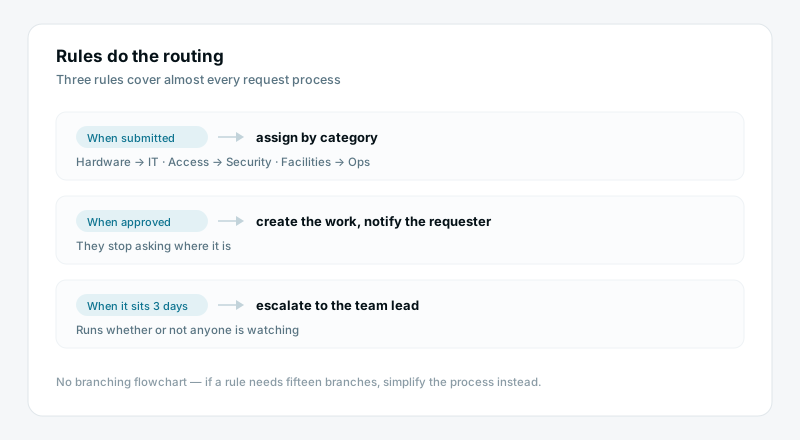
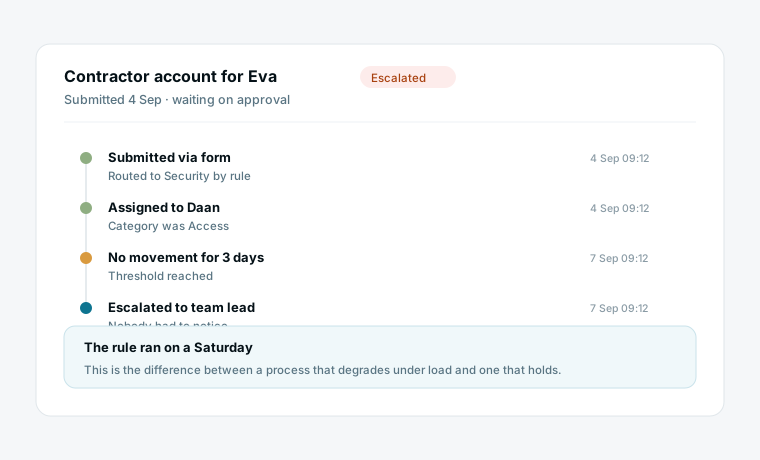
When a request is submitted, assign it by category. When it is approved, create the work and notify the requester. When it sits too long, escalate. These are rules, so they never get forgotten on a busy week.
Watch it on a dashboard
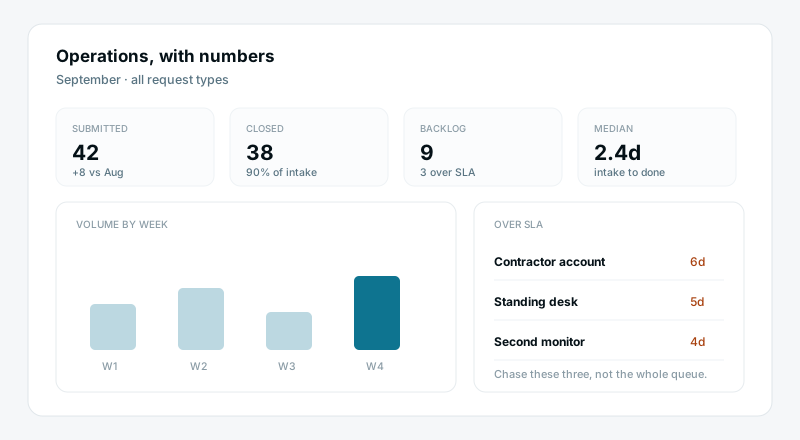
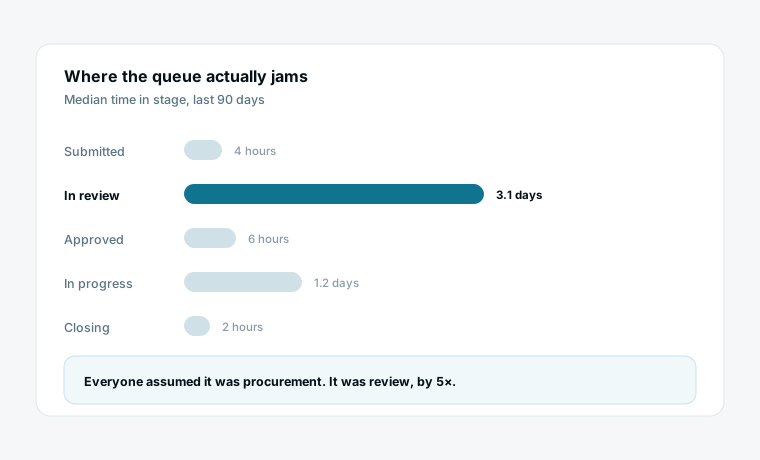
Volume, backlog, time in each stage and what is overdue, live. This is the part that turns operations from firefighting into a job with numbers — you can finally see which stage is the bottleneck.
What changes when the process is the system
One front door for every request
There is exactly one way in, and it captures complete information. No more chasing a requester for the three fields they left out, and no more work that exists only in somebody's inbox.
Routing that never forgets
The rules run whether or not anyone is watching. An approval that has sat for three days escalates on its own, which is the difference between a process that degrades under load and one that holds.
Numbers you can act on
Time-in-stage tells you where the queue actually jams, and it is almost never where people assume. That single number is usually enough to justify the change you have been arguing for.
What changes
Requests arrive by email, chat and hallway
The process lives in one person's head
Requesters interrupt to ask for status
Escalation happens when someone remembers
No idea where work actually stalls
One form, complete every time
The stages are on the board
They can see it themselves
Escalation is a rule
Time-in-stage, per stage, live
Start from a template
Each installs a working process in a few minutes, form and dashboard included.
Questions operations teams ask
Do requesters need an account?
No. Public forms accept submissions from anyone with the link, including people outside your organisation. Give them guest access only if they need to follow status themselves.
How complex can the automations get?
Multi-step, with conditions, scheduled triggers and actions across sheets — built visually, no code. If a rule needs fifteen branches to express, that is usually a sign the process should be simplified rather than the automation extended.
Can we run more than one process in the same workspace?
Yes, and most teams do. Each process gets its own sheet with its own stages and its own form, and a dashboard can report across all of them so you see total load rather than one queue at a time.
What about approvals from people who never log in?
Approvers can act as guests on the specific view they need, without a paid seat. For occasional approvers that is usually enough; for anyone approving weekly, a seat is worth it.
Where do AI agents fit into a process?
On the judgment steps only — reading a free-text request and setting category and priority, or summarising a long thread for the approver. The routing itself should be an automation, because it has a correct answer and automations are cheaper and never wrong.
How do we migrate a process that is already running?
Build it in parallel, point the form at the new sheet, and let the old queue drain. Cutting over mid-flight is what makes process migrations fail; running both for two weeks costs almost nothing.
Bring your team’s work together
Start free today — invite your team and shape a workspace that fits operations.
Start free