The AI budget
AI features draw on a monthly AI budget included with your plan. It resets every month.
What you get
- Free — $1 per org, per month.
- Pro — $5 per seat, per month.
- Business — $15 per seat, per month.
- Enterprise — custom.
On per-seat plans the budget is pooled across the workspace, so a heavy user and a light user balance out rather than each hitting a personal wall.
What uses it
Anything the AI does: asking Dana, an agent answering or drafting, AI steps inside automations, and AI autofill on a field, where each row it fills is one AI run.
Ordinary work uses none of it. Creating records, views, dashboards, forms, automations without AI steps, formula fills, and everything else in Atwork is unaffected.
Making it go further
- Be specific. A precise question is answered in one exchange rather than four.
- Give agents good knowledge, so they answer instead of hedging.
- Do not put an AI step in a high-volume automation unless it genuinely needs judgement. A rule handles "if status is X then notify Y" for free.
Where do I see AI usage?
The workspace owner sees usage on the AI usage page: open your profile menu, choose Administration, then AI usage under Billing. Worth a look in the first month of using agents heavily, so a surprise is a decision rather than a surprise.
The page shows:
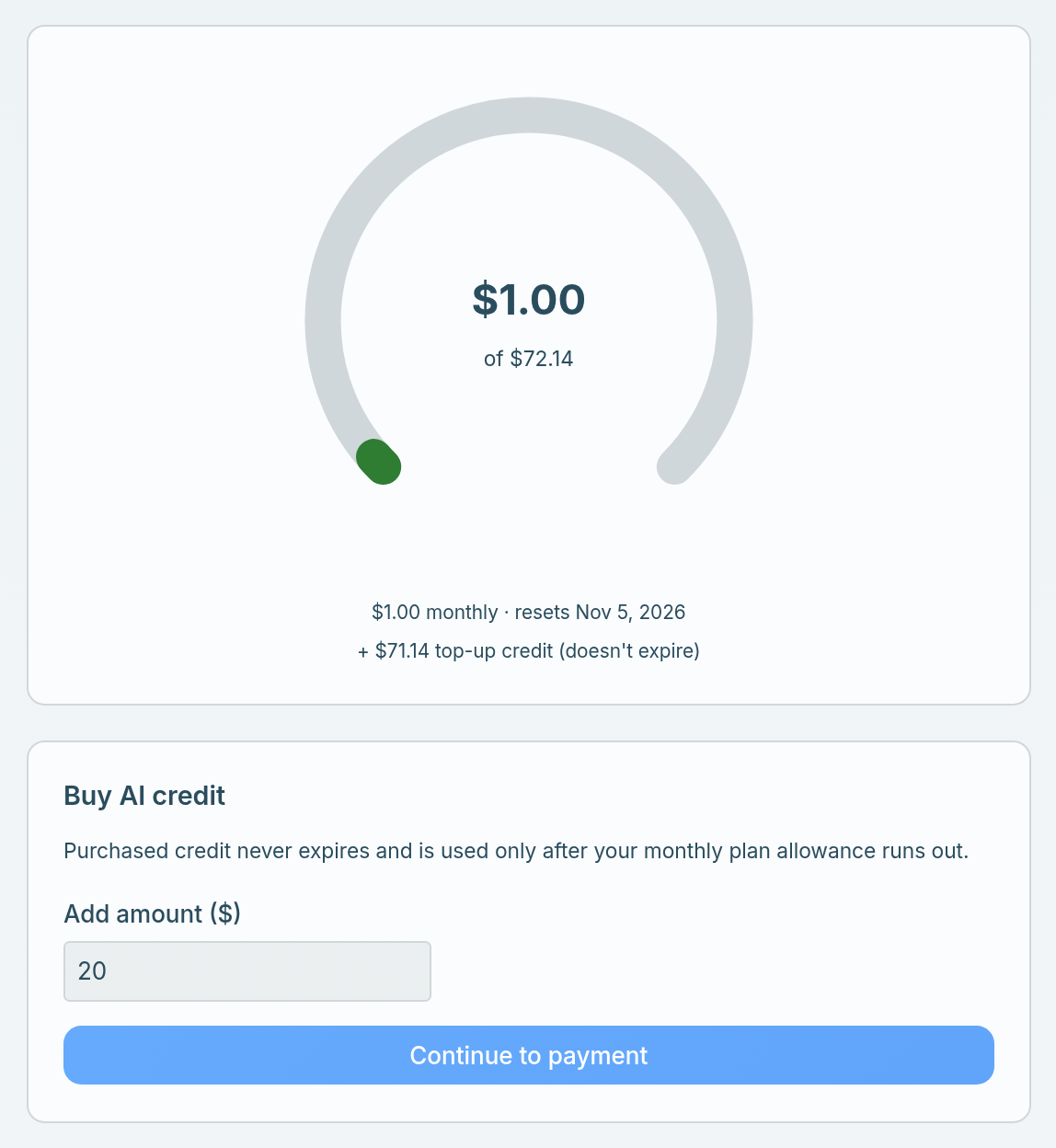
- How much of the total has been used, where the total is your monthly allowance plus any top-up credit. Underneath: the monthly allowance with its reset date, and any top-up credit.
- Buy AI credit, to top up (below).
- Agents: Dana first, then your Custom agents, Workflow agents and Form replies. An agent with a monthly cap shows its spend against the cap, and At cap once it reaches it.
- Member spend: what each person has used.
- Daily spend (last 30 days): a chart of spend per day.
Everyone can see their own spend: open your profile menu, choose Preferences, then AI usage.
What does the bolt in the header mean?
The bolt in the header shows how much AI budget is left, your monthly allowance and top-up credit together, out of the total. It appears only when 10% or less is left: orange while some remains, red once it is used up. Click it to open your own AI usage.
What happens when it runs out?
AI features stop until there is budget again. Dana shows AI budget used up instead of a reply: the workspace owner gets a View AI usage button, and everyone else is asked to contact the owner to top up or upgrade. A fill of existing rows stops with Stopped: out of AI credit, keeps the rows it already filled, and shows a Buy AI credit link. The budget comes back at the monthly reset, or straight away when the owner buys credit.
How do I top up when it runs out?
Buy AI credit. A top-up is a one-off purchase of credit on top of your monthly budget, and it works on every plan, Free included. Only the workspace owner can buy it.
- Open your profile menu and choose Administration.
- Under Billing, open AI usage.
- In Buy AI credit, enter an amount and click Continue to payment.
- Pay on Stripe's checkout page. You come back to the AI usage page, and the credit is added once the payment is confirmed.
Your monthly budget is used first, and top-up credit only after it runs out. Purchased credit never expires: it carries through the monthly reset, a plan change and a cancellation. Amounts, receipts and what to do if the credit doesn't show up are in Payment methods and AI credit top-ups.
If you keep running out
Upgrading raises the per-seat budget, and Enterprise sets it to whatever you need. If you are topping up every month on Pro, that is the signal.
Related: Plans & billing explained · Meet Dana, your AI assistant · What is an agent? · Fill a field automatically