Payment methods and AI credit top-ups
Paying for Atwork, updating your card and buying extra AI credit all happen under Settings → Billing (open your profile menu and choose Administration). Only the workspace owner can pay, change the card or buy credit.
How do I pay for Atwork?
You pay by card on Stripe's secure checkout page, so your card details go to Stripe, never to Atwork. Other payment options shown there depend on your country.
Prices are in US dollars. Checkout asks for your billing address, which is required, and any tax due is calculated from it and added at checkout. You can also add your company's tax ID there.
How do I update my card?
Go to Settings → Billing → Subscription and click Manage subscription. Stripe's billing portal opens, and you change the card your plan is charged to there.

The button appears on Pro, Business and Enterprise. A Free workspace has no subscription to manage.
What is an AI credit top-up?
A top-up is a one-off purchase of AI credit, added on top of the monthly AI budget your plan includes. It works on every plan, Free included. Use it when the monthly budget runs out before the month does.
How do I buy AI credit?
- Go to Settings → Billing → AI usage.
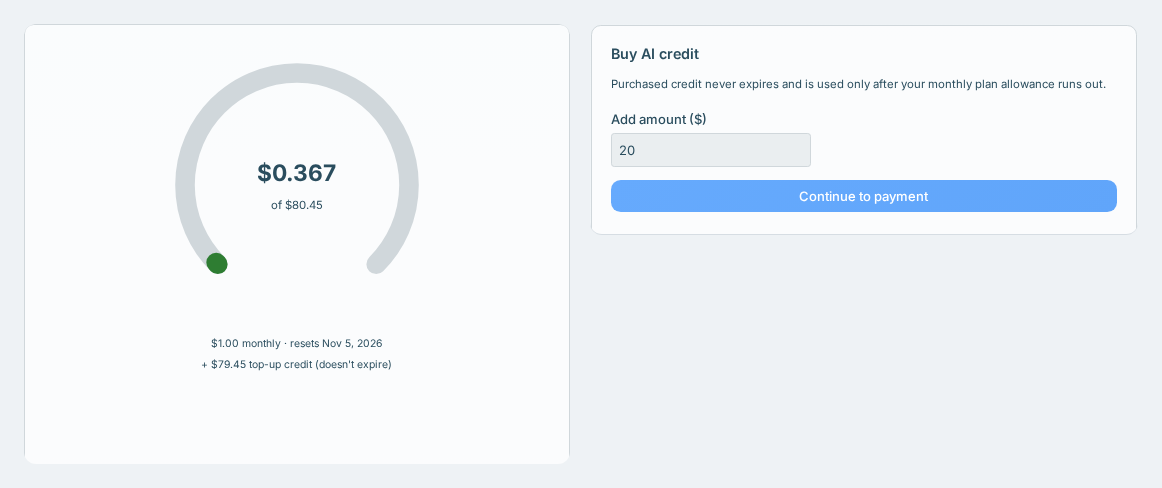
- Under Buy AI credit, enter an amount between $1 and $5,000. It starts at $20.
- Click Continue to payment and pay on Stripe's checkout page.
- Once you've paid, you're taken back to the AI usage page.
When does the credit show up?
The credit is added as soon as Stripe confirms your payment, usually within seconds. The AI usage page can take up to a minute to catch up, so refresh it if the balance hasn't changed.
Once it's in, it shows under your balance as + $X top-up credit (doesn't expire).
Still not there after a few minutes? Don't pay again, because that creates a second charge. Raise a ticket with the date, the amount and the last four digits of the card. Invoices and payment problems covers what to include.
How is purchased credit used?
- Your plan's monthly allowance is used first. Top-up credit is spent only after the allowance runs out.
- Purchased credit never expires. It carries through the monthly reset, a plan change and a cancellation.
- The monthly allowance doesn't roll over. Each month it resets to your plan's amount, whatever was left.
Where's my receipt?
Each top-up is listed under Settings → Billing → Invoices as AI credit top-up.
Related: Plans & billing explained · The AI budget · Invoices and payment problems · Upgrade, downgrade or cancel your plan