Board view
A board shows each record as a card, arranged in columns by one field. Dragging a card to another column changes that field, which is why a board is the fastest way to run a process.
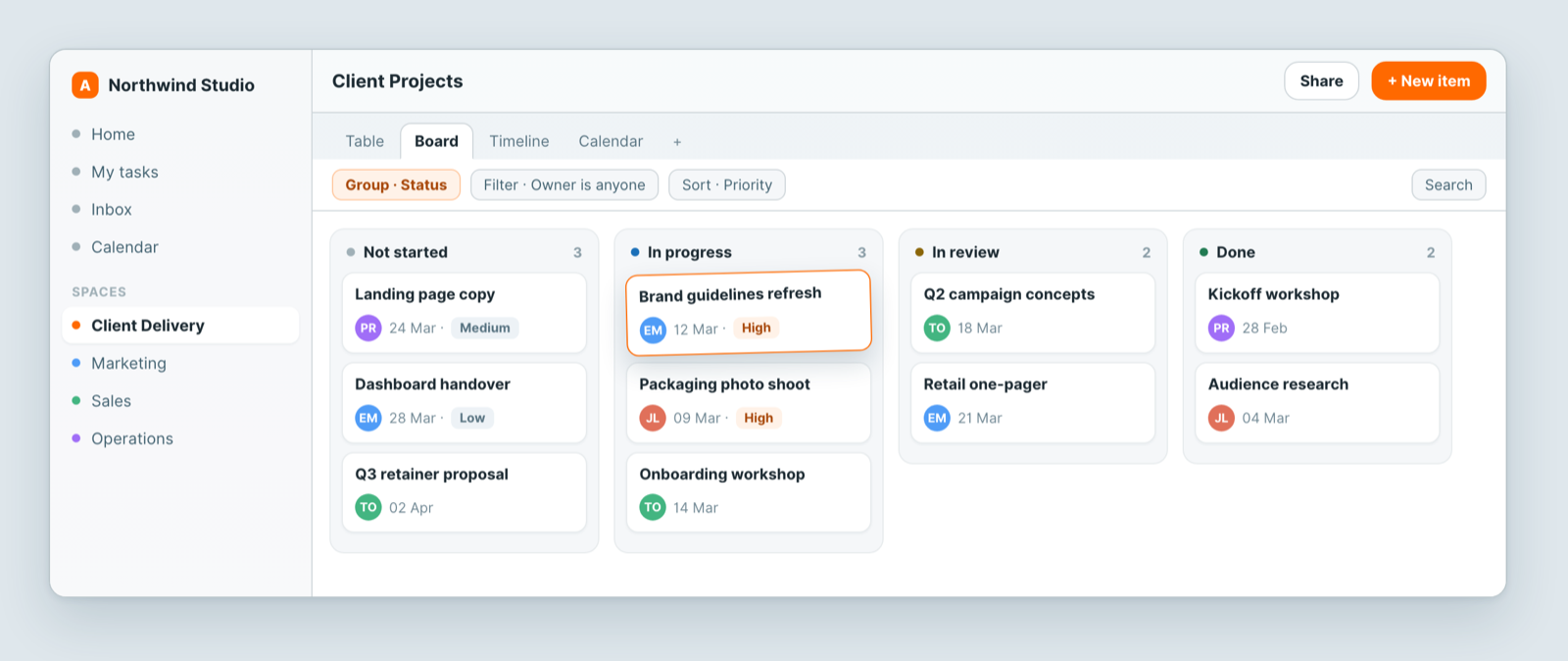
Create one
- Click + in the view switcher at the top of a sheet.
- Choose Board.
- Pick the field to group by, usually Status.
- Name it and save.
The board option needs a groupable field. If it is unavailable, add a Status or Select field first.
Working in it
- Drag a card between columns to change its value, without opening it.
- Drag a card up or down within a column to set its order. The order is saved, so it is still there after a reload and for everyone else. A sort set on the view overrides manual order; remove the sort to drag-order cards.
- Drag a column by its header to reorder the columns on this board.
- Click a card to open the full record.
- Filter to keep the board readable. Hiding finished work is the usual first move.
- Each column shows a count, which is how you spot the stage where work is piling up.
WIP limits
A WIP limit caps how many cards a column should hold, so you can see at a glance when a stage is overloaded.
- Click the … (Options) in a column's header.
- Enter a number in WIP Limit.
The column header then shows the count against the limit, for example 5/4, and the count turns red when the column is over. The limit is a warning only: you can still drop cards into a full column. Clear the field, or enter 0, to remove the limit. The same menu has Collapse Column for stages you rarely need open.
Choosing what to group by
Status is the obvious choice, but not the only useful one:
- Owner: who is carrying too much.
- Priority: what actually matters this week.
- Client: where attention is going.
A view is just a lens, so keep several: one board by status for the process, and another by owner for workload.
What shows on a card
- Hide fields in the toolbar lists the fields Shown in card. Untick the ones you do not need.
- Settings → Display has Card Sizes (Small, Medium, Large) and Show Covers.
Notes
- Does the board save my card order? Yes. The order is stored on the records, so it is shared by every view of the sheet. It is the default order only: if the view has a sort, the sort wins.
- What does a WIP limit do in Atwork? It flags a column in red when it holds more cards than the limit. It never blocks a move.
- Column order and WIP limits are saved on this view only. The field's options are unchanged.
- A view is shared, with its own access list. Filter changes made by an Editor or Admin on the view apply to everyone, so add your own view instead. See Share a view.
Related: Views: see the same data 12 different ways · Filter, sort and group · Card and gallery views