Insights: ask Dana about a sheet
Insights is a tab on every sheet where you ask Dana, Atwork's AI assistant, about that sheet's records in plain language. Dana answers with numbers, short summaries and charts, and it can change the sheet's records when you ask it to.
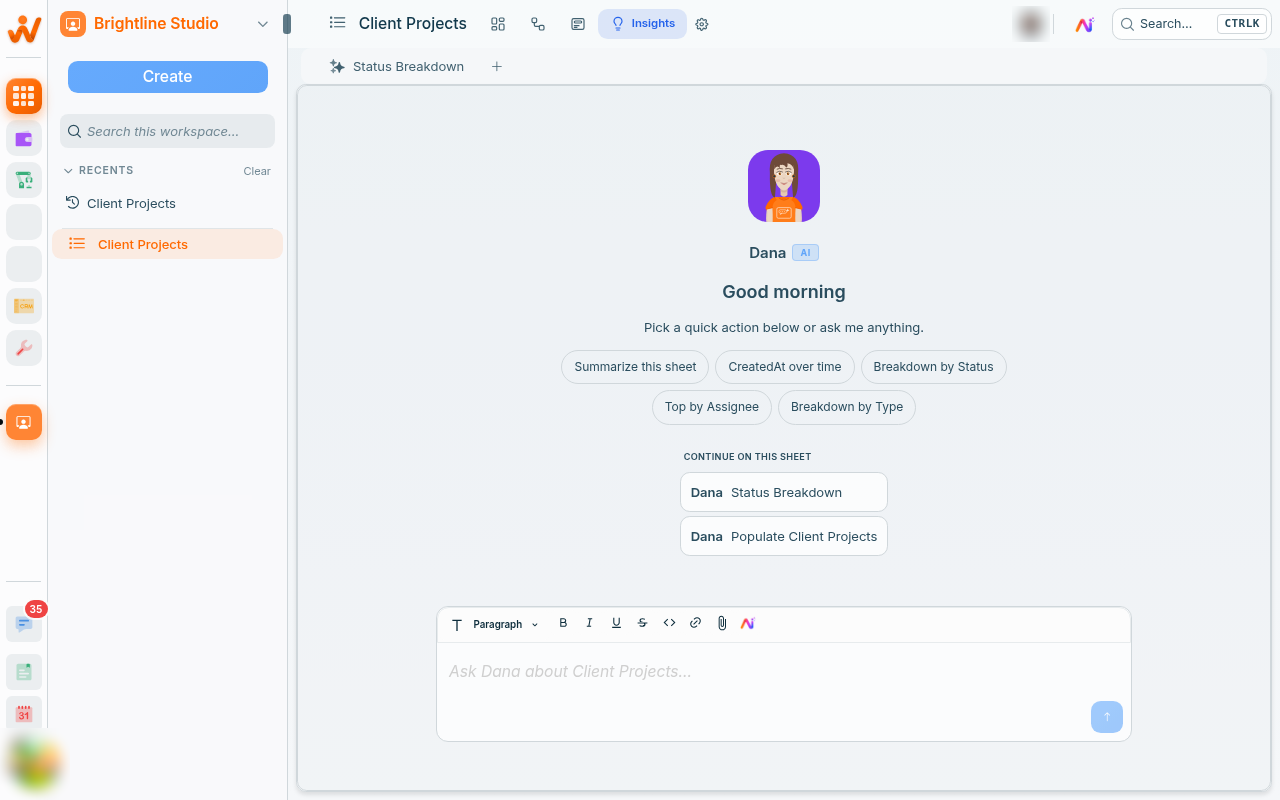
Open Insights
Open a sheet and click the lightbulb icon in the sheet header, labelled Insights. Anyone who can open the sheet can use it. Pick one of the suggestions, or type your own question into the box that reads Ask Dana about and your sheet's name.
What can you ask?
Anything about the records in this sheet: counts, totals and averages, breakdowns, and who has the most. The suggestions are built from the sheet's own fields. Summarize this sheet is always first, followed by up to four more, such as Breakdown by Status, Top by Assignee or Total Budget hours.
Questions that work well for an agency:
- "How many requests per client are still open?"
- "Total budgeted hours by client."
- "Which account manager has the most open tasks?"
Ask for a chart
Say "as a chart", or name the type: column, bar, donut, pie or a single number. Dana builds the chart from all of the sheet's records, even when your question names a filter, and it opens in a panel beside the conversation. The chart link in Dana's reply opens it again.
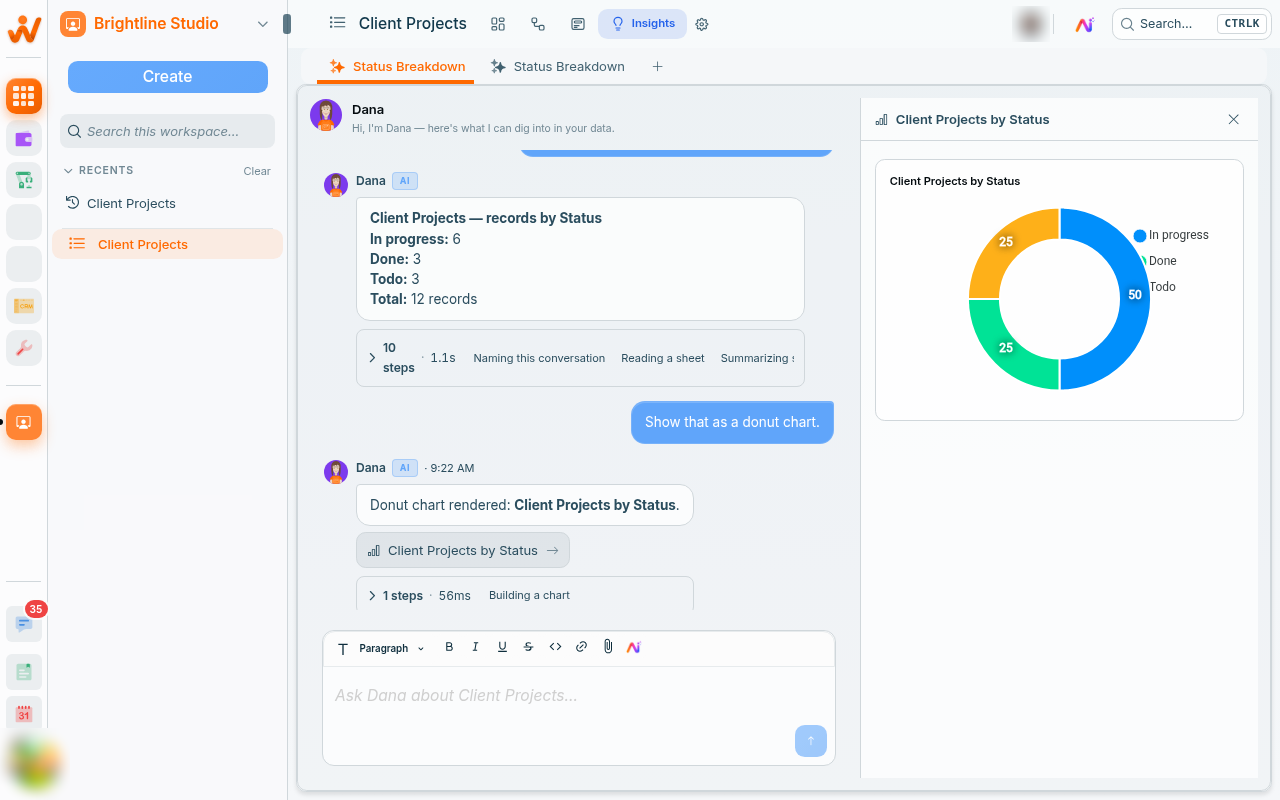
A chart the team checks every day belongs in a Charts view on the sheet, where it stays live for everyone. See Dashboards and charts.
Insights reads the whole sheet
Dana works on every record in the sheet, not on the filtered view you had open. Put the filter in the question instead, for example "only active clients" or "created this quarter". The filter narrows Dana's written answer, not a chart.
Your conversations stay with the sheet
Each conversation becomes a tab under Insights, and Dana names it after the topic. Use + to start a new one (before your first conversation it reads Create new Insight), or open an older tab to pick up where you left off. The start screen also lists them under Continue on this sheet. Conversations are your own: a teammate on the same sheet sees their conversations, not yours.
Can Dana change the sheet from Insights?
Yes, and it does not ask first. Ask Dana to create, update or archive records, comment on them, or add, change and remove fields, and it makes the change as you, within your access. Each change shows as a step in the conversation and is saved as yours. Archiving a record or removing a field loses nothing: an archived record keeps its data, and you bring it back by setting Archived items to Shown in the view's settings, opening the record and clicking Unarchive. A sheet admin can restore a removed field from Deleted fields in the sheet's Fields settings. Dana does not delete records or change views: do those in the sheet itself.
Is Insights different from the Dana sidebar?
No, it is the same assistant. Insights starts from this sheet and keeps its conversations on it; the sidebar works across your whole workspace. See Meet Dana, your AI assistant.
It uses the AI budget
Every answer draws on your workspace's monthly AI budget. When the budget runs out, the conversation shows AI budget used up. Owners can top up or upgrade from there; everyone else is asked to contact an owner.
Check the numbers that matter
Dana computes counts and totals from the records themselves, but can still misread a question. Open the records before a number goes into a client report.
Related: Dashboards and charts · Meet Dana, your AI assistant · The AI budget