Archive and restore rows
In Atwork, archiving hides a row from your views, counts, charts and search without deleting anything. Its values, comments and links are kept, and you can unarchive it at any time.
How do I archive a row?
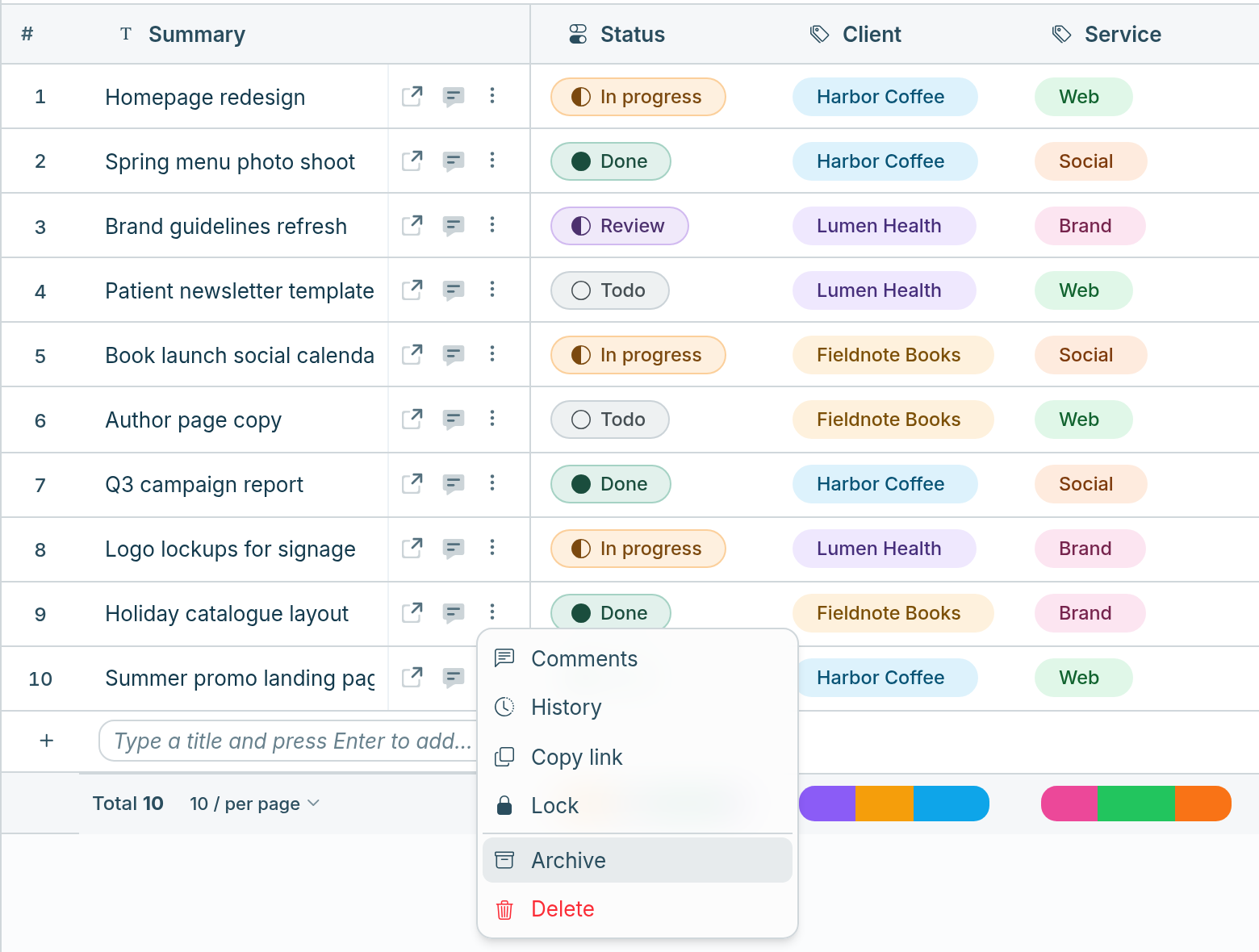
- In a table: hover the row's title, click ⋮ and choose Archive.
- Several rows at once: in a table, tick the rows by their numbers, then click Archive in the bar that appears above the table.
- On a board: click ⋯ on the card, or right-click the card, and choose Archive.
- From an open record: click the archive icon in the record's header. Editors, Admins and Owners see it.
The row leaves the view straight away, without a confirmation step, and a message confirms it, for example "2 archived".
What happens to an archived row?
An archived row is left out of your views, counts, charts, search and exports, and every value, comment and link is kept.
In detail, it is left out of:
- table and board views, unless the view is set to show archived rows (see below). Calendar, Gantt and the other views always leave it out;
- counts, charts and dashboard widgets;
- workspace search. Dana leaves it out too, unless you ask about archived rows;
- Export, even when the view shows archived rows;
- My Tasks and its reminders.
Workflows that start when a row is created or changed don't run on it, and autofill skips it.
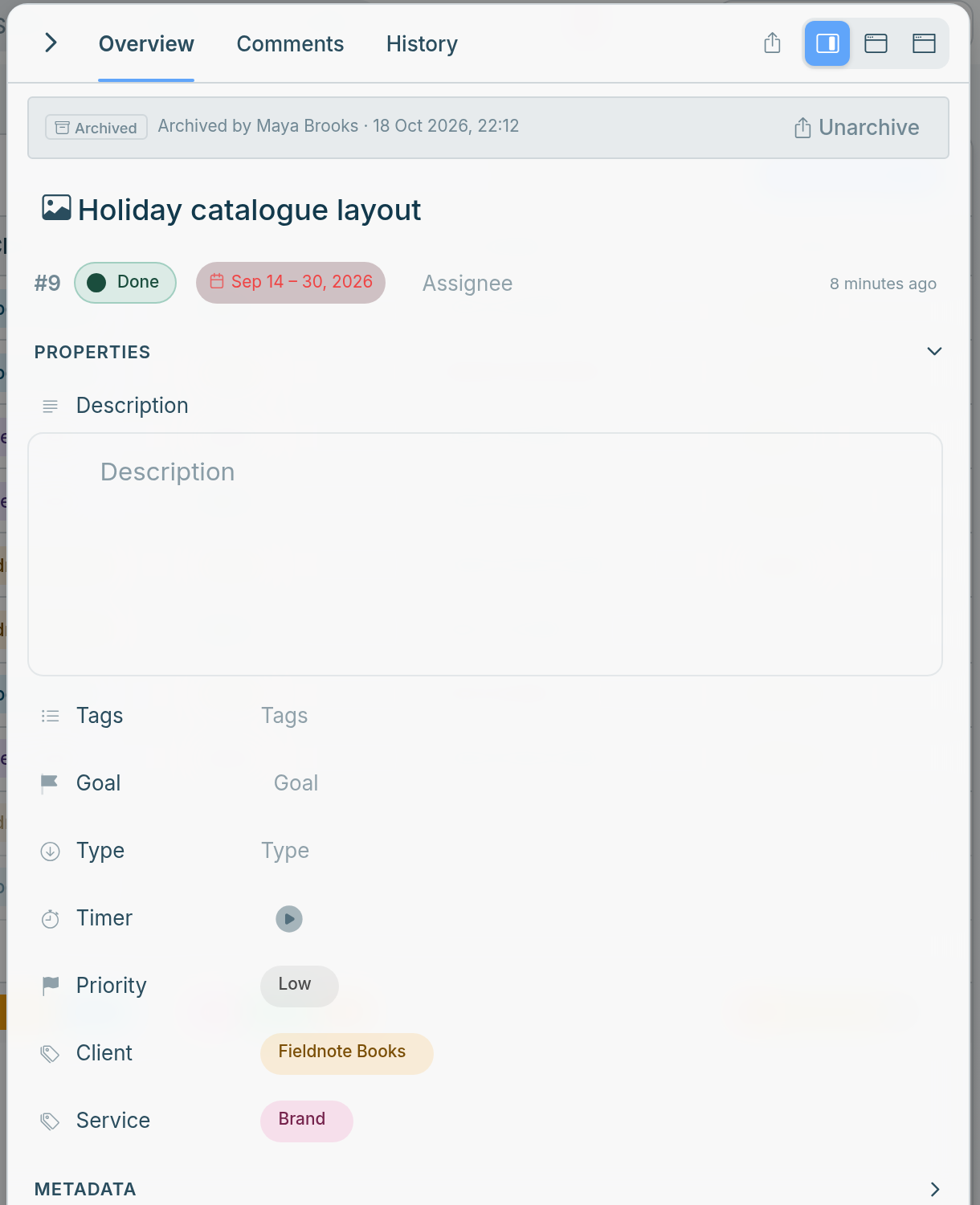
What is kept: every value, the comments and history, and links from other rows. You can still open the row and edit it. An open archived row shows an Archived strip that reads "Archived by" with the person's name and the date, next to an Unarchive button.
How do I see archived rows?
Change the view's Archived items setting. Click Settings (the gear) in the view's toolbar, and under Display choose:
- Hidden: archived rows are left out. This is the default.
- Shown: archived rows appear muted, with an Archived tag.
- Only: the view shows nothing but archived rows.
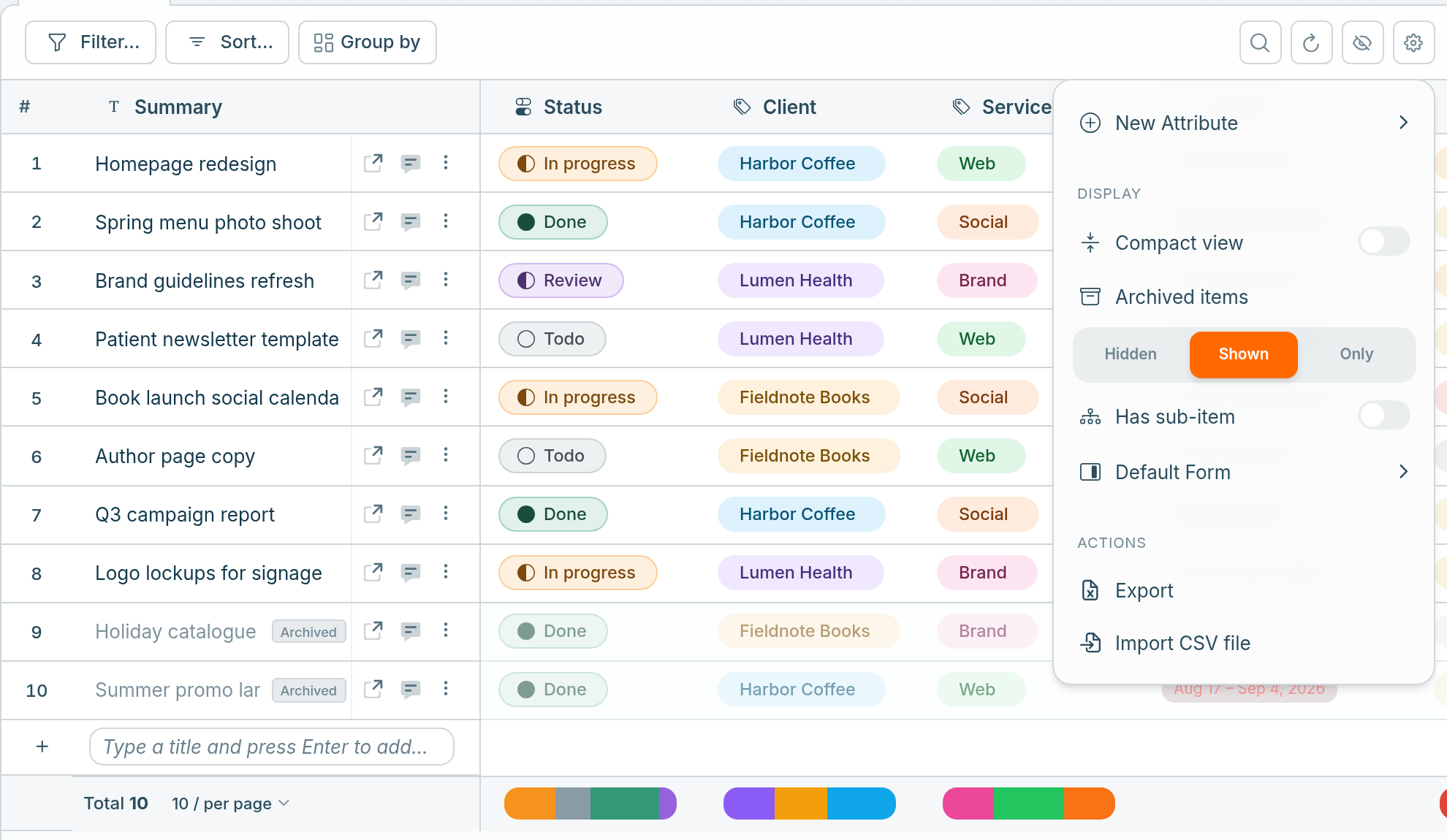
Table and board views have this setting. It is saved on the view, like its filters, so it changes what everyone sees in that view. To look back without changing your team's main view, add a separate view, call it Archive, and set it to Only.
The counts at the foot of a table include archived rows only while the view shows them.
How do I restore (unarchive) a row?
- One row: open it and click Unarchive in the Archived strip, or choose Unarchive from its ⋮ menu in a table or its card menu on a board.
- Several rows: set a table view to Only, tick the rows and click Unarchive in the bar above the table. The button reads Unarchive when every row you ticked is archived.
The row returns to your views and counts with all its values. There is no time limit on unarchiving.
Archive or delete?
Archive anything you may need again. Delete only duplicates, tests and mistakes, because a delete is permanent.
| Archive | Delete | |
|---|---|---|
| Can you undo it? | Yes, unarchive at any time | No, there is no trash |
| What is kept | Every value, comment and link | Nothing |
| Use it for | Finished work you may want to look back on | Duplicates, tests and mistakes |
Deleting from a table asks you to confirm first: "This action cannot be undone." When in doubt, archive.
FAQ
Who can archive rows?
Anyone who can edit rows in the sheet: Operators, Editors, Admins and Owners can use the row menu, the selection bar and the card menu. The archive icon in a record's header, and Unarchive in its strip, show for Editors, Admins and Owners.
Does archiving notify anyone or start a workflow?
No.
Why can't I find a row in search?
It may be archived. Set a view's Archived items to Only and look there.
Is there a filter for archived rows?
No. Use the view's Archived items setting under Settings › Display, not Filter.
What happens to links to an archived row?
They are kept. A Relation cell that points to an archived row still shows it.
Related: Keeping a workspace tidy · Table view · Board view · Filter, sort and group · Export and print your Atwork data