Dashboards and charts
A Charts view turns a sheet into numbers and charts. Nothing is re-entered — it reads the records you already keep, so it is never out of date.
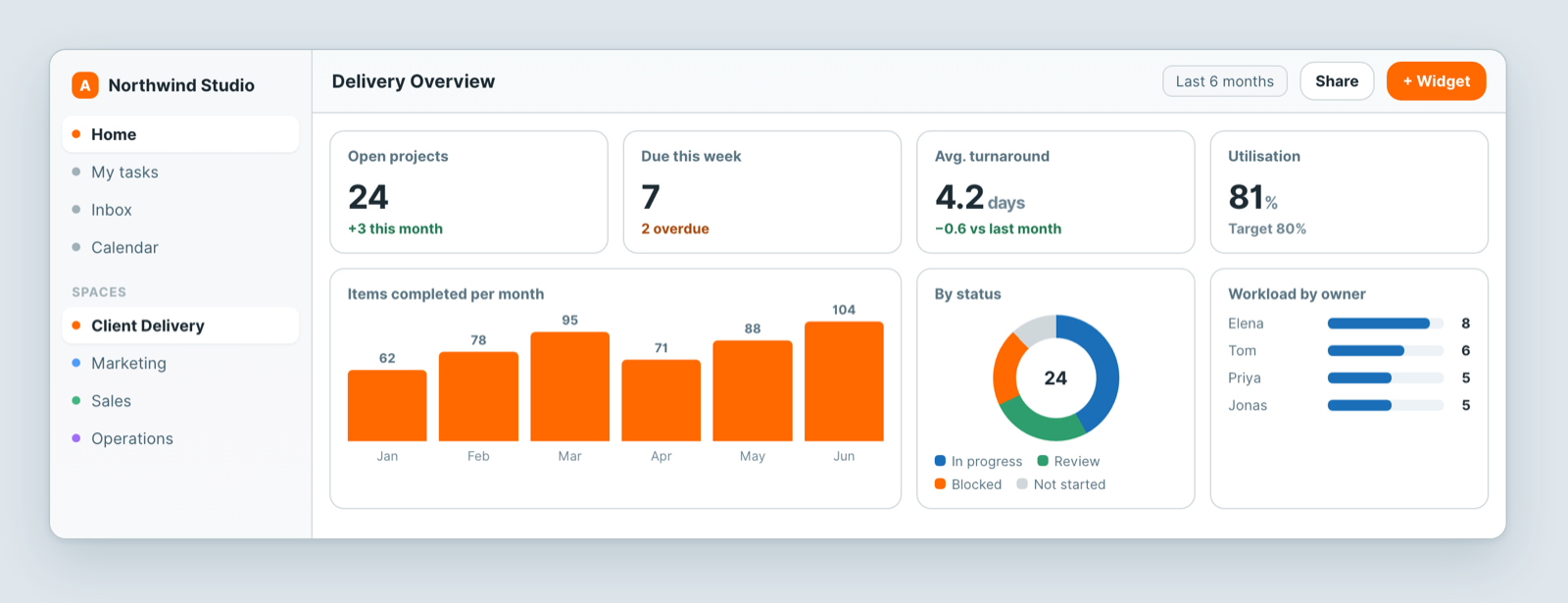
Build one
- Add a Charts view to a sheet, or open a dashboard in your space.
- Add a widget.
- Choose the source — a sheet and, usually, a view. Pointing a widget at a filtered view is the easiest way to chart a subset.
- Choose what to measure: count, sum, average, minimum, maximum or distinct count.
- Choose what to break it down by — a field, or a time bucket (day, week, month, quarter, year).
Pick the form to match the question
- One number — open projects, overdue items, revenue this quarter. A single big number beats a chart nobody reads.
- Bar — comparing categories: items per client, hours per person.
- Line — change over time. Pair it with a month time bucket.
- Breakdown — composition: how the pipeline splits across stages.
Make it readable
- One question per widget. If a chart needs a paragraph of explanation, it is two charts.
- Filter at the source. Charting archived records alongside live ones flattens everything that matters.
- Colour by what a colour means — status or category. Colouring one measure in five colours adds nothing.
Where to put it
Embed a dashboard on a space home page and it becomes the first thing the team sees, instead of something they remember to open.
Related: Filter, sort and group · Views: see the same data 12 different ways · Who can see a dashboard?
Related articles
Archive and restore rows
Archive rows in Atwork to hide them from views, counts, charts and search without deleting anything, then show or unarchive them again at any time.
Fill a field automatically
Set an Atwork field to fill itself: from a formula, from AI that reads the item, or with a default for new items. Modes, refills, marks and cost.
Build sheets and forms with Dana
Describe a CRM, tracker or intake form and Dana, Atwork's AI assistant, drafts the sheets, fields, links and forms for you to review first.