Wrike lists a lower per-seat price than Asana and is the more capable tool on paper. Neither fact survives contact with how Wrike actually sells seats. For an agency the deciding difference is not the feature grid or the headline price — it is that one of these tools bills you for the people you have, and the other bills you for the block you land in.
What's the real difference between Wrike and Asana for an agency?
Wrike is the heavier tool. More configurability, stronger proofing and approval workflows, and a structure built for teams that run formal review cycles. Asana is lighter and more opinionated, with a mature rules engine and very little ceremony. On capability alone, Wrike wins more rows.
For an agency the deciding difference sits in the billing model, and neither vendor frames it that way. Asana charges you for the people you have. Wrike charges you for a block of seats and puts a ceiling on its cheaper plan.
That is not a criticism of the product. It is a purchasing model that suits a company with a stable headcount and a procurement process, which is precisely what a growing agency is not.
How does Wrike actually sell seats?
In blocks, with a cap. Wrike's pricing page puts Team at $10 per user per month on annual billing for 2–15 users, and Business at $25 for 5–200. It also states that subscriptions are sold in groups: for accounts of up to 30 seats, in groups of five.
Two consequences follow, and both matter more than the per-seat figure:
- You round up to the next five. A seven-person agency buys ten seats. Three people buy five.
- Team has a ceiling, not a floor. At sixteen people the cheap plan is no longer available to you.
Asana Starter has neither. It is $10.99 per user per month with no band and no rounding, and it includes unlimited free guests.
What does that cost a seven-person agency?
More than the sticker, and the gap widens the smaller you are. Rounding to the next block of five is invisible on a pricing page and unavoidable on an invoice.
| Headcount | Wrike seats billed | Wrike | Per head | Asana Starter |
|---|---|---|---|---|
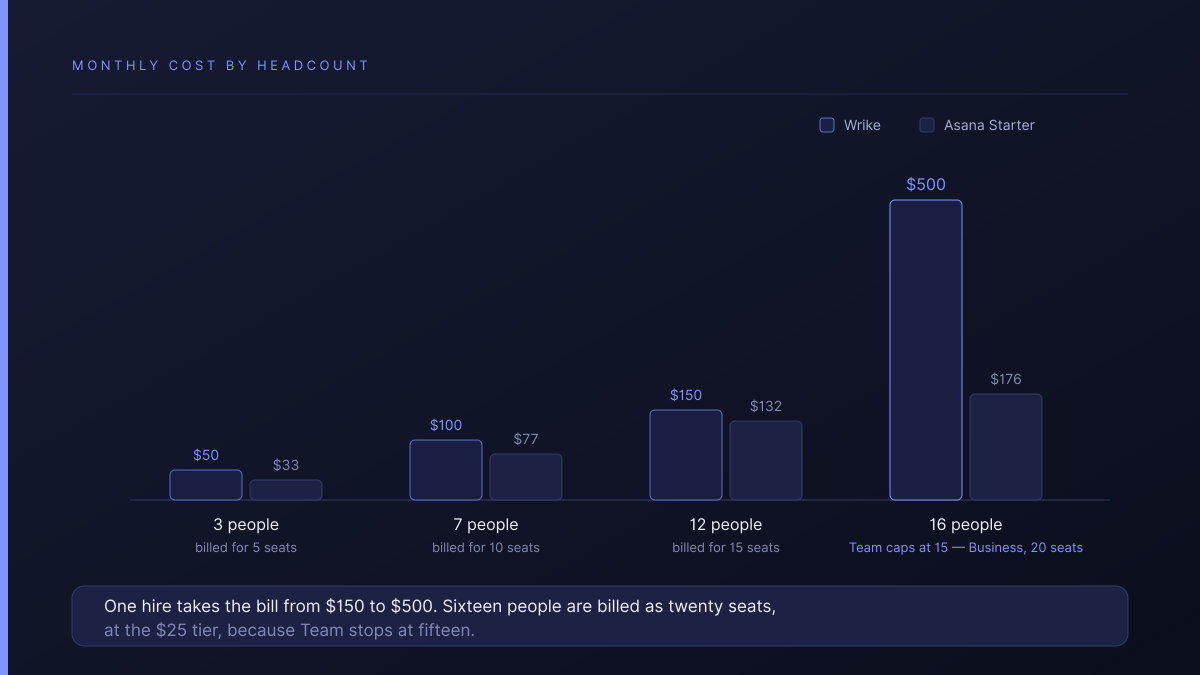
| 3 | 5 | $50 | $16.67 | $33 |
| 7 | 10 | $100 | $14.29 | $77 |
| 12 | 15 | $150 | $12.50 | $132 |
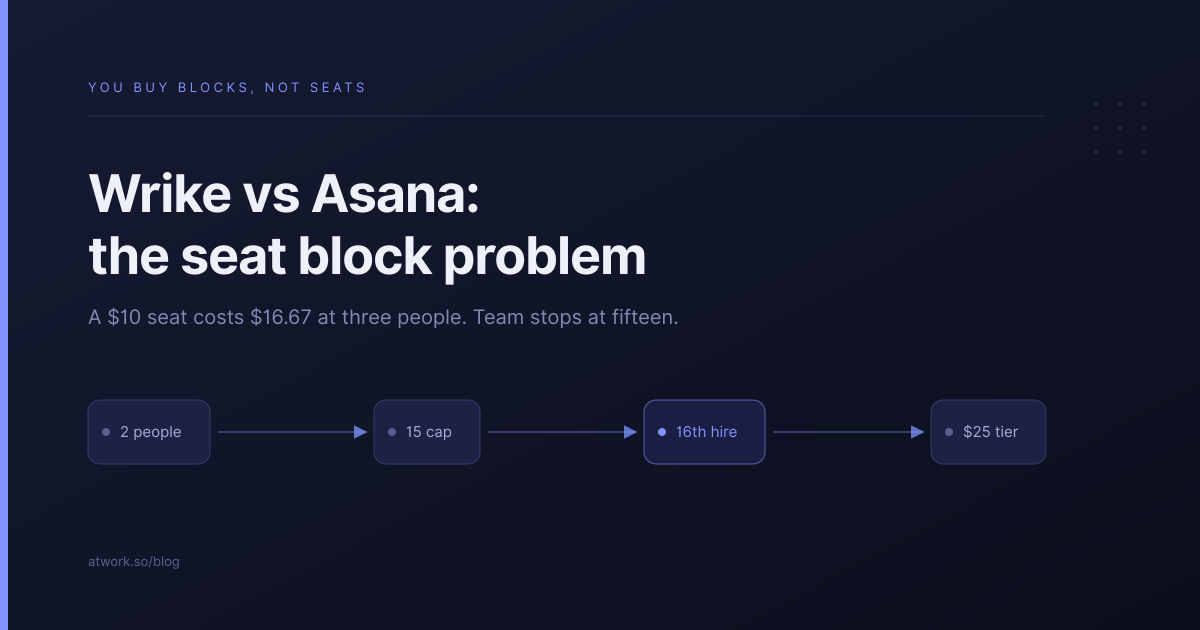
Wrike's $10 seat costs $16.67 at three people. The advertised price is only the price if your headcount happens to be a multiple of five.
The rounding penalty shrinks as you grow, which is the opposite of how agencies experience most software pricing. At twelve people Wrike is genuinely close to Asana. At three it is half again as expensive.
What happens when you reach sixteen people?
The bill roughly triples. Team stops at fifteen users, so the sixteenth hire moves you to Business at $25 — and the group-of-five rule rounds sixteen up to twenty seats.
| Headcount | Wrike | Asana Starter |
|---|---|---|
| 12 | $150 | $132 |
| 16 | $500 | $176 |
One hire takes you from $150 to $500 a month. Nothing about that is hidden — the bands are published — but it is not the shape most agencies plan for, and it arrives at exactly the size where an agency is least able to absorb it.
That is a worked example rather than a benchmark. If your headcount is stable and sits just under a multiple of five, none of this bites.
What does neither tool do for client work?
Neither arrives with an opinion about clients. Wrike is the stronger of the two here — its proofing and approval workflow is a real feature and a genuine reason agencies choose it, particularly creative shops running formal review rounds. Asana has nothing comparable.
But in both, the client is an outsider bolted onto a team tool. The brief lives somewhere else, the approval lives in the tool, the invoice lives in a third place, and reconstructing a project's history means opening all of them. We counted that cost in what agencies end up bolting on to Monday.com, and it applies here with one adjustment: Wrike closes the approval half of the gap, and leaves the rest open.
Wrike's licensing for limited and external users is also worth pricing directly with their sales team rather than inferring from the public page — it is the one part of their model that is not fully published.
How does Atwork compare?
The difference is what you are billed for.
| Wrike | Asana | Atwork | |
|---|---|---|---|
| Seats billed | Blocks of five | People you have | People you have |
| Cheap plan ceiling | 15 users | None | None |
| Client who comments | Licensed separately | Free, unlimited | Free, never counted |
| Proofing and approvals | Strongest here | None comparable | On the item, with the brief |
| New client setup | Configure a space | Configure a project | Template installs the workspace |
Where Wrike is better, plainly: proofing and approvals. If your work is creative and your review cycles are formal, Wrike does that better than Asana and better than us, and it is a legitimate reason to choose it despite the seat model.
Where we differ is that you pay for the staff you have, there is no band and no rounding, and clients join as guests on the views you choose without ever counting against your licence. The Agency CRM template is the usual entry point, and the agencies overview covers the scope.
If you are still narrowing the field, we have written about what a client contact costs on ClickUp and Asana and the full selection framework for small agencies.
Where should you start?
Do two pieces of arithmetic before you look at a feature grid. Round your headcount up to the next multiple of five and multiply by the seat price — that is your real Wrike number. Then ask how likely you are to pass fifteen people in the next two years, because that is the day the cheap plan disappears.
If you need formal proofing, Wrike may still be worth both. If you do not, you are paying a purchasing model for a capability you will not use.
Round your headcount up to the next five. If that number annoys you, put one client somewhere that bills you for the people you actually have. Start free