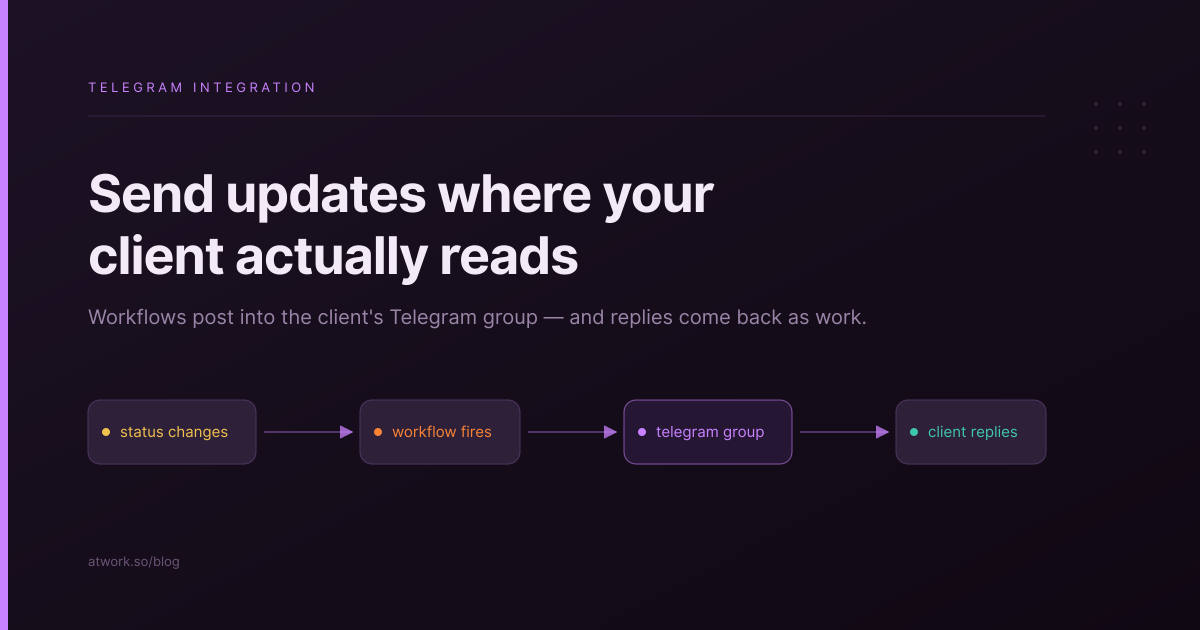
Most agencies have two sources of truth that never meet. The project lives in the work OS. The client lives in a Telegram group. Someone on your team spends part of every day carrying information between the two: copying a status into the chat, copying a request out of it. Atwork's new Telegram integration closes that gap. Workflows now post updates, files, and approval buttons straight into the client's chat, and what the client sends back can create and update work in Atwork without anyone relaying it.
What does the Atwork Telegram integration do?
It connects a Telegram bot to your Atwork workspace, in both directions. Outbound, workflows send messages, photos, and documents to any chat the bot is in, with optional buttons under the message. Inbound, a new message or a button press in Telegram can start a workflow, which then creates items, changes statuses, or notifies your team.
The integration works with private chats, groups, and channels. That covers the three shapes client communication usually takes: a direct line to one stakeholder, a shared project group, and a broadcast channel for announcements. The same bot can serve all three at once, and each workflow picks the chat it posts to.
Because the sending side is a workflow action and the receiving side is a workflow trigger, there is nothing separate to learn. If you have built an automation in Atwork before, Telegram is one more node on the same canvas.
Why run client updates through Telegram?
Because the update your client reads is the one that arrives where they already are. Plenty of clients, especially outside the US, run their whole business from Telegram. Asking them to log into a portal for every status ping adds friction to the exact behaviour you want more of: staying informed without emailing you.
The usual alternative is worse. A team member watches the board, notices the change, and types a summary into the chat by hand. That update is late, occasionally wrong, and it stops happening the week that person is on holiday. A workflow that posts the moment a status changes is none of those things.
The status update your client reads is the one that arrives where they already are.
This does not replace a client portal. A portal answers the deep questions: scope, history, every deliverable in one place. Telegram handles the shallow, frequent ones, like whether the design moved today. Agencies that run a proper client operation in Atwork tend to need both layers.
How do you connect a Telegram bot to Atwork?
You create a bot with BotFather, Telegram's official bot-creation tool, and paste the token it gives you into a new Telegram connection in Atwork's integrations. Atwork verifies the token and the connection is live. The whole thing takes a few minutes and needs no developer.
From there, the bot learns its audience the way any group member would: you add it to the client group or channel, someone sends a message, and that chat appears in Atwork's chat picker. When you later build a workflow that sends to Telegram, you choose the destination from that list by name rather than hunting for a numeric chat ID.
One bot can be in many chats, so a single connection typically serves your whole client roster: one group per client, plus an internal alerts channel for the team.
What can a workflow send to Telegram?
Three kinds of content: text messages, photos, and documents, each optionally carrying buttons underneath. Text supports formatting, so a status digest arrives as a readable message rather than a wall of plain text. Photos and documents mean the deliverable itself can travel with the update: the exported deck, the signed-off artwork, the monthly report.
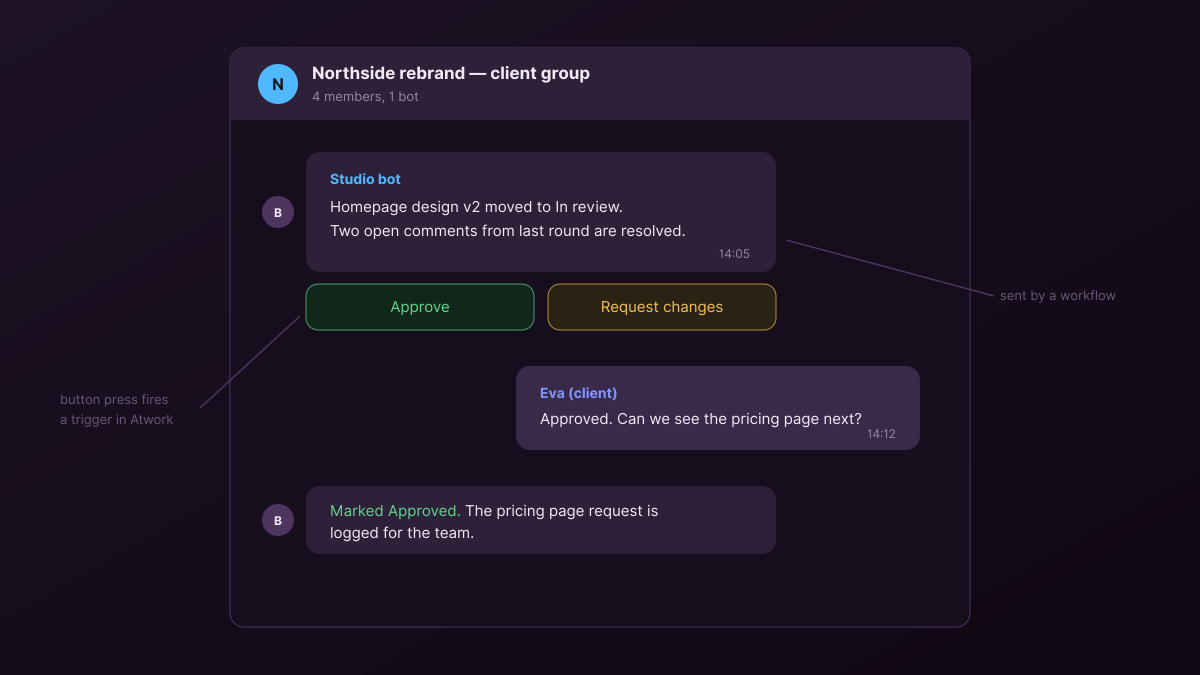
Buttons are the part worth pausing on. A message can carry choices like Approve and Request changes, and each press is a signal Atwork can act on. That turns a status update into a decision point: the client does not have to write anything, find a link, or remember a login. They tap, and the answer lands in your workspace.
Anything a workflow knows can go into the message: item titles, assignees, due dates, the fields of the row that triggered it. A deadline reminder can name the deliverable and its owner; a completion notice can link the preview.
What can a Telegram message trigger in Atwork?
Two events start workflows from the Telegram side: a message arriving in a chat the bot is in, and a button press on a message the bot sent. Both hand the workflow the full context: who sent it, in which chat, and what they said or chose.
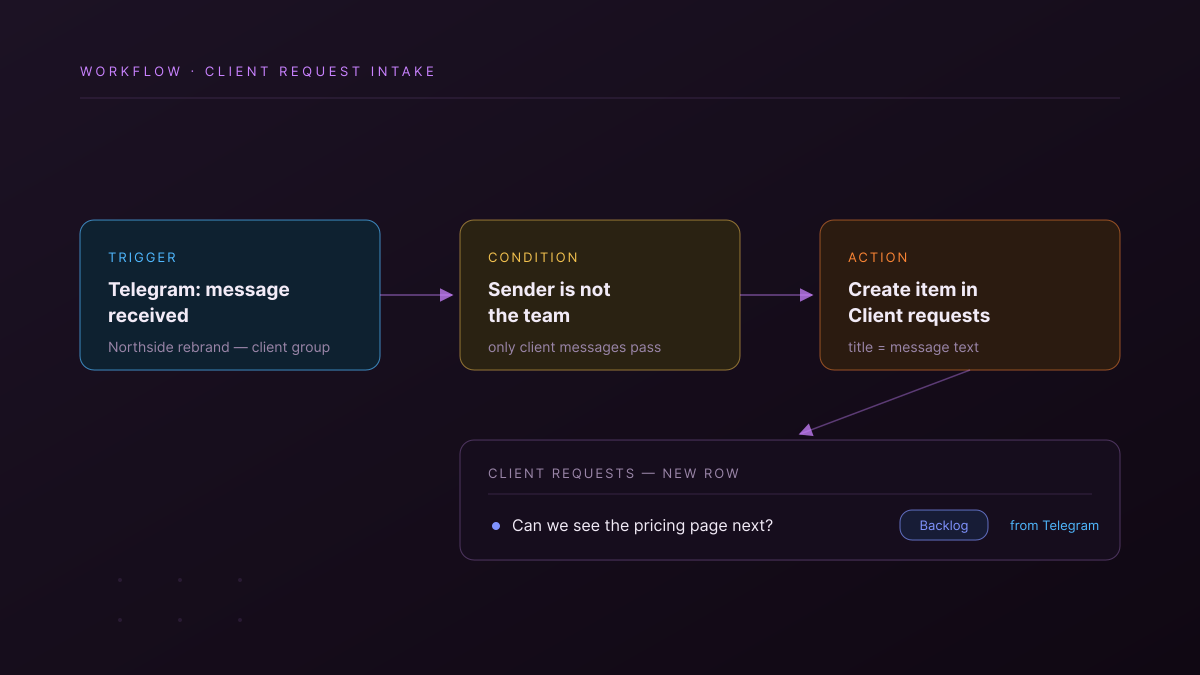
The message trigger is how requests stop getting lost. When a client writes into the group, a workflow can log it as an item in a requests sheet, tagged with the source chat, before anyone on your team has read it. Scope creep usually enters an agency as an innocent chat message; a logged request is one you can triage, price, or push to next sprint. It is the same pattern as turning client emails into tasks, applied to the channel where your chattiest clients live.
The button trigger closes approval loops. A press on Approve can flip the item's status, stamp who approved it, and notify the owner, all in the seconds after the client taps.
Which Telegram setups are worth copying?
Start with one of these three. Each is a single workflow, and each removes a chore someone is currently doing by hand:
- The client status group. When an item's status changes on a client's project, post one line into that client's group. The client stops asking where things are, because the answer arrives before the question.
- The approval message. When a deliverable reaches review, send it to the client with Approve and Request changes buttons. The press updates the item and records the decision, so sign-off stops living in scrollback.
- The request intake. When a client writes into the group, log the message as an item in a requests sheet. Nothing said in chat disappears, and the Monday triage works from a list instead of memory.
The pattern behind all three is the same one behind the automations teams actually keep: take a message a person sends on someone else's behalf, and have the system send it the moment the fact is true.
Where does this fit in an agency's stack?
Telegram becomes the notification surface, while Atwork stays the record. The chat shows what changed; the workspace holds why, who, and what happens next. Teams already running client delivery in Atwork can add this in an afternoon: connect the bot, add it to one client's group, and wire the status workflow first. The other two setups follow once you have watched the first one post.
Connect a bot, add it to one client group, and let the Friday status message send itself. Start free