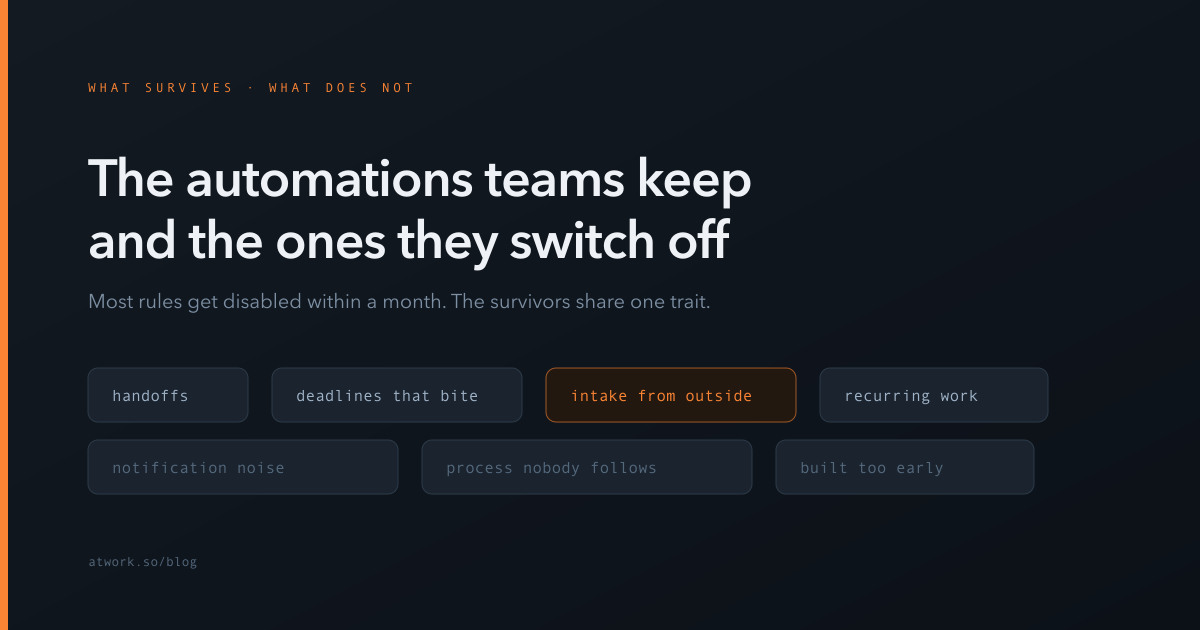
Every guide to workflow automation is a list of things you could automate. Assign the task when it is created. Remind someone before the deadline. Notify the channel when the status changes. All of it works, and most of it gets switched off within a month.
That gap between what automation can do and what teams keep using is the interesting part, and almost nobody writes about it. This is an attempt to: which rules survive contact with a real team, which ones quietly get disabled, and how to tell the difference before you build.
What does workflow automation actually do for a team?
Workflow automation moves the small, predictable steps of a process off a person's plate — assigning work, chasing a date, moving an item forward, telling someone something changed. The work still happens. What goes away is the remembering.
That framing matters more than it sounds. Automation is not primarily a time-saving tool, because most individual rules save seconds, not hours. What it saves is attention: the mental overhead of holding a process in your head and being the person who notices when a step was skipped.
Which means a good automation is one that removes a thing someone was worrying about. If nobody was worrying about it, automating it adds a moving part and removes nothing.
Why do most automations get switched off?
Because they generate work rather than removing it. In practice, failed automations fall into three groups: the ones that produce notifications nobody reads, the ones that encode a process the team does not actually follow, and the ones built before the underlying structure was stable.
Notification noise is the most common killer. A rule that tells six people about every status change feels thorough when you build it. Three weeks later everyone has muted the channel, and the one genuinely urgent message goes unread along with the rest. The automation did not fail because it was wrong. It failed because it was indiscriminate.
The second group is subtler. Someone maps the process as it is supposed to work, automates that, and discovers the team has always done step three before step two for a good reason nobody wrote down. Now the automation fights them daily. People do not usually raise this — they work around it, and the rule quietly becomes something to be defeated.
The third group is a timing problem. Rules are built on top of your fields and statuses. Build a dozen of them in week one, then rename a status or restructure how you track work, and some of those rules stop matching anything. They do not announce this. They simply stop firing, and you find out when someone asks why they never got the handoff.
Which automations do teams actually keep?
The survivors have one thing in common: a specific person is relieved of a specific worry. In practice they cluster into four kinds — handoffs, deadlines with consequences, intake from outside the team, and genuinely recurring work.
Handoffs between people. When work moves from one person to the next, someone has to notice and pick it up. That noticing is exactly what people are bad at and automation is good at. These rules survive because the alternative is a real, felt failure: work sitting untouched because nobody knew it was their turn.
Deadlines that actually have consequences. Not every date needs a reminder. The ones worth automating are those where being late costs something — a client commitment, a compliance window, a dependency someone else is blocked on. Reminders on dates that slip harmlessly are the fastest route to reminder blindness.
Intake from outside the team. Requests arriving by email, form or message have to be transcribed by someone, and that someone is a bottleneck who also makes typos. Turning an incoming request directly into a tracked item with an owner is the single highest-return automation most teams build. It survives because it replaces a job nobody wanted.
Genuinely recurring work. Monthly reports, quarterly reviews, weekly check-ins. The test is whether it recurs on a schedule rather than in response to something. If it is truly calendar-driven, automating it is pure gain.
What should you automate first, and what should you wait on?
Automate intake first, then handoffs. Wait on anything that depends on fields or statuses you are still changing, and wait on anything whose main output is a notification.
The sequencing advice that matters most is the one nobody gives: let your structure settle before you build rules on top of it. Your automations reference your fields and statuses by name. While you are still figuring out how your team tracks work, every rename is a silent breakage. Give it a few weeks of real use first. The rules will take twenty minutes to build once you know what you are building them on.
A useful test before building anything: can you name the person this rule helps, and the thing they will stop worrying about? If the answer is vague — it would be nice if everyone knew — that is not an automation, it is an announcement, and it will be muted.
How do you stop an automation becoming noise?
Notify the smallest number of people who can act on the message, and prefer changing the state of the work over telling someone about it. Most noise comes from rules that inform rather than rules that do.
Three habits keep this in check. Send to a person, not a team, wherever the rule has an obvious owner — a message addressed to everyone is addressed to no one. Prefer an action over an announcement: assigning the item, moving it, or setting a date is quieter and more useful than telling six people it happened. And revisit your rules once a quarter, because the surest sign of a dead automation is that nobody remembers building it.
It is also worth naming what automation should not do. It will not fix a process the team disagrees about. If two people have different ideas of what "ready for review" means, automating the transition just makes the disagreement fire faster.
What does this look like in Atwork?
Automations in Atwork are built visually, without code. A rule watches for something — an item changing, a date arriving, or a schedule coming round — optionally narrows to the cases you care about, and then acts: assigning, updating, notifying, creating follow-up work.
Because the rules run against the same sheets your team already works in, there is no separate automation layer to keep in sync. The item that a rule updates is the item you are looking at.
The practical consequence is the point made above: your automations are only as stable as the structure underneath them. Teams who settle their fields and statuses first, then automate, end up with rules they keep. Teams who do it in the other order end up with rules they debug.
The one to build this week
If you build exactly one automation, make it intake. Take whatever route work currently arrives by — a form, an email, a message from another team — and make it land directly as a tracked item with an owner, instead of passing through a person who retypes it.
It is the rule most likely to still be running in six months, because it removes a job somebody actively dislikes rather than adding a message somebody has to read. Get that one working, watch it for a fortnight, and only then build the second.