Every work platform has its own vocabulary, and the words are usually the barrier rather than the features. You cannot ask for what you need, or search for how to do it, until you know what the thing is called.
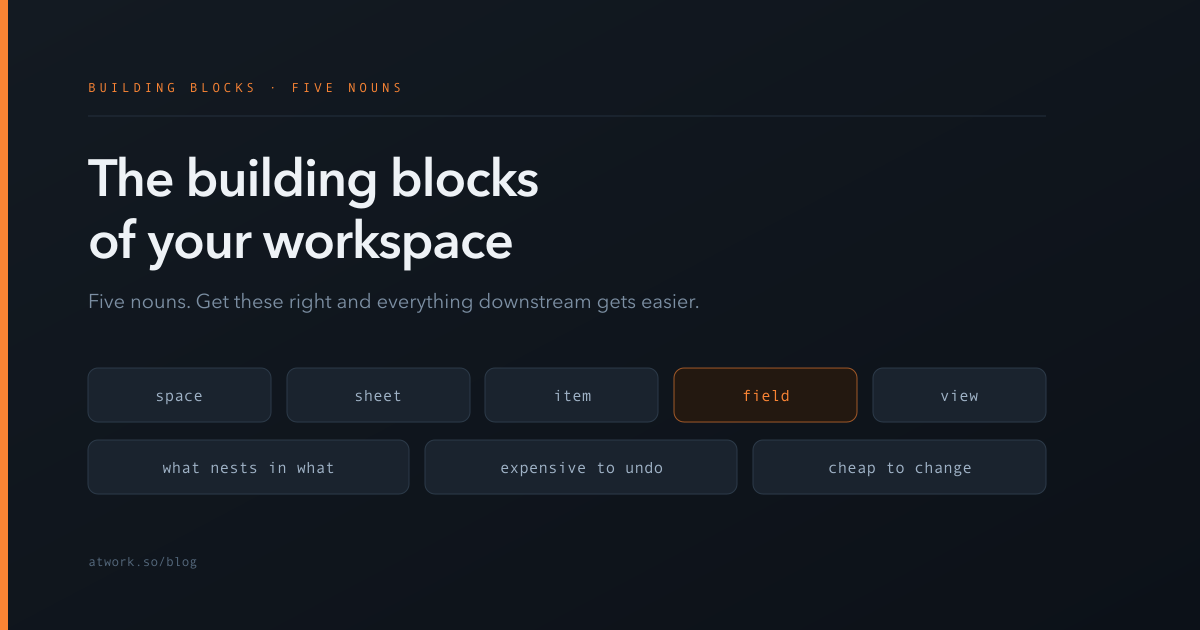
Atwork is built from five nouns. Spaces contain sheets, sheets contain items, items have fields, and views decide how you see them. That is the whole model, and once it is clear, everything else in the product is a variation on it.
What are the five building blocks?
They nest, largest to smallest, with views sitting slightly apart:
- Space — a container for related work, usually matching a team, a client or a function.
- Sheet — a collection of things of the same kind. Your tasks, your deals, your candidates. Roughly a table.
- Item — one row in a sheet. One task, one deal, one candidate.
- Field — one piece of information about an item. Its status, its owner, its due date.
- View — a way of displaying a sheet. Table, board, calendar, timeline. Several views can show the same sheet differently.
The relationship that matters most: a view is not a copy of your data. It is a lens on it. Change the view and nothing about the underlying items changes — which makes views the cheapest thing in the system to experiment with, and fields among the most expensive.
What is a space, and how should you divide them?
A space groups related work, and it is the broadest level at which you decide who can see things. Access can be set more finely than that — on individual sheets, views and even fields — but the space is the coarsest grain and the one worth getting right first, because it is the level most people reason about.
Three common divisions, each with a consequence:
- By team — Marketing, Sales, Engineering. Simple and maps to the org chart. Cross-team projects get awkward, because the work belongs in two places.
- By client or project — natural for agencies and consultancies, and easy to grant a client narrow access to just theirs. Gets unwieldy past a few dozen.
- By function — Delivery, Operations, People. Survives reorganisations better than team-based division, because functions change less often than team names.
Most workspaces end up mixed, and that is fine. The rule worth following: create a space when a different group of people needs access, not when there is a different kind of work. Different kinds of work are what sheets are for. A new space for every project produces a workspace nobody can navigate and a permission model nobody can audit.
What is a sheet, and when do you need a second one?
A sheet holds things of one kind. Everything in it should be describable by the same set of fields, because those fields are shared by every row.
That gives you the test for whether you need a second sheet: do these things want different fields? Tasks have assignees and due dates; invoices have amounts and payment terms. Forcing both into one sheet means every task row carries empty invoice columns, and vice versa. Two sheets.
The other signal is the one-to-many case. If a single row would need three of something — three contacts, three line items, three sessions — those belong in their own sheet, connected by a relation. Relations, mirrors and rollups are how sheets talk to each other, and reaching for them at this moment is what stops a sheet turning into a spreadsheet with Contact 1, Contact 2 and Contact 3.
What is an item?
One row: a single task, deal, candidate or request. Items are where the actual work happens, and they carry more than their fields.
Each item has a comment thread, an activity history, attachments and a description. That matters for a reason people miss early on: not everything needs to be a field. The nuance, the context, the back-and-forth all live on the item without adding a column to the sheet, and a comment thread is a better home for a discussion than a text field ever is.
Items can also nest, so a large piece of work can have sub-items under it — and a parent can roll up figures from its children, such as the total estimate of everything beneath it. Items can be assigned too: to a person, or to an AI agent, which appears in the same assignee list as everyone else.
What are fields, and why do they decide everything downstream?
A field records one fact about an item, and the type you choose decides what the rest of the system can do with it.
This is the highest-consequence decision in the whole model, and it is easy to make casually. A status typed as free text cannot group a board. A date stored as text cannot appear on a calendar. A number stored as text cannot be summed. In each case the information is present and unusable, and fixing it later means re-entering data across every existing row.
So the rule is: choose the most specific type that fits. Not text-for-everything, which feels flexible and is a trap. Two guides go deeper: how to structure a sheet covers the discipline that keeps a sheet usable a year in, and choosing a choice field covers the single most common wrong pick — using Select where you needed Status.
What is a view, and why is it not a copy of your data?
A view is a saved way of looking at a sheet: which fields are shown, how rows are grouped and filtered, and whether it renders as a table, a board, a calendar or a timeline.
The crucial property is that views are non-destructive and additive. Ten views of one sheet are ten lenses on the same rows — they cannot disagree with each other, because there is only one set of data underneath. This is exactly what a duplicated sheet cannot promise, which is why make another view is almost always the right answer and make another sheet almost always is not.
Because they are free to create and instant to change, views are where you should experiment. Which view a project should use comes down to the shape of the work — whether it has dates, stages, or owners — and the answer changes as a project moves through its life.
Which of these decisions are hard to change later?
Worth knowing before you build, because the effort is wildly uneven:
- Views — free. Change them constantly. Nothing is lost.
- Items — easy. Add, edit, move, archive. Ordinary work.
- Fields — moderate to painful. Adding one is easy. Changing a type or removing one that people rely on means data cleanup and retraining, and any automation or view depending on it may break quietly. People fields are the worst of these, because no bulk conversion can guess who you meant.
- Sheets — painful. Splitting a sheet after a year means migrating rows and rebuilding everything that pointed at it.
- Spaces — painful and political. Moving work between spaces changes who can see it, which is a conversation as much as a migration.
The practical consequence: be deliberate about spaces and fields, and relaxed about everything else. Most teams do the opposite — they agonise over which view to use, which costs nothing to change, and default their way into a field structure they live with for years.
Where should you start?
With one space and one sheet, holding work you are actually doing this week. Add the fields you genuinely filter or group by, and no others. Then try three views on it and keep the one that answers the question you would otherwise have to ask a colleague.
Once that is standing, the rest builds on it: automations act on items when fields change, and agents work on them the way a teammate would. Both depend entirely on the fields being right, which is why the field layer is worth the extra ten minutes.
Start free and build one space, one sheet, and the five fields you actually use.