Most pages about Asana alternatives for agencies argue that Asana is expensive or that it is missing features. Neither is true in the way those pages mean it. Asana is the cheapest honest option in this bracket for letting clients into your work, and its core is more reliable than most of what would replace it. Agencies still leave, and when they do it is almost never the bill. It is that the work changed shape and the tool did not.
Why do agencies look for an Asana alternative at all?
Because the thing they need a home for stopped being a project. A team tool models work your team owns. An agency does work for somebody, repeatedly, under a commercial arrangement — and the client, the scope and the sign-off have nowhere to live. That gap widens with every client you add, and no plan upgrade closes it.
Notice what is not on that list: seats, guests, automation limits. Those are the reasons people leave the other tools in this category, and we have written about most of them. They are not the reason people leave this one.
What does Asana actually cost an agency?
Less than almost anything comparable, once clients are involved. Guests are free and unlimited on the entry paid plan, there is no seat minimum, and the features an agency reaches for first — forms, dashboards, rules — are in that same plan rather than a tier above it.
| Plan | Price per user, per month | What you get |
|---|---|---|
| Personal | $0 | Up to 2 users |
| Starter | $10.99 | Forms, dashboards, rules, unlimited free guests |
| Advanced | $24.99 | Portfolios, and reporting across projects |
Prices from Asana's pricing page, on annual billing. The page says "unlimited free guests" and "No user seat limits", and both matter more than they sound.
To put that in context: ClickUp meters permission-controlled guests and bills the overflow, Notion puts row-level client access on its Business tier, Monday starts guests a tier up, and Scoro bills a five-seat minimum whether you have five people or three. We worked that arithmetic through in ClickUp vs Asana for agencies and across the category in the selection framework for small agencies.
If your clients only ever look at work, Asana is an excellent answer and the guest economics are the best in the bracket. Stay.
What breaks when the work is for a client rather than the team?
Three things, and none of them is a feature you can switch on. A client is not an object in a team tool, so the commercial facts about them have no home; the agreement that governs the work has no home; and the approval that closes a piece of work has no home. They end up in a spreadsheet, a contract folder and somebody's inbox.
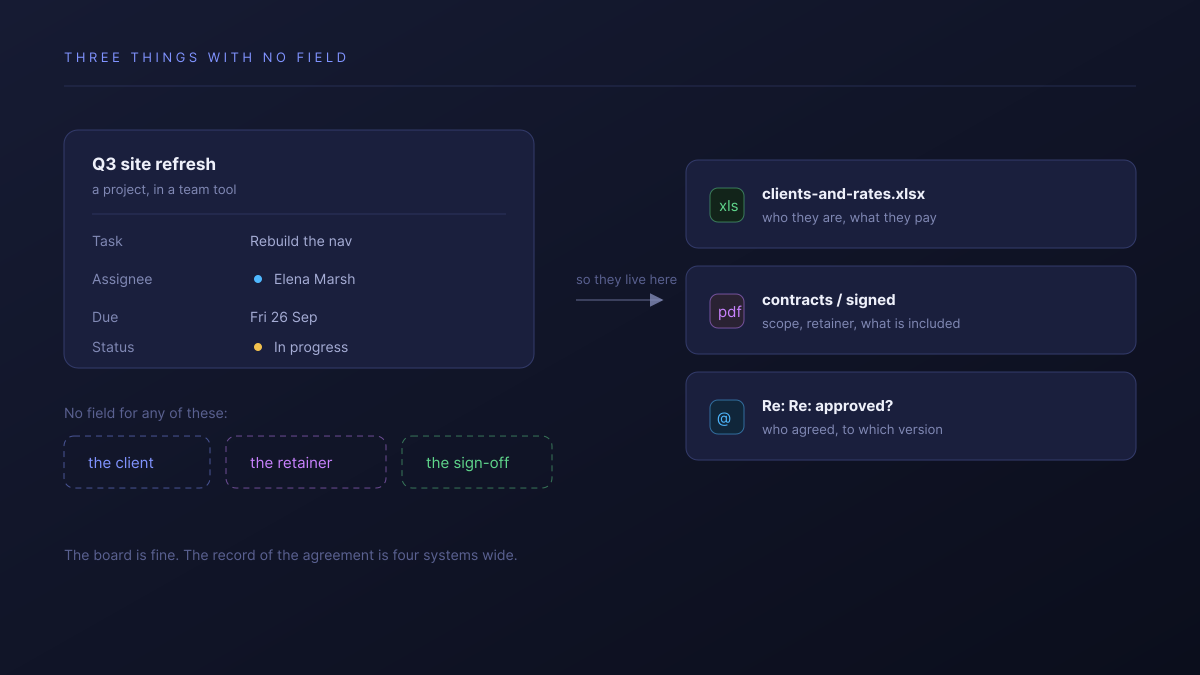
- The client is not a thing. It is a word in a project name. You cannot ask what Meridian Health cost you last quarter, because nothing connects their projects to each other.
- The arrangement is not a thing. Retainer or fixed fee, what is in scope, what was already used up this month — none of it is anywhere the work can see.
- The approval is not a thing. A task gets marked complete. Who agreed, on what version, on what date, is in an email thread.
None of this is a criticism of Asana. It is a team tool that is good at being a team tool, and an agency is asking it to be a second thing it never claimed to be.
Where do the brief and the approval actually live?
In email, in a deck, and in whichever thread the account manager remembers. The work moves through the tool; the decisions about the work move through everything else. The cost lands at handover, when somebody has to reconstruct what was agreed and finds that the record is four systems wide.
This is the failure that shows up as a dispute six weeks later. Not "the board was wrong" — the board was fine. The question is what version the client signed off, and the answer is an attachment somebody sent on a Thursday.
How much of your setup do you rebuild for every new client?
Usually all of it, minus whatever a template remembers. A project template copies the task list, which is the easy half. What it does not carry is the client's own view of the work, their access, their fields, or the reporting that treats them as one of many. So the eleventh client is set up by hand the same way the first was.
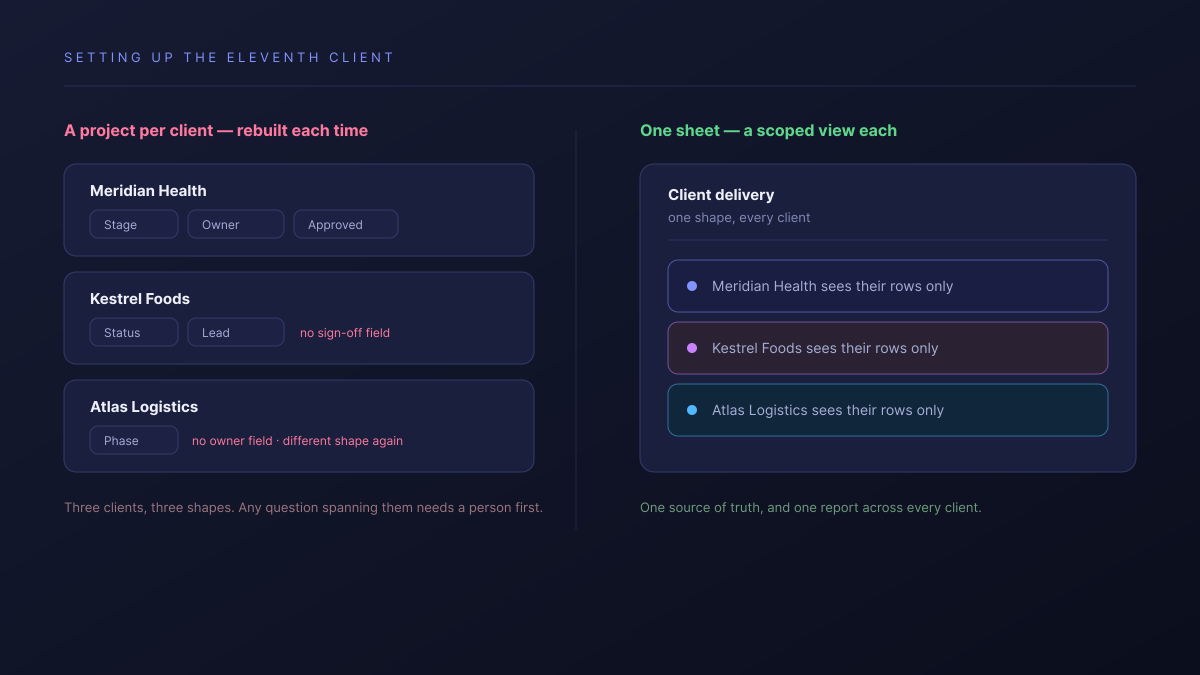
Templates also drift. Six months in, three clients are on the old shape and two on the new one, and any question that spans clients needs a person to normalise the answer first.
Should you actually switch?
For a good number of readers, no. The honest routing:
- Stay on Asana if your clients only look, your reporting is by deck, and the current setup has an owner who keeps it current. You will not do better on price or reliability.
- Stay, and add a lightweight layer if the only broken thing is approvals. A dedicated proofing tool alongside Asana is a smaller change than a migration.
- Look elsewhere if you are rebuilding the same setup per client, cannot answer what a client cost you, or keep losing sign-off history.
- Look at the agency-native tools first if your problem is money rather than coordination. If invoices should come out of logged time, Teamwork is built around that and we are not.
| Asana | Atwork | |
|---|---|---|
| Client contacts who can comment | Unlimited, free | Unlimited, never counted |
| The client as an entity | A word in a project name | A record the work links to |
| What a client sees | A project you share | A view, scoped to their own rows |
| New client setup | A project template | Template installs the workspace |
| Where sign-off lives | Wherever you put it | On the item, with the brief |
In Atwork the client is a record the work points at, so one sheet can hold every client and each of them sees only their own rows. The Agency CRM template is the usual entry point, and the agencies overview covers the wider scope.
Where Asana is better, plainly: its rules engine is more mature than ours, its mobile apps are better, and it has years more polish in the core task experience. If you want the most dependable team tool in this bracket and nothing more, it is the right call and we are not a reason to leave it.
Where should you start this week?
Answer one question before you look at any tool: what would it take, right now, to say what a single client cost you last quarter. If the answer is a spreadsheet and forty minutes, the problem is not your project tool and moving to another one will not fix it.
Then take your next new client and set them up somewhere that treats the client as a first-class thing — their own scoped view, their own record, the brief and the approval on the work itself. Run them in parallel for thirty days against however you do it today. One client is small enough to abandon and real enough to tell you something.
Take one client, give them a scoped view of their own rows, and put the brief and the sign-off on the work. Thirty days costs an afternoon to walk away from. Start free