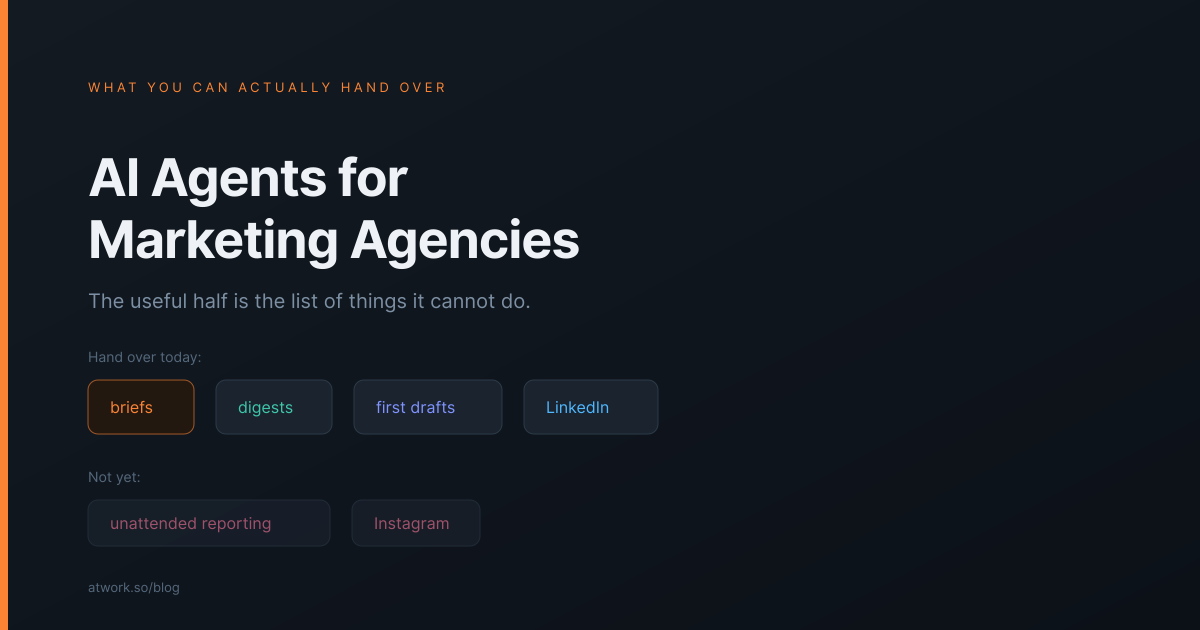
Every tool in this category now advertises AI agents, and almost none of them will tell you what an agent cannot do. That is the more useful half for a marketing agency deciding whether to bother. This is a list of the jobs you can genuinely hand over today, the ones you cannot yet, and the line between them — written from what the product actually does rather than what the category promises.
What can an AI agent actually do in a marketing agency?
It can take a task you would give a junior, do it inside your workspace, and leave a record of what it did. It reads the item it was given — the brief, the fields, the thread — acts through the same tools a person would, and writes the result back onto the work. It is a teammate with an assignee field, not a chat window you paste context into.
The practical shape of that is covered in what an AI teammate actually does in an agency, and the mechanics of handing work over in how to delegate work to an AI agent. This page is about which agency jobs are worth pointing it at.
Which jobs are worth handing over first?
The ones that are written down, bounded, and quick to check. In a marketing agency that is a longer list than people expect, because so much of the work is turning one document into another.
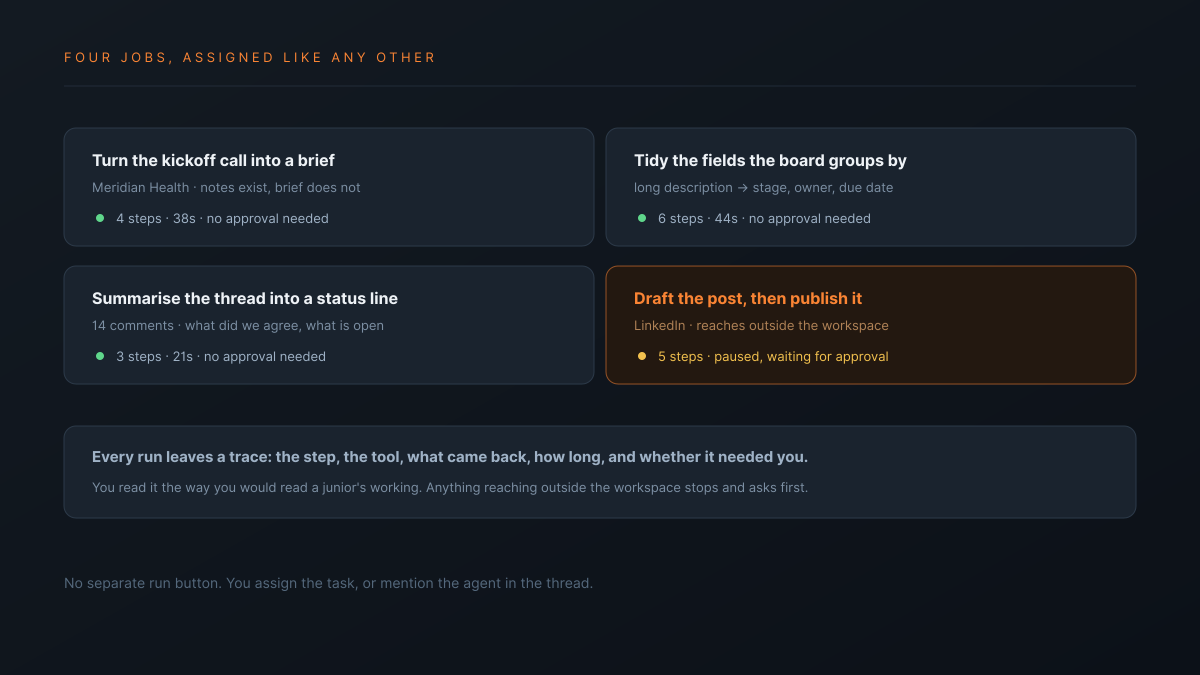
- Turning a call into a brief. Notes exist, the brief does not, and the shape is the same every time.
- Summarising a thread into a status line. Fourteen comments on a deliverable and one question: what did we agree, and what is outstanding.
- Tidying the fields the board groups by. A long description becomes the stage, owner and due date the view actually sorts on, so the board stops lying.
- Answering the question you have answered before. Anything where the answer already exists somewhere in your workspace and the person asking cannot find it.
- First-pass copy from an existing brief. Not the finished thing. The version that saves someone a blank page.
The test for a first delegation is not whether the job is important. It is whether you would notice within a minute that it came back wrong.
What about the reporting nobody wants to write?
The drafting half can run without you. A schedule creates the report task, the agent assembles the update from the items on that account, and it is waiting when you get in. What still needs a person is reading it and sending it — a line we would not move for anything client-facing.
The detail that decides whether it works is narrower than it looks: what starts an agent is the task's status matching the one the agent is configured to pick up, not the assignee. A scheduled workflow that creates the report task at your sheet's default status will report success while the agent does nothing at all — no error, no queued run, no notification. We wrote the whole setup up, including that silent failure, in automated client reporting.
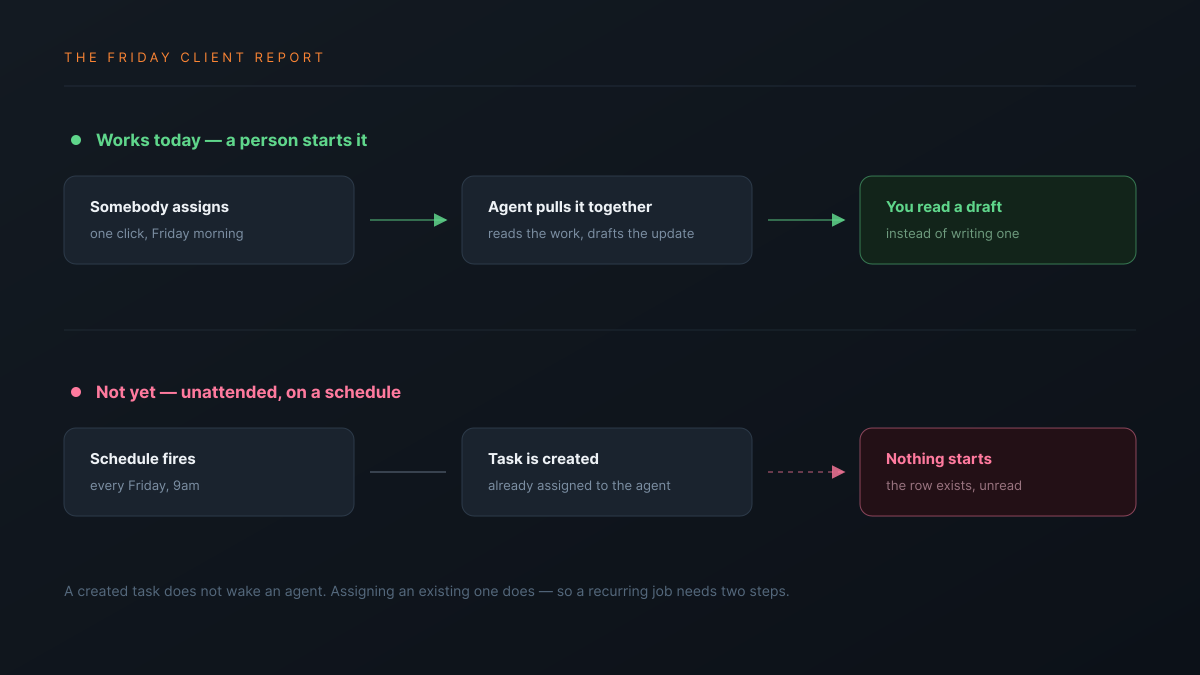
If your plan was "the Friday report writes and sends itself while I am at lunch", the sending half is not something we would recommend wiring up. If your plan was "it is drafted and waiting when I get back, and I read it before it goes", that works today.
Can it publish, and where?
To LinkedIn and Telegram, and it is worth being exact about that rather than saying "social". Those are the two publishing destinations an agent can post to. Email works through your own mail server, and calendar and meeting links work through Google Calendar, CalDAV, Meet, Zoom and Teams.
| Destination | Available today |
|---|---|
| Yes, including an image | |
| Telegram | Yes |
| Slack | Yes, for internal messages |
| Yes, through your own mail server | |
| Instagram, TikTok, X | No |
If a scheduling suite is the thing you are shopping for, buy a scheduling suite — Buffer or Later will serve you better and we would be pretending otherwise. The agent's value here is drafting and coordination, with publishing as a convenience on two channels rather than a distribution product.
What does it cost to run one?
It is metered per run rather than per seat, priced from the tokens and tool calls a job actually used, and you can put your own provider key in and pay the provider directly. That last part matters for a high-volume shop, and the run still records what it would have cost so your reporting survives the switch.
We worked the economics through in what AI actually costs an agency per month. The short version for planning: a drafting job is cents, and the cost scales with the work you hand over rather than with headcount.
What should you not hand over yet?
The things where being wrong is expensive and checking is slow. Naming these plainly is the point of this page.
- Anything that reaches a client without a person reading it. The agent asks for approval before a sensitive action, but approval only protects you if you understand what you are approving.
- A recurring job wired to the wrong status. Per the reporting section above, the status is what starts an agent — get it wrong and the workflow silently does nothing at all.
- Anything where undo matters. A bulk change to your rows can be undone as one batch for 7 days, and a page edit for 30 seconds. You cannot undo a message it sent or an action it took in another system. A sent message is sent.
- Judgement calls with no written brief. An agent reads what is on the item. If the real brief is in somebody's head, the output will be confidently wrong.
- Publishing to channels we do not support. Do not plan a workflow around Instagram; it is not there.
| A chat assistant | Atwork | |
|---|---|---|
| Where the request lives | A window only you can see | The task, with the brief and the thread |
| What it can see | What you paste | The item, its fields and its history |
| Record of what it did | Scrollback | A step-by-step trace with approvals |
| Who else benefits | You | Anyone who can open the item |
The agents page covers what the teammates are, and the agencies overview covers the wider scope. If you would rather drive it from a tool you already use, the workspace also connects to ChatGPT and Claude.
Where should you start this week?
Pick the most repetitive document in your week — the one someone rewrites from the same inputs every Friday. Assign it to an agent instead of a person, then read the trace before you read the output. The trace tells you whether it approached the job the way you would have, which is what you need to know before trusting it with anything larger.
Do that five times before you decide anything. One run tells you almost nothing; five runs on similar work shows you where the line sits for your shop, and that line is the only answer that matters.
Take the most repetitive document in your week, hand it to an agent, and read the trace before the draft. Start free