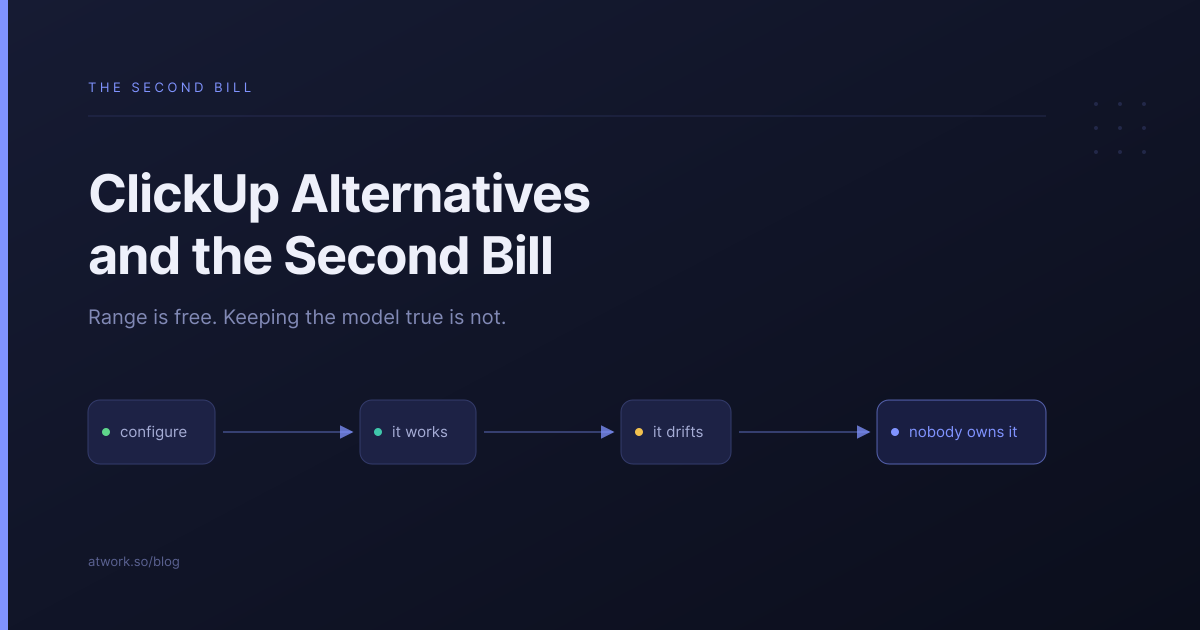
Almost nobody looks for ClickUp alternatives because ClickUp cannot do something. It is the most configurable tool at its price and it will model whatever process you describe to it. The reason agencies start looking is the other side of that: a tool that can be built eleven ways has to be maintained in the one way you chose, by somebody, forever. That job has a name at larger companies. At a twelve-person agency it is usually nobody's.
Why do agencies look for a ClickUp alternative?
Because configuration turned out to be a standing cost rather than a setup task. The first month is genuinely good — spaces, custom fields, statuses that match how you actually work. Then people leave, clients change shape, and the model drifts away from the work. The tool did not fail. It kept faithfully representing a setup that nobody updated.
The second reason is quieter and arrives later: the things ClickUp meters are the things you start using heavily once the configuration works.
What does ClickUp actually cost?
Less per seat than most of this category, with two tiers that matter for an agency.
| Plan | Price per user, per month | What it adds |
|---|---|---|
| Free Forever | $0 | 100 automation executions, basic custom fields |
| Unlimited | $7 | 1,000 automation executions, advanced custom fields |
| Business | $12 | Dashboards, 5,000 automation executions |
Prices and limits from ClickUp's pricing page, on annual billing. Dashboards being a Business feature is the one most agencies discover late, because a dashboard is what you want precisely when you have enough clients to need one.
On guests, the page is specific. Unlimited gives you "5 guest seats for a 1 paid user Workspace and 2 guest seats for each additional paid user"; Business gives "10 guest seats for a 1 paid user Workspace and 5 guest seats for each additional paid user". Read-only guests are unlimited and free on both. We worked that arithmetic through properly in ClickUp vs Asana for agencies, and the short version is that it only bites if your clients need to do more than look.
What is the real cost of configurability?
An owner. Not a licence, a person — somebody who decides what a status means, keeps field names consistent across spaces, and says no to the fourth variation of the same list. The tool gives you range; the range is only worth anything if someone holds it steady.
- Decision load. Every new client is a set of small choices that nobody wrote down.
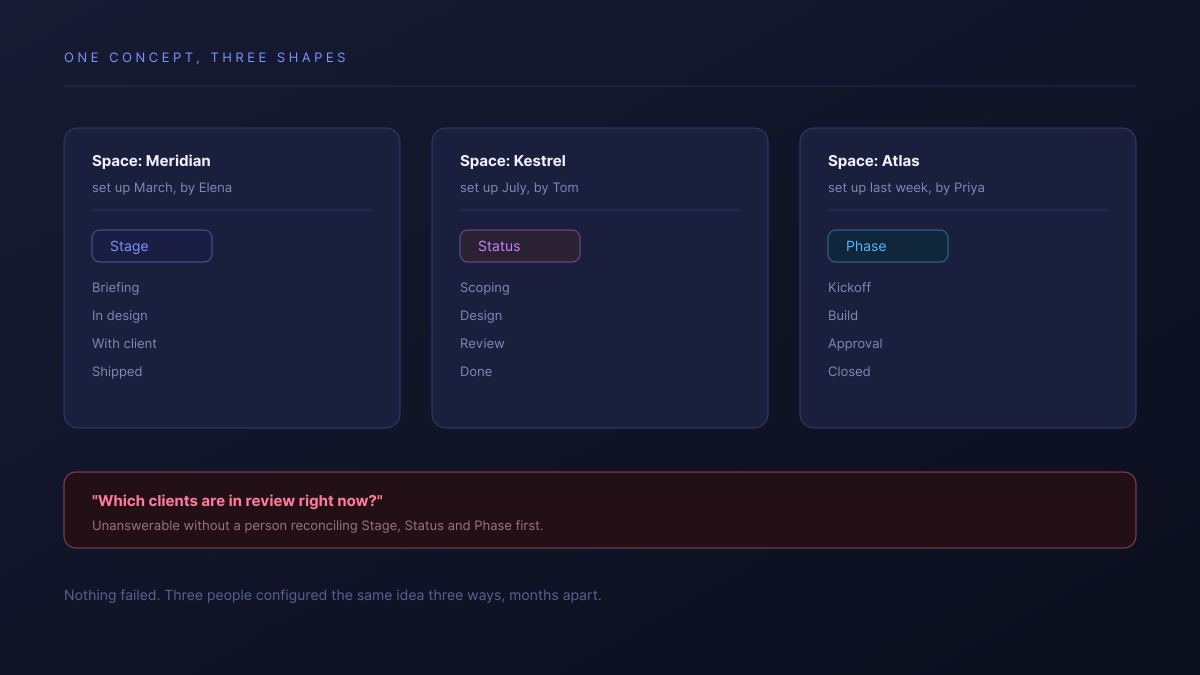
- Drift. Three spaces call the same thing Stage, Status and Phase, so nothing can be compared.
- Onboarding. A new hire learns your configuration, not a product other people already know.
- Silence when it breaks. A configurable tool does not fail loudly. It slowly stops matching reality.
Configurable tools reward an owner and punish their absence. The question is not whether you can model your process. It is who keeps the model true in eighteen months.
What gets metered when the configuration starts working?
Automation executions, and the meter tightens at the worst moment. The Unlimited plan allows 1,000 automation executions a month, which is roughly thirty-three a day across your entire workspace. That is ample while automations are decorative and tight once they are actually doing the work you built them for.
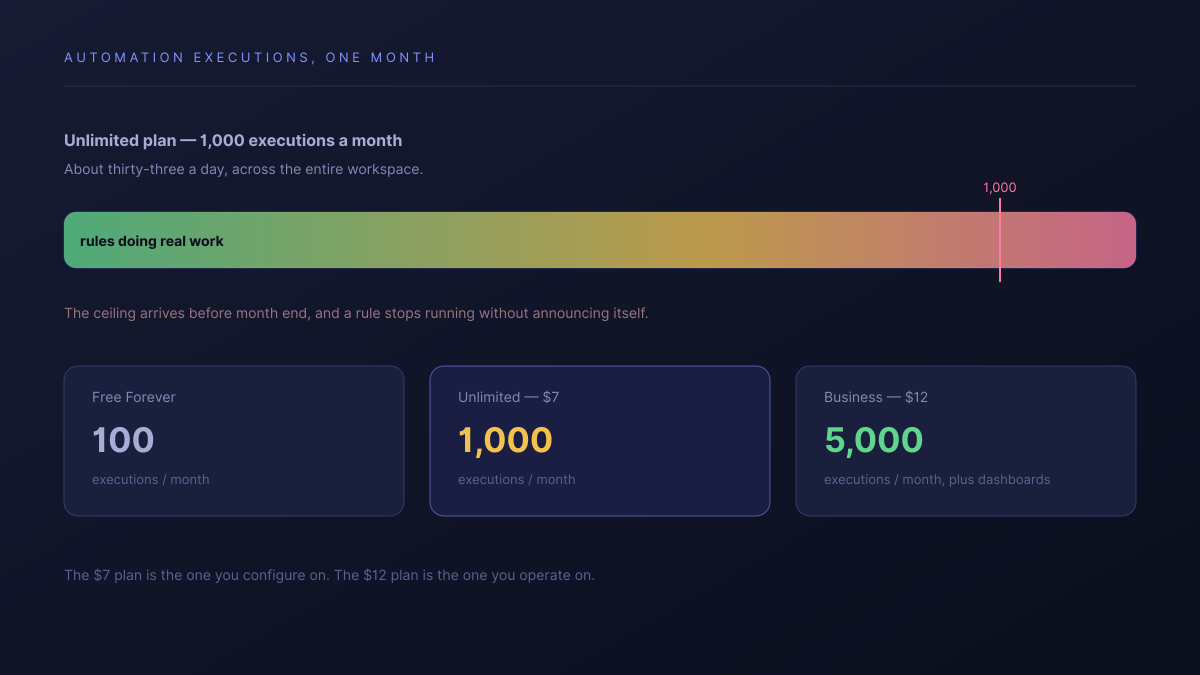
Business raises that to 5,000 and adds dashboards, which is why most agencies that commit to ClickUp end up there rather than on Unlimited. That is a fair deal at $12 — it is just worth knowing in advance that the $7 plan is the one you configure on and the $12 plan is the one you operate on.
What happens when the person who set it up leaves?
You inherit a model you did not design, and the honest options are all bad. Nobody wants to relearn somebody else's configuration, nobody wants to rebuild it, and nobody has time to do either while client work is going out the door. So the usual outcome is that the board is quietly demoted to a list of things and the real coordination moves back to chat.
This is the failure mode to weigh, because it is not visible when you evaluate the tool. It is the most common reason we hear for leaving, and it applies equally to any tool in the configurable half of this category, Monday included.
Should you actually leave?
Often not. The routing, honestly:
- Stay if you have someone who owns operations and enjoys it. ClickUp's range at $7 to $12 is unmatched and you are getting real value from it.
- Stay if your configuration is stable and the drift is cosmetic. Renaming fields is cheaper than migrating.
- Look further if the founder is still the ops hire. Something with a working shape out of the box costs less than range you cannot maintain.
- Look further if what you need is a client-facing layer rather than more modelling power. That is a different product category, not a different configuration.
| ClickUp | Atwork | |
|---|---|---|
| How you start | Configure spaces and fields | Install a template that already works |
| What keeps it consistent | A person | The sheet's own shape |
| Automation headroom | Metered per month | Not metered per run |
| What a client sees | A shared view, guests metered | A view, scoped to their own rows |
| Cost of the setup owner leaving | Inherit a bespoke model | Inherit the template everyone else has |
The difference is not capability, it is starting position. A template installs a shape that already matches agency delivery, so the first decision is what to change rather than what to build. The Agency CRM template is the usual entry point, and the agencies overview covers the scope.
Where ClickUp is better, plainly: its range is wider than ours and it is not close. More views, more field types, deeper per-space customisation, and a bigger integration catalogue. If you have an unusual process and somebody to own it, ClickUp will model your business more precisely than we will, and that is a real reason to stay.
Where should you start this week?
Ask who owns the configuration, by name. If the answer is a person who wants the job, your tool is fine and this article is not about you. If the answer is a shrug, or a name who left, that is the thing to fix — and no plan upgrade fixes it.
Then check one number before you renew: your automation executions this month against the plan's ceiling. If you are close on Unlimited, you are already on the path to Business, and it is worth deciding deliberately rather than discovering it when a rule silently stops running.
Name the person who owns your configuration. If there isn't one, the fix is a tool that arrives with a shape, not a bigger plan. Start free