The item peek: open a record
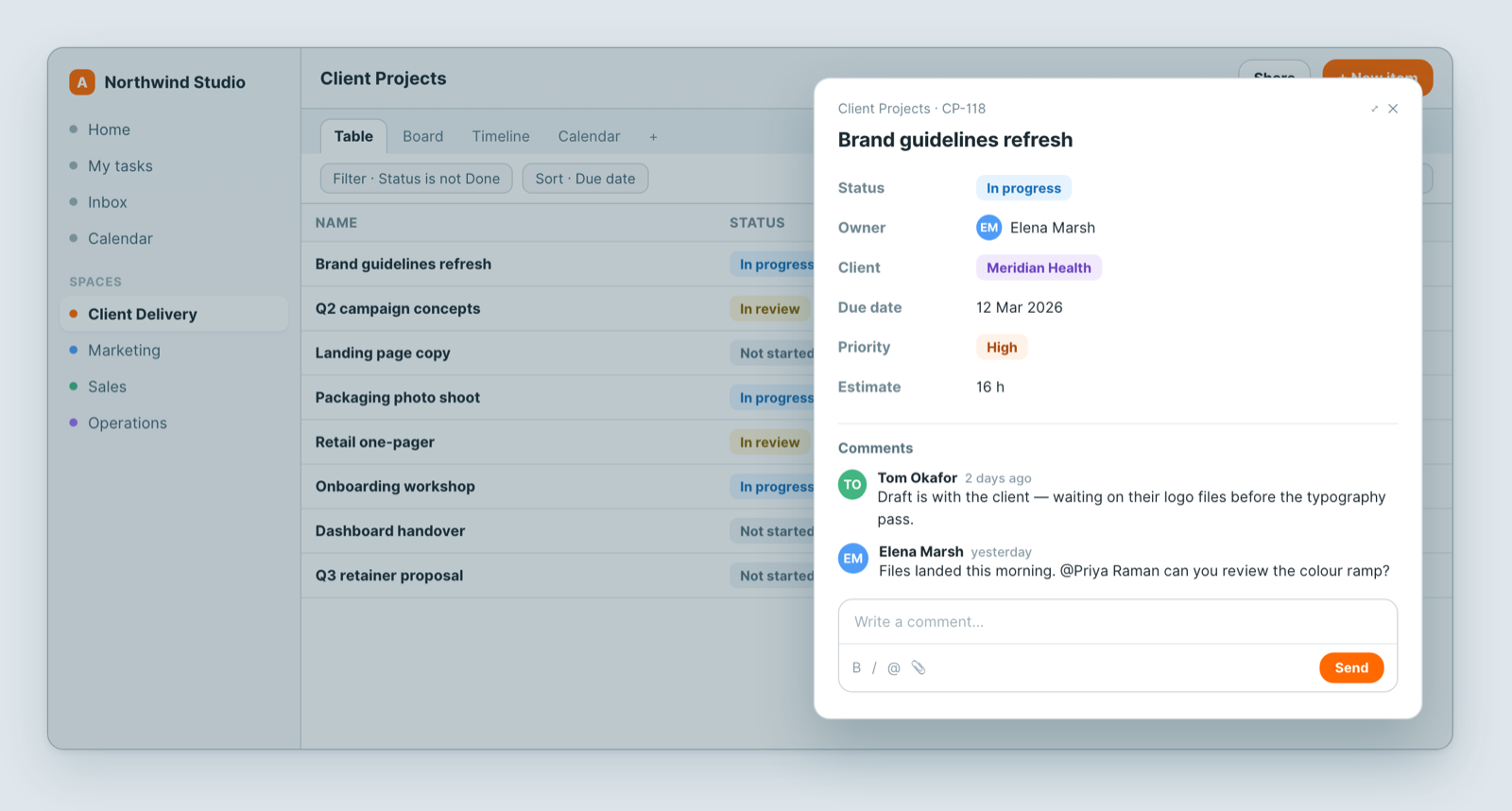
Click any record and it opens in a panel over your view — the peek. A table shows the columns that fit; the peek shows everything.
What is in it
- Every field, including ones hidden in the current view. Edit any of them in place.
- Comments — the discussion about this record, kept with the record instead of in chat.
- Attachments — files that belong to it.
- History — what changed, when and by whom.
Comments and mentions
Type @ and a name to mention someone. They get notified and can reply from wherever they are.
The reason to comment here rather than message someone: in six months the question and the answer are still attached to the record. A chat message is gone.
History answers "who changed this?"
When a status moved or a date shifted and nobody remembers why, the history is the fastest way to settle it — without asking anyone.
Notes
- Editing in the peek edits the record itself — every view updates immediately.
- Which fields you can edit depends on your role; read-only access shows the same panel without editing.
Related: Table view · Build a sheet with custom fields
Related articles
Insights: ask Dana about a sheet
Open the Insights tab on any Atwork sheet and ask Dana, Atwork's AI assistant, for counts, totals, breakdowns and charts in plain language.
Close out your day and review your month
Close out your day in Atwork with a star rating and a note, get a reminder, and see your month on the Review page: streak, average rating, tasks done.
The Planner: Today, Week and My Tasks
Plan your day in Atwork: see every task assigned to you, let Dana draft a time-blocked plan around your meetings, and check your week against capacity.