Connect Google Calendar
Connecting your calendar keeps meetings visible inside Atwork and, more importantly, stops people booking you when you are already busy.
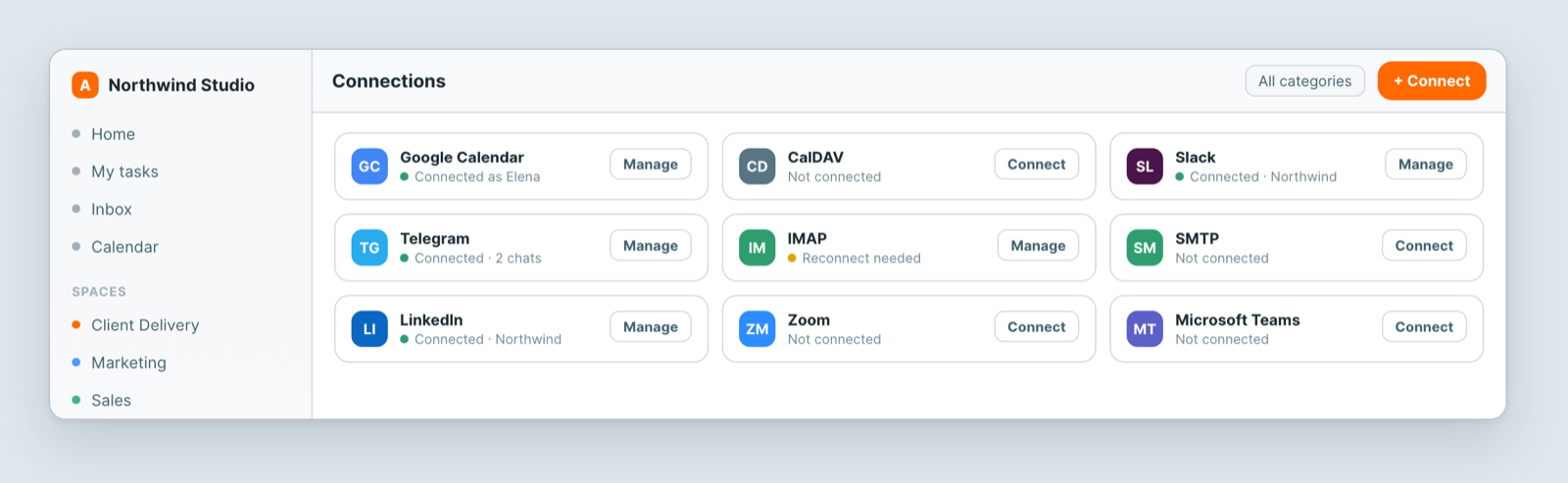
Connect it
- Open Profile settings → Connections.
- Find Google Calendar and click Connect.
- Sign in to Google and approve the access.
- You return to Atwork with the connection listed.
Prefer a different provider, or a self-hosted calendar? CalDAV connects the same way.
What it gives you
- Your existing events appear alongside your Atwork work.
- Events created in Atwork can appear in your calendar.
- Booking links check it for real availability, so an invitee is never offered a slot you are already committed to.
The amber dot
An amber dot means the connection needs attention — the access token expired or was revoked at Google's end. Usually a password change, a security review, or simply time.
Click Manage and reconnect. Nothing else needs redoing, and anything that depended on it resumes.
Worth checking early: while a calendar connection is broken your availability is wrong, so booking links may offer times you are not free. If someone books an occupied slot, this is the first thing to check.
Notes
- The connection is yours, not the workspace's. Each person connects their own calendar.
- Disconnecting stops the sync; it does not delete anything in Google Calendar.
Related: Connect Atwork to your tools · Set your language, calendar and timezone