Comments and mentions
Every record has its own comment thread. Open the record and write at the bottom.
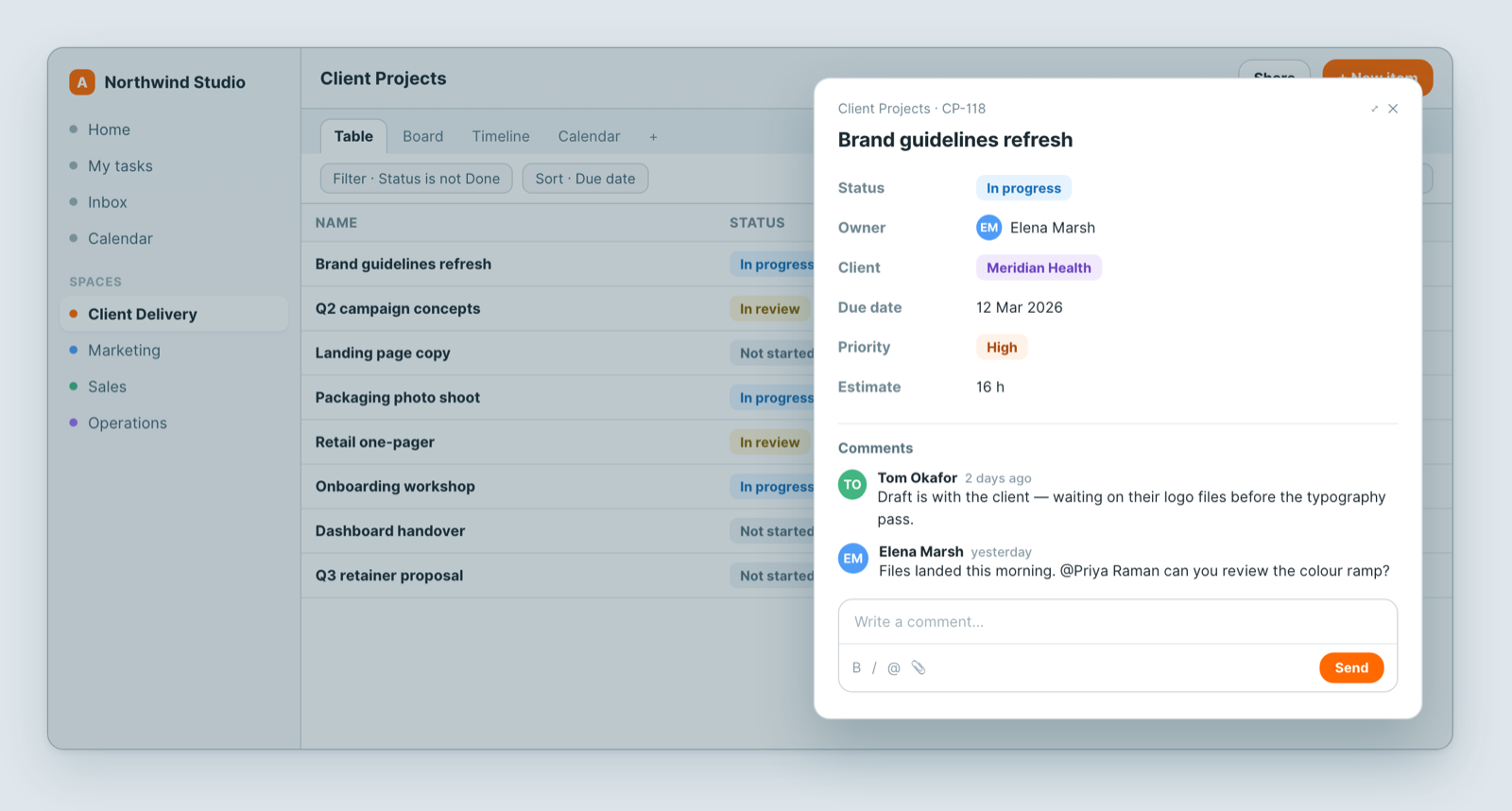
Mention someone with @
Type @ and start typing a name. They get a Mentions notification with a link straight to the record.
A mention is the difference between a note and a request. If you need something from a specific person, mention them — nobody is watching every record.
Why comment instead of message
A chat message about a project is findable for about a day. A comment on the record is still there in six months, next to the thing it is about, for whoever picks it up. When someone asks "why did we change this?", the answer is where they are already looking.
Use comments for anything that explains a decision, records an approval, or asks a question about a specific record.
Good practice
- Say what you need and from whom. "@Priya can you confirm the colour ramp before Friday?" beats "thoughts?".
- Decisions belong in a comment, not only in a meeting.
- Attach the file to the record, not to a message thread.
Notifications
Mentions are their own notification category, so people can keep them on while muting noisier ones. If someone is missing mentions, check Profile → Settings → Notifications.
What everyone can see
Comments follow the record's access. Anyone who can see the record can read them — so they are the right place for team discussion, and the wrong place for anything private.
Related: The item peek: open a record · Notifications aren't arriving