Build a form and collect responses
A form collects records from people who are not in your workspace — clients, applicants, colleagues in other departments. Each submission becomes a record in a sheet you choose.
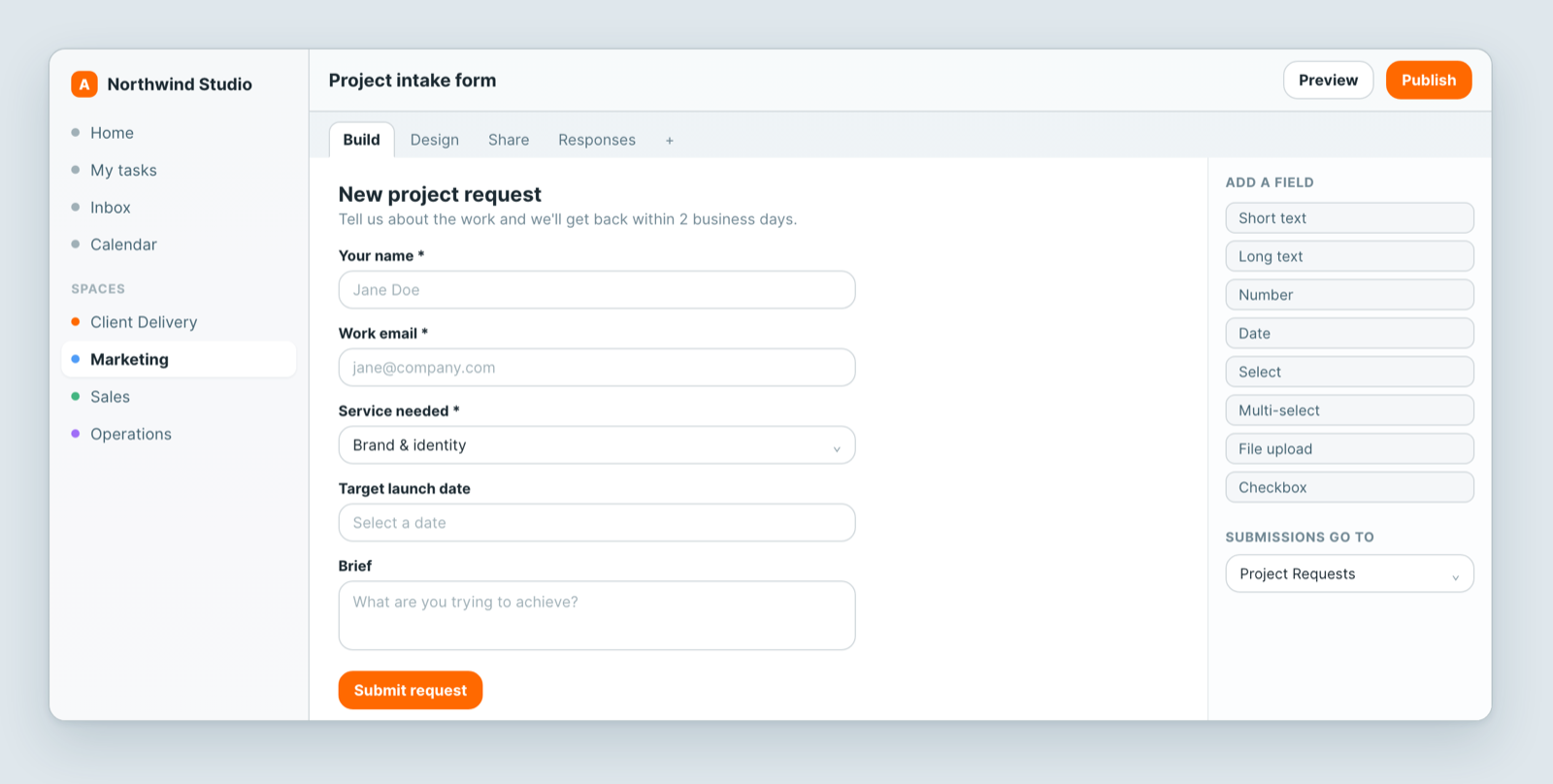
Build one
- Add a Form view on the sheet the responses should land in.
- Add fields from the palette — short text, long text, number, date, select, multi-select, file upload, checkbox.
- Mark the ones that are required.
- Give it a title and a line of explanation, so people know what they are filling in and what happens next.
- Publish.
Share it
Send the public link, or embed the form in your own site. People who open it need no account and see nothing of your workspace — only the fields you put on the form.
What happens to a submission
It becomes a record in the target sheet, marked as having come from a form. From there it behaves like any other record: filter it, put it on a board, assign it, automate it.
Two things worth setting up on day one:
- A notification or automation so a submission does not sit unseen.
- A Status field starting at something like New, so you can tell what has been dealt with.
Notes
- Only the fields you add are visible. Internal fields on the same sheet stay private.
- Ask for the minimum. Every extra required field costs you completed responses.
- Collecting work from an existing client who should also see their records? That is a portal, not a form.
Related: Build a sheet with custom fields · Views: see the same data 12 different ways
Related articles
Insights: ask Dana about a sheet
Open the Insights tab on any Atwork sheet and ask Dana, Atwork's AI assistant, for counts, totals, breakdowns and charts in plain language.
Close out your day and review your month
Close out your day in Atwork with a star rating and a note, get a reminder, and see your month on the Review page: streak, average rating, tasks done.
The Planner: Today, Week and My Tasks
Plan your day in Atwork: see every task assigned to you, let Dana draft a time-blocked plan around your meetings, and check your week against capacity.