Agents in chat: mentions and hand-offs
Mention a custom agent with @ in a group, space or team chat, or in a record's comments, and it replies right there in the conversation. With Handoffs on, agents can also pass a request to each other, so the right specialist answers without you starting a new chat.
Mention an agent in a chat
In a group, space or team chat, type @ and pick the agent from the list, then ask your question in the same message. The agent replies in that chat.
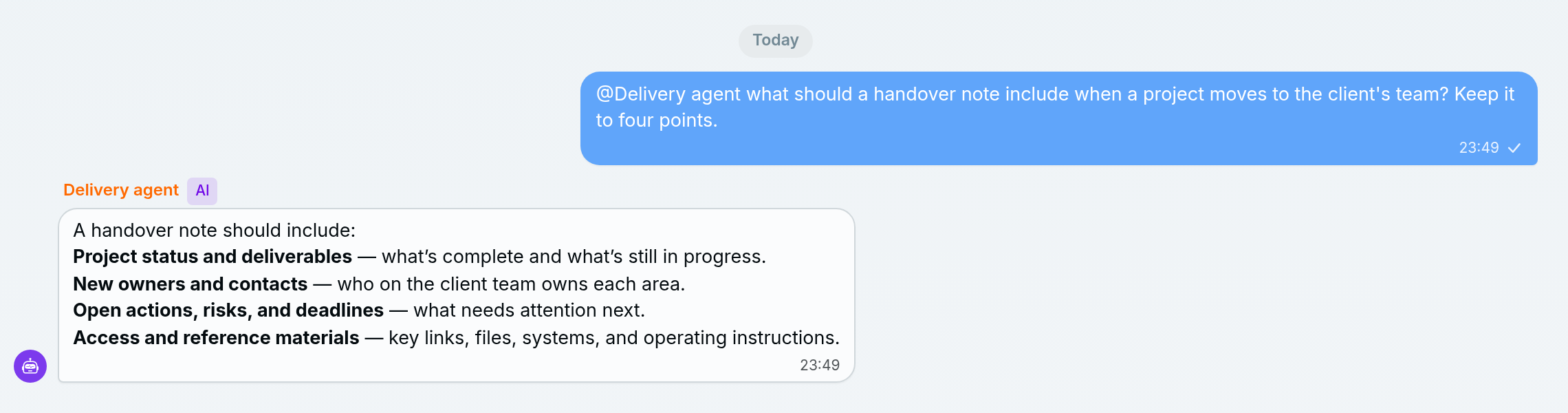
- Only enabled custom agents reply. Agents appear in the list because they are members of the workspace.
- Where the reply goes: a mention inside a thread gets its reply in that thread. A mention in the main chat gets a reply in the main chat.
- It works as you. The agent runs with your access, inside its own data access, and reads the recent messages for context. Everyone in the chat sees its reply, so ask in a chat where everyone may see the answer.
- Two agents per message. If you mention more, the first two reply.
- No approvals in a mention. A change that needs your approval, such as a write to a connected app, isn't made in a mention reply. The agent answers without making it. Ask in a direct conversation from the Inbox, where you can approve the change.
For example, in the client's space chat: "@Delivery agent which Meridian tasks are overdue?" The agent checks the tasks you can see and answers in the chat for the whole team.
To talk to an agent one to one instead, open it from the Agents section of the Inbox.
Mention an agent on a record
It works the same in a record's comment thread. Type @, pick the agent and ask. The reply is posted in that record's comments, and the agent reads the recent comments and the record itself before answering. Everyone who can open the record sees the reply. See Comments and mentions for how comments work.
Why didn't the agent answer?
An agent doesn't answer a mention when it is switched off or deleted, when the mention is for Dana, when it comes after the first two agents in a message, or when it has hit its hourly limit.
- It is switched off or deleted. A switched-off agent can still show up in the @ list, but it won't reply.
- You mentioned Dana. Dana doesn't answer @mentions. Open Dana from the Inbox instead.
- You mentioned more than two agents. Only the first two reply.
- It hit the hourly limit. An agent replies up to 30 times an hour in one conversation.
If it answered but didn't make a change you asked for, the change may need your approval, which a mention reply can't ask for. Ask in a direct conversation instead.
Hand-offs between agents
A hand-off is when the agent you are talking to passes your request to another agent that is better suited to it. The second agent answers in the same conversation, so you don't have to start over.
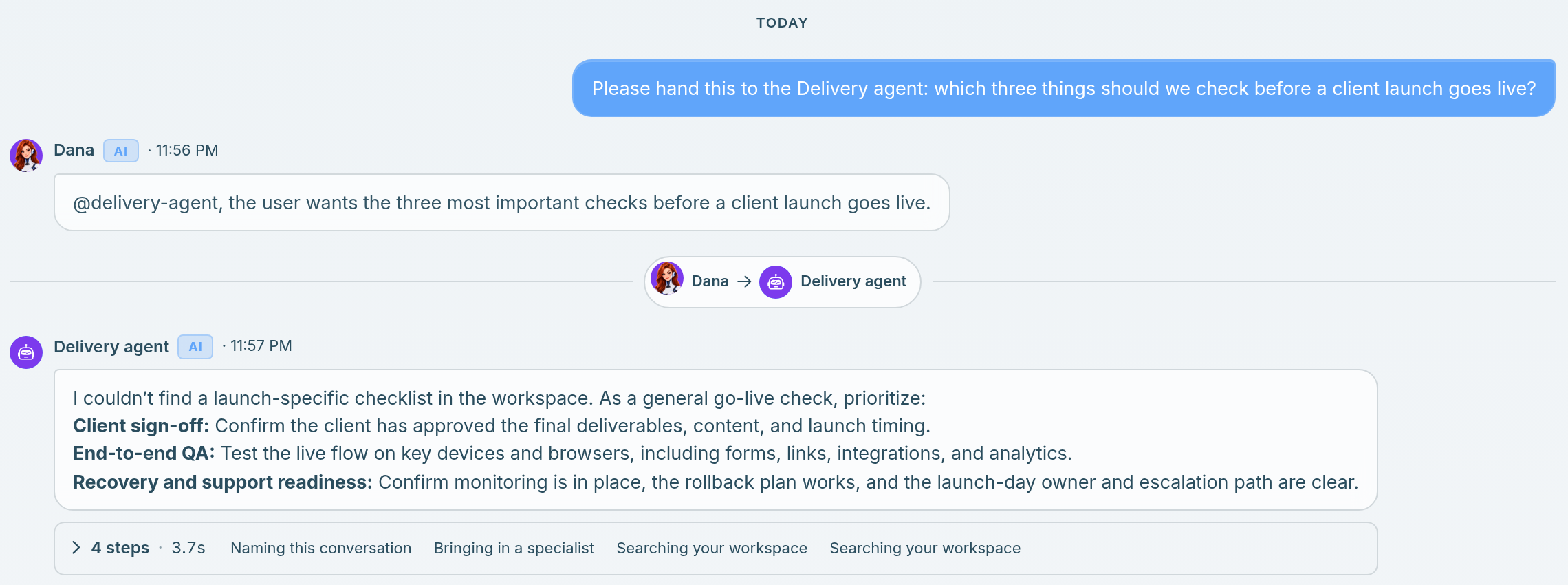
- Turn it on for the agent that receives work. In Settings → AI Agents, open the agent and switch on Handoffs ("Other agents can hand work to this agent"), then save.
- Who can hand to whom: Dana and your custom agents can hand work to any enabled agent that has Handoffs on. A custom agent can also hand work back to Dana.
- What you see: a divider with both agents' names, such as "Dana → Delivery agent", and a "Bringing in a specialist" step in the run details.
- Access stays with the agent. The agent that takes over still uses only its own data access.
When a hand-off can't happen
A hand-off can't happen when the other agent isn't available, when the agent is answering an @mention, when the message has already been handed on twice, or in a workflow run.
- The agent isn't available, for example it was switched off or deleted. The current agent tells you and keeps helping. You won't see an error.
- It is answering an @mention. An agent that replies to a mention answers on its own. Hand-offs happen in a direct conversation with Dana or with an agent you open from the Inbox.
- The limit is reached. One message can be handed on twice at most.
- It is a workflow run. Agents in workflow Agent steps don't hand off.
Limits
| What | Limit |
|---|---|
| Agents that reply to one message | 2 |
| Replies per agent, per conversation, per hour | 30 |
| Hand-offs per message | 2 |
Related: Create an agent and give it knowledge · Comments and mentions · The Inbox · What is an agent?