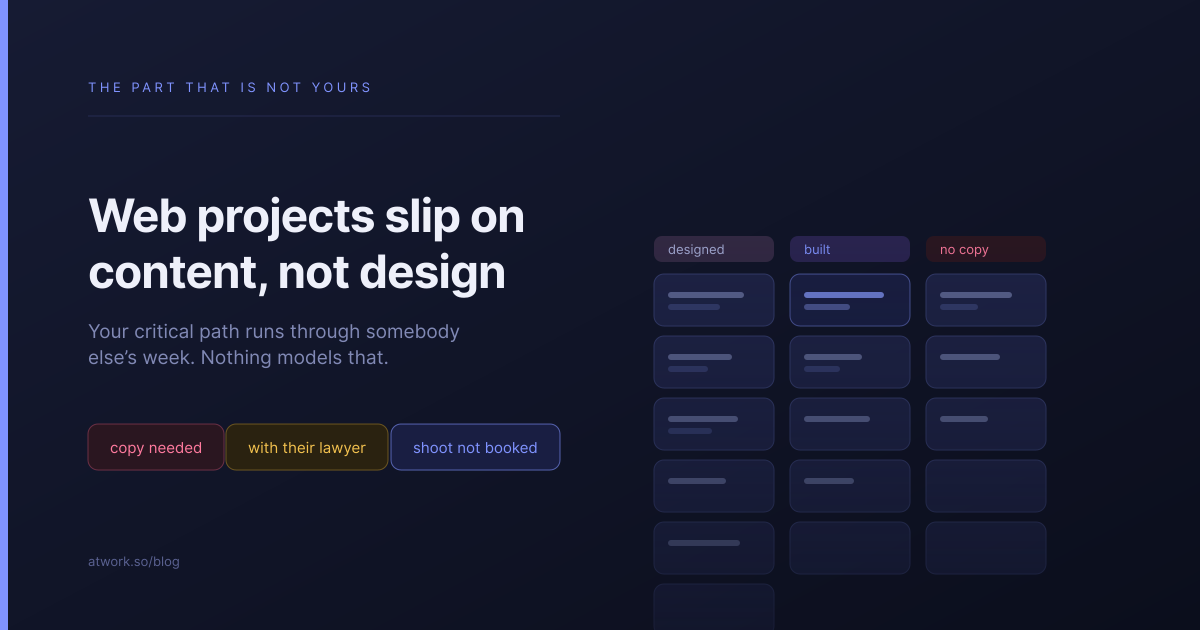
Ask an agency why the website launched six weeks late and you will hear about scope, or revisions, or the build taking longer than expected. Ask again with the project open in front of you and it is almost always the same answer: the copy for eleven pages arrived in the last fortnight, and four of those pages had never been written at all.
Design and build are yours. You can estimate them, staff them and chase them. Content is theirs, and nothing in a normal project plan models the difference.
Why do web projects slip on content rather than design?
Because content is the only part of the project where your critical path runs through somebody else's week — somebody who has a full-time job that is not your website.
Your designer misses a deadline and you know within a day. A client's marketing manager quietly deprioritises writing the careers page and you find out in week nine, because nothing in your tracker was ever going to surface it. It was not your task, so it was not on your board.
What does the page is done actually mean?
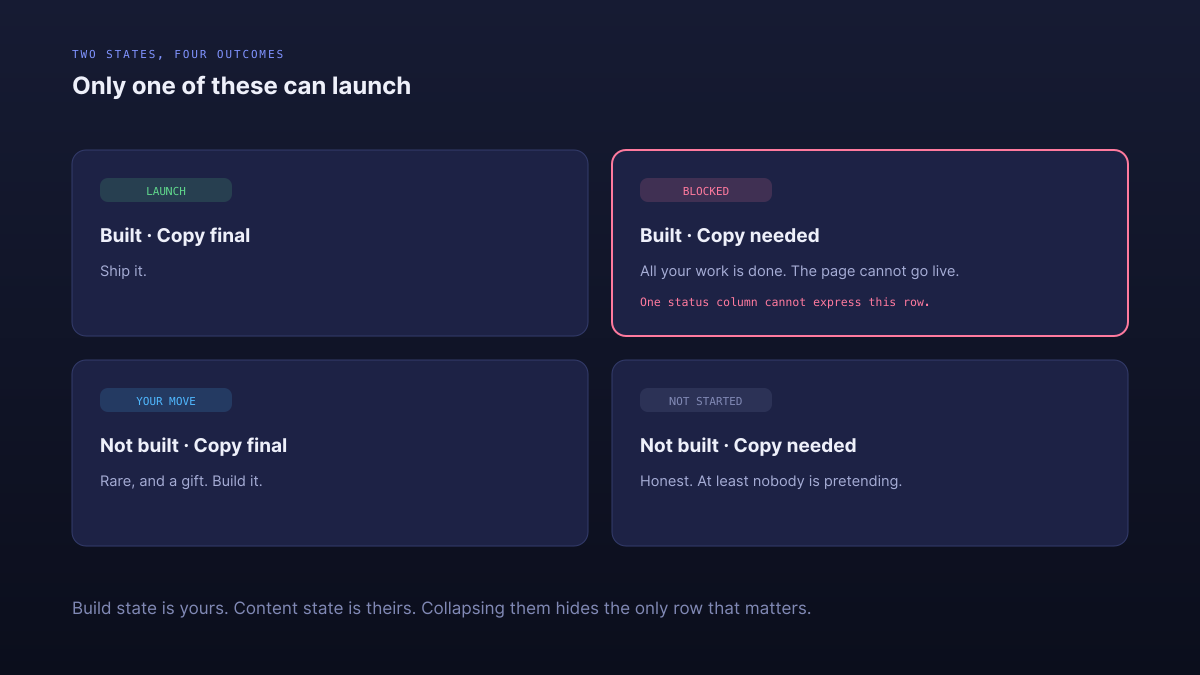
It means two different things, and collapsing them is where the trouble starts. A page has a build state, which is yours, and a content state, which is theirs.
- Build state — Not started, Wireframe, Design, Build, Review, Live.
- Content state — Copy needed, Requested, Received, Final.
A page can be fully designed, fully built and completely unlaunchable because nobody sent the copy. With a single status column you have two bad options: mark it Done and ship a page reading Lorem ipsum, or mark it In progress and hide the fact that all of your work is finished.
With two, the weekly client update writes itself: our side is finished on nine pages, here are the four things we need from you.
When should you ask for content?
In one batch, in week one, before anyone has designed anything.
The instinct is to ask for copy when the design is ready, because that is when you need it. By then you have burned four weeks of the client's availability and you are asking them to write eleven pages in the fortnight before launch, which is exactly when they are least able to.
Asking on day four costs you nothing and buys them a month. It also surfaces the pages nobody has thought about, which is a conversation far better had during discovery than during QA.
What do you do about blocked content?
Separate blocked from slow, because they need completely different responses.
Slow means the client has it and has not got to it. Chasing works. Blocked means something outside their control: the privacy policy is with their legal team, the product feed needs their platform vendor to grant API access, the team photography needs a shoot that has not been booked.
Chasing a blocked item does nothing except make you feel busy. Blocked items need escalation, a different route, or a decision to launch without them — and they need it early, because every one of them has a lead time you do not control.
A privacy policy sitting with a lawyer will not arrive faster because you followed up again. Treating that as a normal chase wastes a fortnight.
Who writes the copy if the client cannot?
Somebody has to, and the honest options are: they write it, you write it as a paid addition, or you launch without those pages.
The failure mode is the fourth option nobody names — everyone assumes it will resolve itself, and the site launches with three pages of placeholder text and a promise to update them later. Those pages are still there two years on.
Deciding in week one that you will write the careers page for a fee is cheaper for everyone than discovering in week nine that nobody is going to. Offer it as a line item during discovery, when it is a small commercial conversation rather than a rescue.
How do you set a launch date you can keep?
Set it against content readiness, not build readiness, and say so out loud.
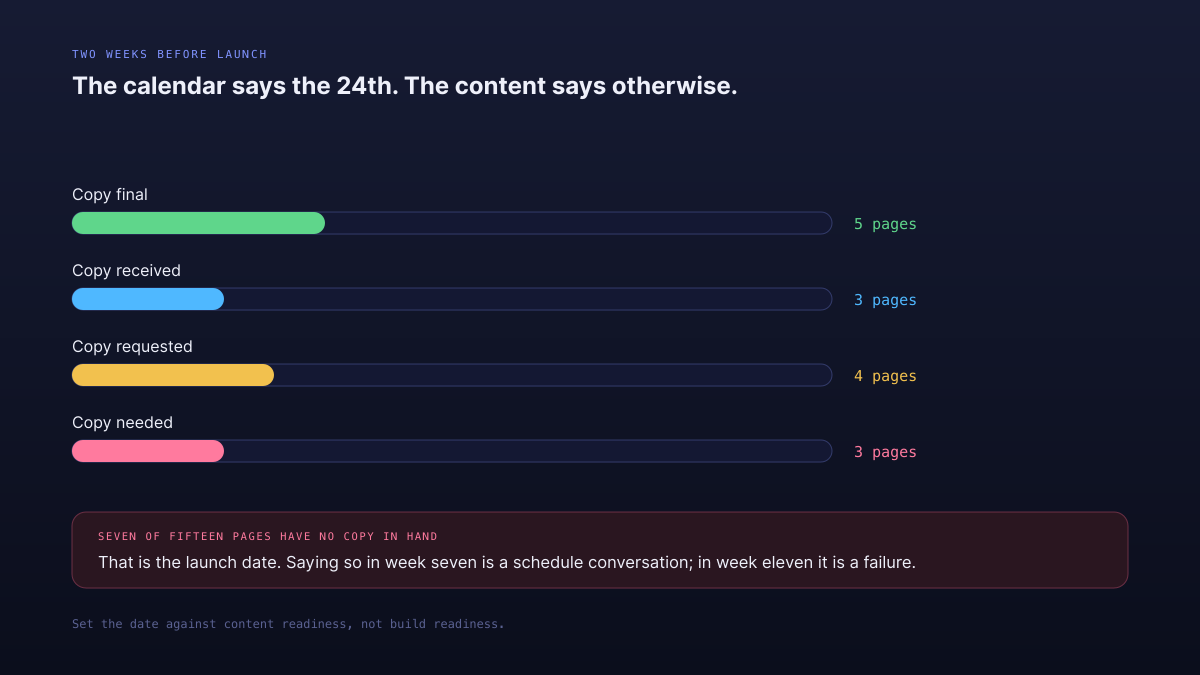
Two weeks before launch, sort the pages by content state. If seven of fifteen still have no copy in hand, that is your real launch date and the calendar is wrong. Saying that in week seven is a schedule conversation. Discovering it in week eleven is a failure, and it will be remembered as yours even though the missing copy was not.
What does this look like in Atwork?
The Web Design Project Tracker template is built around exactly this split.
- Pages — one row per page as a task, carrying both a build state and a content state.
- Content Requests — everything you need from the client, each Requested, Received, Approved or Blocked, with a column naming whose side it sits on.
- Phases — discovery through launch, so you can answer where are we without opening the page list.
- QA Checks — responsive, accessibility, performance, cross-browser, content and SEO basics, per page.
The dashboards break pages down by build state and content state side by side, which is the view that makes the real launch date obvious.
If the design rounds rather than the content are what is stretching the timeline, why revision rounds multiply covers that, and what your client should actually see in a portal is how you show them the outstanding list without it reading as blame.
Before your next kickoff, list every page of the site and every asset you will need. Send it as one message in week one. The count alone changes the conversation, and it is the cheapest thing you will do on the whole project.
List the pages, list the assets, send it in week one. Then set the launch date against content, not build. Start free