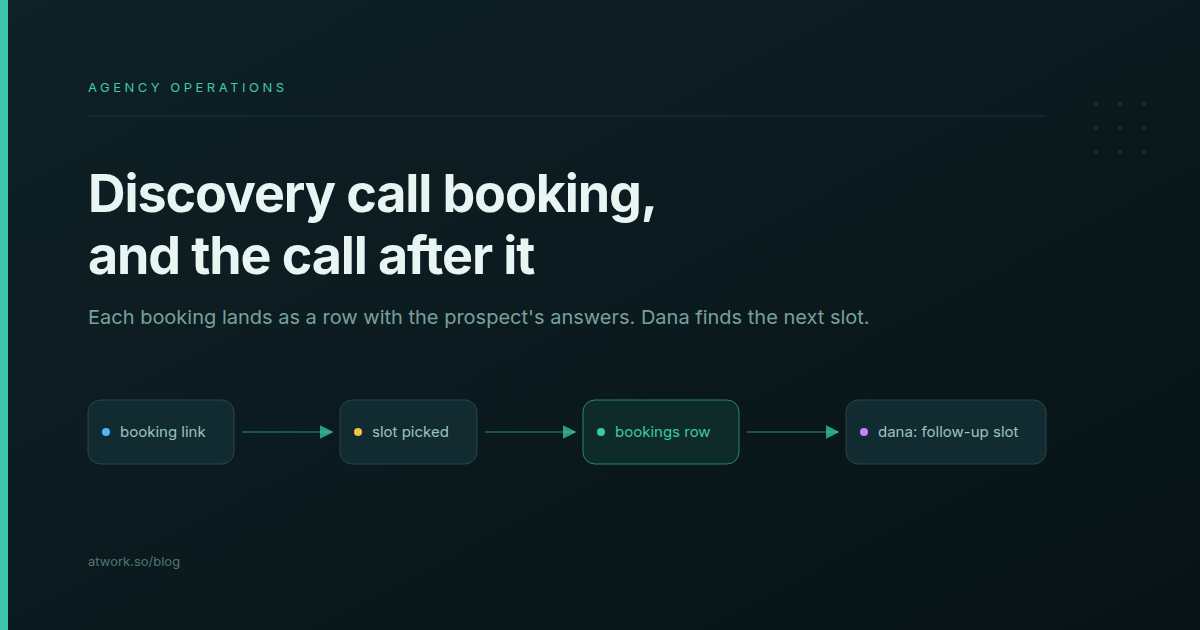
A discovery call booking page is a public page where a prospect picks a time inside your working hours and answers a few questions before the call. It replaces the "does Tuesday work?" thread with one link in your signature. Most guides stop once the call is booked. In a 5–30-person agency, the trouble starts after that: the prospect's answers sit in one inbox and never reach whoever writes the proposal, and the second call, the scoping session with your strategist and designer, takes a week to schedule. This guide builds the page with Atwork booking links, then fixes both: the answers land as a row, and Dana, Atwork's assistant, finds the follow-up slot.
What should a discovery call booking page ask?
Ask four or five questions that decide whether the call is worth having and what to prepare: the company, what they need, a budget range, the timeline, and how they heard of you. Every extra field costs bookings, so keep only the questions whose answers change how you prepare.
| Question | Why it earns its place | What you do with it before the call |
|---|---|---|
| Company and website | Tells you who you are talking to | Read the site and their latest posts |
| What do you need help with? | Their words, not your service menu | Pick the case study that matches |
| Budget range | Surfaces a mismatch early | Decide whether to suggest a smaller first phase |
| When do you need it live? | Separates a plan from a fire | Check who is free that month |
| How did you hear about us? | Shows which channel brings work | Note the source on the deal |
Name and email come with every booking form. In Atwork each answer is saved as its own column on the booking's row, not as a paragraph in an email, which matters when the proposal gets written.
How long should a discovery call be?
Thirty minutes with a 15-minute buffer suits a first call: long enough to hear the problem, short enough that a busy prospect says yes. Set the duration, buffers, working hours, booking window and daily cap once, and the page offers only times that fit, shown in the prospect's own time zone.
- Duration. One length per link: 15, 20, 30, 45, 60, 90 or 120 minutes.
- Buffer before and after. Fifteen minutes after the call is enough to write notes.
- Working hours and days off. Read from your profile, in your time zone.
- How far ahead. A rolling window, such as the next 14 days, keeps bookings close.
- Max bookings per day. Two or three is plenty for a founder who also delivers client work.
- Video tool. Zoom, Google Meet or Microsoft Teams; the meeting link goes on the calendar event and the booking's row.
Atwork does not send reminder emails and has no minimum-notice setting; the comparison below covers when that matters.
Who takes the call when several people can?
Put everyone who runs discovery calls on one link as hosts. Atwork offers a time when any of them is available and gives the booking to one of them, so the prospect sees a single page and never chooses between your founder and your strategist.
Round robin: whoever is available takes it
Among the hosts available at the chosen time, the booking goes to the one with the fewest recent bookings from that link. Calls spread across the team without anyone keeping count.
Collective: when two of you must be there
The page offers only times when every host is available, and the event goes on each host's calendar.
Dedicated schedulers go further, with weighted priorities and routing rules that send large leads to one person and small ones to another. A two- or three-person new-business team rarely needs them.
Where does the booking land?
In four places at once: an event on the host's Atwork calendar with the video link, a row in the Bookings sheet holding the meeting time and the prospect's answers, a confirmation email to the prospect with a calendar invite and a link to reschedule or cancel, and a "New booking" notification for the host.
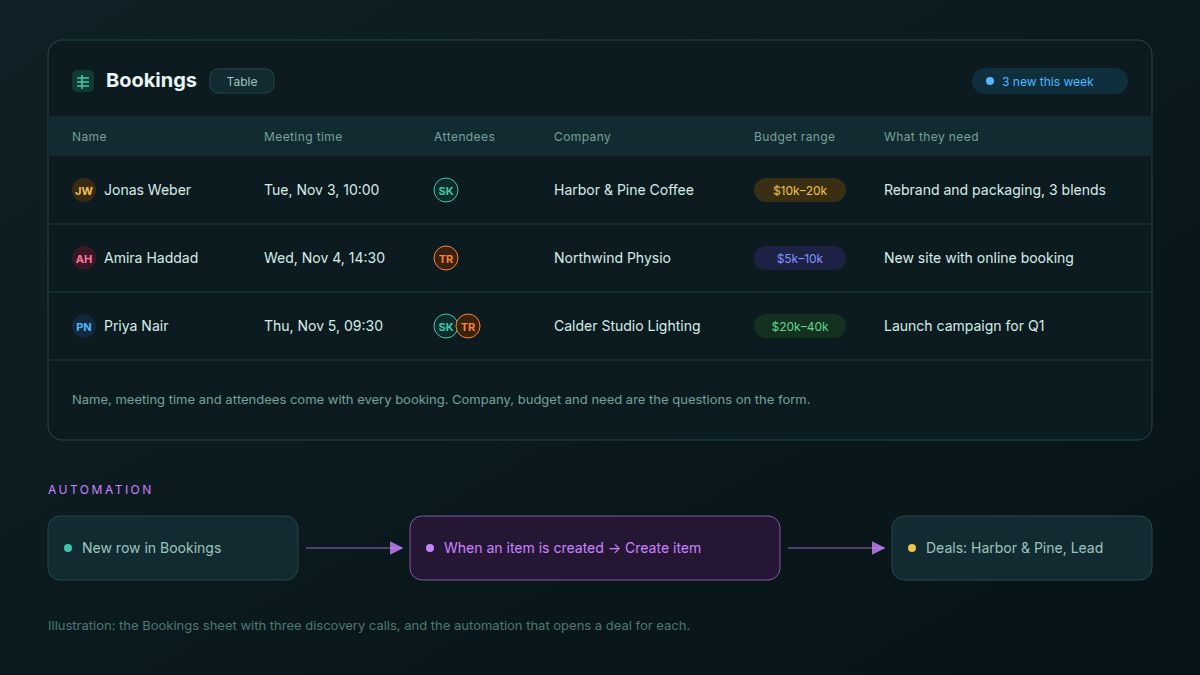
The row is the part most booking tools leave out. Each booking becomes a row titled with the prospect's name and the date, and every question on your form is a column. The brief arrives in the prospect's own words, inside the workspace where the proposal will be written, not in the inbox of whoever took the call.
One automation finishes the handover: when an item is created in the Bookings sheet, create an item in your Deals sheet as a Lead, carrying the prospect's name, email and the answers to your questions. Whoever writes the proposal opens the deal and finds the brief there. The agency CRM guide covers what happens to that deal next.
How do you find a time for the follow-up call with your team?
Do not send your colleagues a booking link. Ask Dana, Atwork's assistant, for a slot, for example "find 45 minutes next week for me, Sara and Tom to scope the Harbor & Pine proposal", and it proposes times that fit everyone's working hours and calendars.
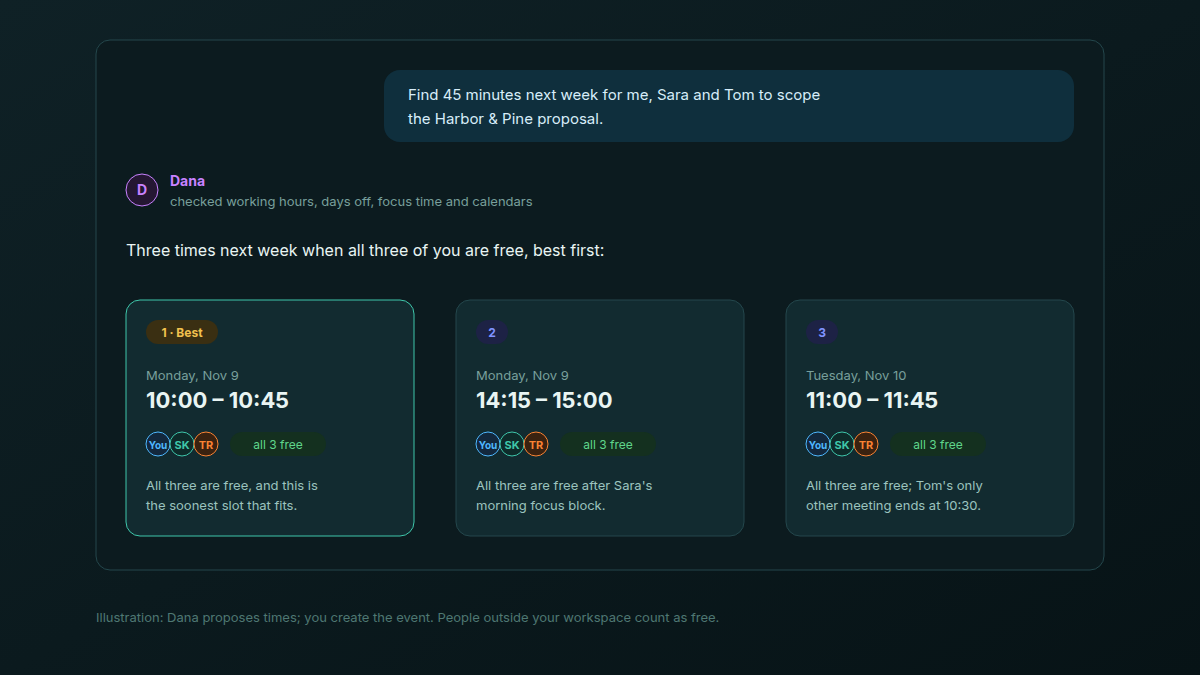
Dana checks each colleague's working hours, days off, focus time and calendar meetings, including meetings synced from Google Calendar. It returns a ranked list: each time, who is free, and a one-line reason for the top picks. You can ask it to favour the soonest slot, the least busy day, or the option that protects focus time.
Dana proposes and you decide. The slot comes from everyone's real calendar, not from a poll in the team chat.
Two limits are worth knowing. Dana does not create the event or send invitations; you pick a time and send the invite. And it cannot see a prospect's calendar, so anyone outside your workspace counts as free: if the client joins, confirm their side first. More on where the assistant helps and where it stops: what an AI assistant can and can't do in your agency workspace.
Should an agency use a dedicated scheduling tool instead?
If a sales team books hundreds of calls a month and works in HubSpot or Salesforce, yes: Calendly, Cal.com and Zoho Bookings go deeper on routing, reminders and CRM sync. If the founder and one strategist take the calls, and the deal, the project and the client already live in one workspace, a second subscription adds one more place to look.
| Dimension | Calendly, Cal.com, Zoho Bookings | Atwork |
|---|---|---|
| Routing and distribution | Routing forms that match a lead to a host by their answers (Calendly, Cal.com), host priorities | Round robin or collective across one link's hosts |
| Reminders and notice | Reminder emails, texts in some, a minimum-notice setting | A confirmation with a calendar invite; no reminders |
| Booking in your Google or Outlook calendar | Written into the calendar you already use | Kept on your Atwork calendar; the prospect gets an invite |
| CRM sync | HubSpot and Salesforce (Calendly, Cal.com), Zoho CRM (Zoho Bookings) | None; the deal lives in the same workspace |
| Where the prospect's answers end up | In the scheduler, or your CRM once synced | A row in your workspace, one automation from your Deals sheet |
| Finding a time with your own colleagues | Send them a link or a poll | Ask Dana |
| Another subscription | One more tool and bill | Part of the workspace, no plan limit on booking links |
How do you set up a discovery call booking page in Atwork?
Setting up a discovery call booking page in Atwork takes one scheduling link and about ten minutes. The editor has three steps: Settings for the duration, hosts and availability, Form for the questions you ask, and After submit for the confirmation email and thank-you message. Then you copy the link and share it.
- Settings. Name the link for the prospect ("30-minute intro" reads better than "Discovery v2"), then choose the duration, hosts, how far ahead people can book, the video tool, buffers and a daily cap.
- Form. Name and email are already there. Add the four questions from the table above.
- After submit. Edit the confirmation email and the thank-you message the prospect sees after booking.
- Share. Copy the page's URL.
Put the URL where inquiries already arrive: your email signature, every proposal footer, the contact page next to the inquiry form, and your reply to a referral. The help article on creating a booking link walks through each setting, and the calendar feature page shows how booking links sit next to your team's availability.
Frequently asked questions
What is a discovery call?
A discovery call is the first conversation between an agency and a prospective client, usually 20 to 30 minutes. The agency learns what the client needs, their budget and timeline, and whether the fit is right. It ends with a clear next step, often a scoping call or a proposal.
How long should a discovery call be?
Thirty minutes suits most agencies: long enough to hear the problem and ask about budget and timeline, short enough that a busy prospect agrees to it. Add a 15-minute buffer after the call for notes, and give longer workshops a separate link.
Does the prospect need an account to book?
No. The booking page is public: the prospect picks a time, answers your questions and confirms without signing up. They receive a confirmation email with a calendar invite and a reschedule or cancel link, and you get a notification and a new row in your Bookings sheet.
Are times shown in the prospect's time zone?
Yes. The page shows open times in the prospect's own time zone, with a picker to change it. Your availability is still worked out from your working hours in your zone, so a prospect abroad only sees slots inside your working day.
Can the prospect reschedule or cancel without emailing you?
Yes. The confirmation email includes a link where the prospect can move the call to another open time or cancel it, without writing to you first. You are notified either way, so a cancelled call never leaves you waiting on an empty call.
Can several people share one booking link?
Yes. Add each person as a host. With round robin, the prospect can book any time at least one host is available, and the call goes to the available host with the fewest recent bookings from that link. With collective hosting, only times when every host is available are offered.
Your next step
This afternoon, make one link called "30-minute intro", add four questions, and put it in your email signature. If you are setting up the rest of your client pipeline, the Agency CRM template puts deals, projects and retainers next to your bookings, and how to structure an agency workspace for multiple clients shows where each piece belongs.
Make your discovery call link today and let the next booking arrive as a row, not an email. Start free