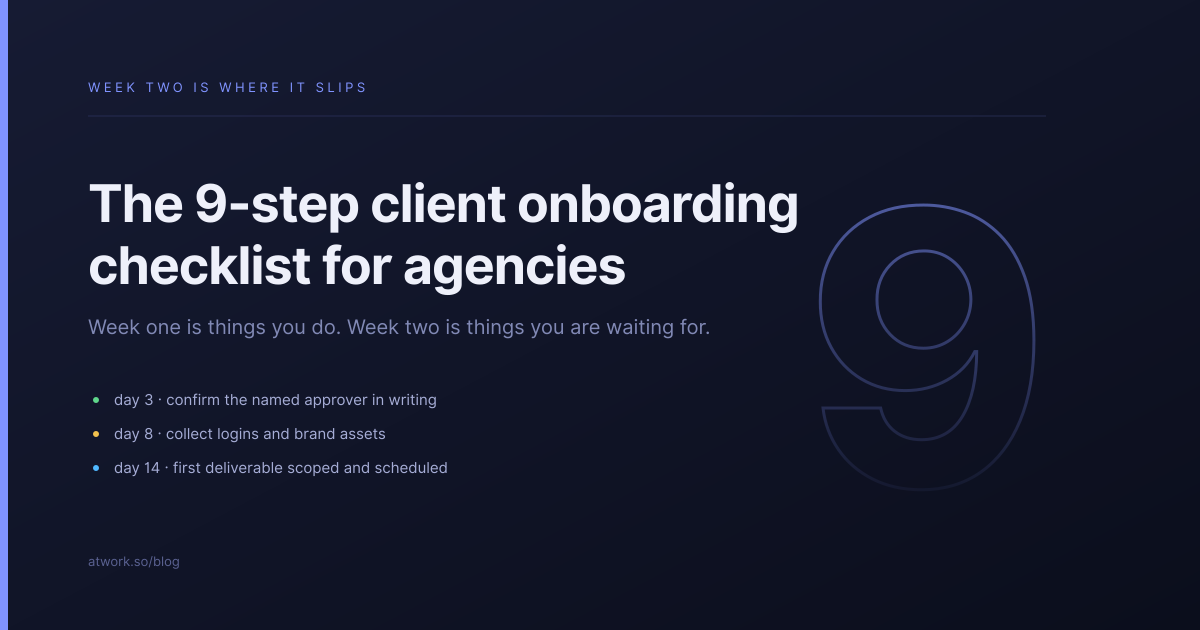
Most agency onboardings do not fail at kickoff. Kickoff is the fun part — everyone is optimistic, the call goes well, and somebody says we'll get you the logins this week. They fail in week two, in the gap between that sentence and the logins actually arriving.
This is the nine-step checklist we ship in the Atwork Agency Client Onboarding template, and more usefully, the two decisions that make it survive contact with a real client.
Why do agency onboardings slip in week two?
Because week one is things you do, and week two is things you are waiting for. The first week is entirely within your control — send the welcome, run the call, write the plan. The second depends on a busy person at the client finding their analytics password. Nothing in your project plan models that difference, so it looks like a delay when it is a dependency.
The fix is not to chase harder. It is to make the waiting visible, in one list, with a name attached to each item.
What are the nine steps?
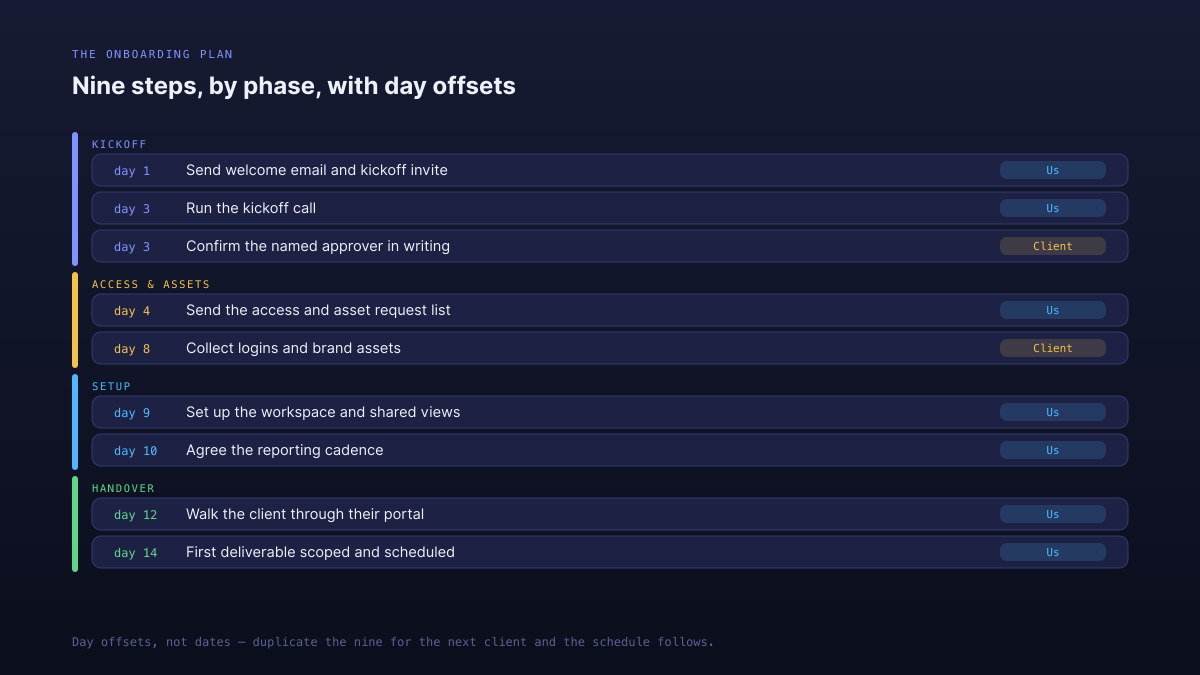
The checklist below is the one that ships in the template, with day offsets from kickoff rather than dates.
- Send the welcome email and kickoff invite — day 1. Introduce the team, confirm who approves, and attach the asset request list.
- Run the kickoff call — day 3. Ninety minutes: scope, cadence, who approves, and how feedback reaches you.
- Confirm the named approver in writing — day 3. One line in an email. This is the step everyone skips.
- Send the access and asset request list — day 4. One message with everything on it.
- Collect logins and brand assets — day 8. The chase. This is where the two weeks are won or lost.
- Set up the workspace and shared views — day 9. Decide what the client can see before they ask.
- Agree the reporting cadence — day 10. A fixed day, written down.
- Walk the client through their portal — day 12. Fifteen minutes, so the status emails never start.
- First deliverable scoped and scheduled — day 14. Onboarding ends when real work starts.
Why day offsets instead of dates?
Because dates make a checklist single-use. A plan built on 12 September is useless for the client who starts in October, so somebody rebuilds it, and every rebuild drifts a little further from the last. Day offsets make the same plan reusable forever: duplicate the nine steps, set a kickoff date, and the schedule follows.
It also gives you an honest metric. If your average client hits step 9 on day 21 rather than day 14, that is a number you can look at, and almost always it is step 5 doing the damage.
What should you ask the client for, and when?
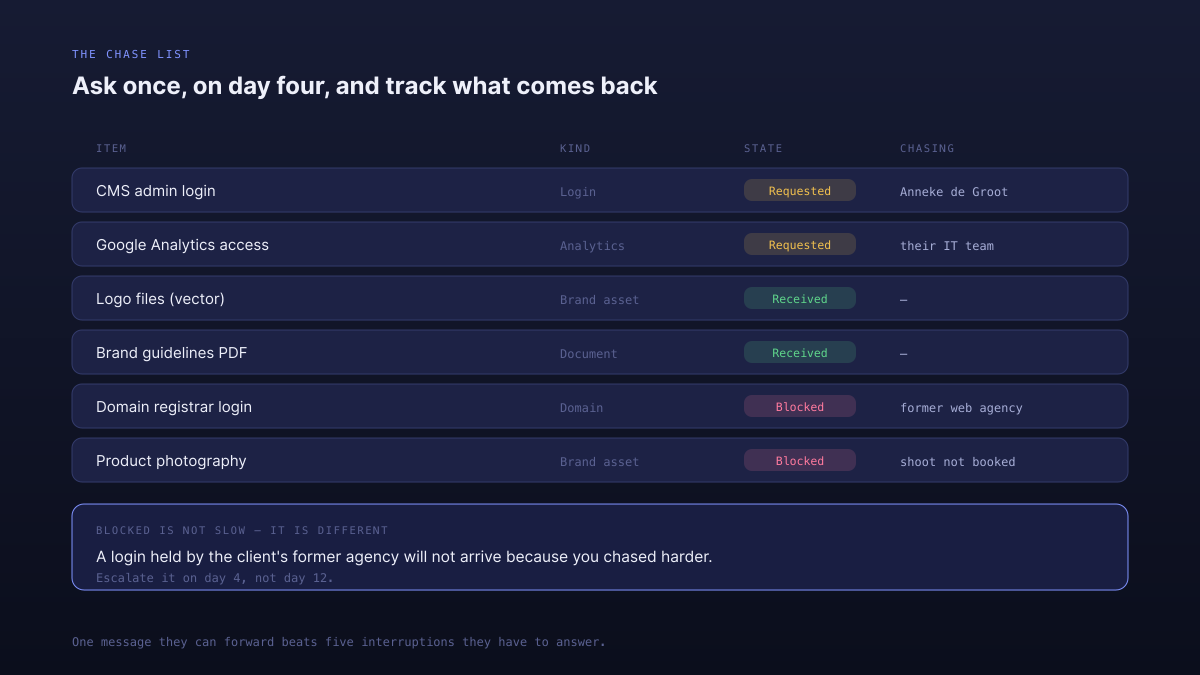
Everything, once, on day 4 — not as it occurs to you over two weeks.
The scattered version feels considerate and is the more annoying experience: five separate asks, each one an interruption, each needing its own reply. One list is a single task on their side, and it can be forwarded to whoever actually holds the logins. Send it as a list they can work through:
- Logins — CMS, analytics, ad accounts, domain registrar
- Brand assets — logo in vector, guidelines, fonts, photography
- Documents — tone of voice, previous campaign results, anything you are told already exists
- Domains and DNS — who controls them, which is often not the client
Then track each item as Requested, Received or Blocked, with a name against it. Blocked matters more than it looks: the domain login held by the client's previous agency is not something the client can solve by trying harder, and treating it as a normal chase wastes a fortnight.
Who needs to be named before any work starts?
One person on the client side whose approval is final, agreed in writing at kickoff. Not the client as a company, not a committee, and not whoever replies fastest.
Everything else in onboarding can be corrected later. This cannot, because the cost of skipping it does not appear for two months — and then it appears as a fourth revision round, on work that a different stakeholder already approved. Ten seconds at kickoff.
It is worth recording the other roles too. Someone is day-to-day and will send you the assets; someone is informed and wants the monthly summary rather than the drafts. Sending a draft to the informed person is one of the most reliable ways to invent a revision round out of nothing.
How do you know onboarding is actually done?
When the first real deliverable is scoped and scheduled — not when the checklist is fully ticked.
The distinction matters because a completed checklist with no work booked is a client who has been onboarded into nothing, and that is the state where accounts quietly stall. Ferro Logistics in the template's sample data is exactly that: every kickoff step done, no approver named, stalled three weeks.
How do you run this in Atwork?
Install the Agency Client Onboarding template and it builds the whole thing: the nine steps as a task sheet, the chase list, the stakeholder record, and a dashboard that shows how much of the delay is yours versus theirs.
- Onboarding Steps is a task sheet, so assigned steps land in My Tasks, the agenda and workload rather than a separate to-do list.
- Access & Assets is the chase list, filterable to Requested — open it before every check-in call.
- Stakeholders carries the Decision role field, so the approver is recorded rather than remembered.
- The Onboarding dashboard breaks steps down by phase and by who they are waiting on.
Once a client is live, Agency Client Delivery takes over with briefs, deliverables and approvals, and Creative Production & Review handles the rounds. Since onboarding is where you decide what the client will be able to see, it is worth reading what your client should actually see in a portal before step 6.
Run it once on your next client and note which step slipped. It is almost always step 5, and now you will have the evidence rather than the impression.
Install the template, duplicate the nine steps for your next client, and set exactly one approver. Start free