Why can't my teammate see a sheet?
Access is layered. Someone can be in your workspace and still not see a sheet, because being a member of the workspace is only the first of four gates. Check them in order — the answer is almost always the first one that fails.
1. Are they actually in the workspace?
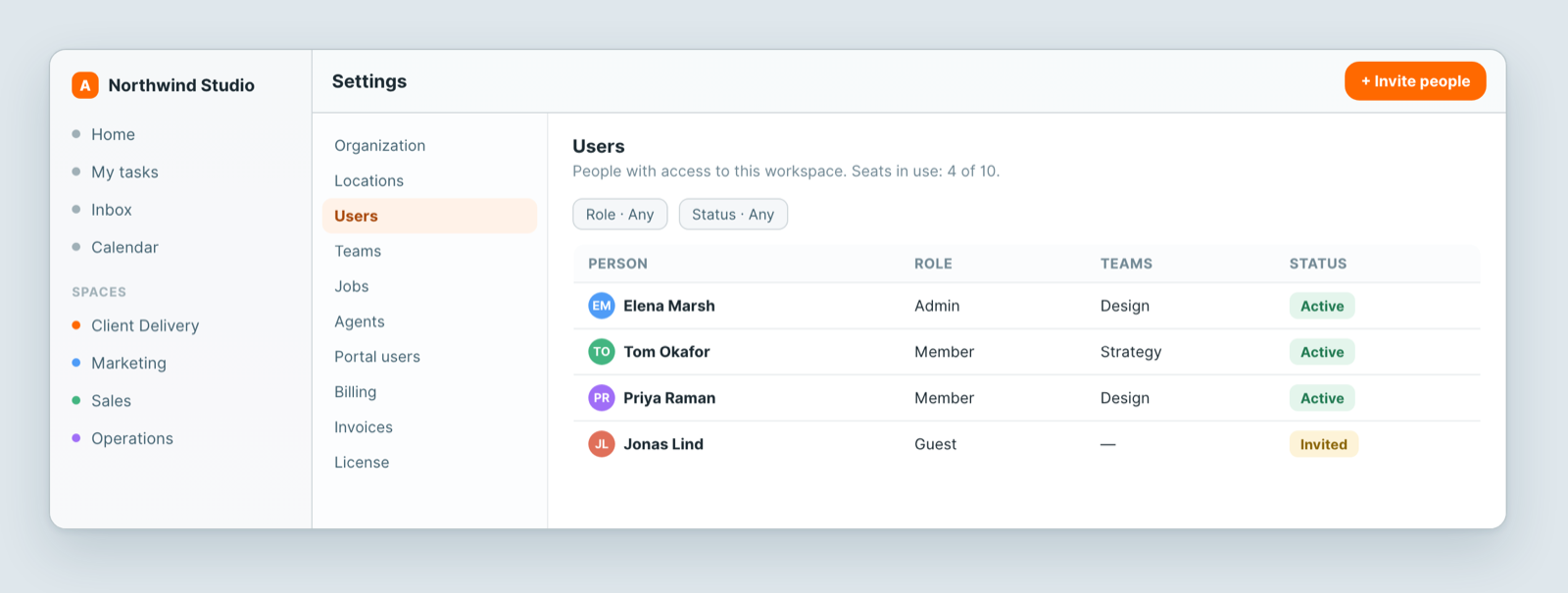
Open Settings → Users. If their row says Invited, they never accepted — resend the invite. An invite that was never accepted looks exactly like a permissions problem.
2. Are they in the space?
Sheets live inside spaces, and a space grants access to what it contains. If they are not a member of that space, nothing inside it is visible to them. This is the most common cause.
3. Does their role allow it?
A role sets what someone can do once they have access — read, edit, or manage. A guest-level role may be able to open a sheet but not change it.
4. Is the sheet or the view restricted?
A sheet, and an individual view, can be narrowed to specific people. If everyone else can see it and one person cannot, check this last.
Notes
- Adding someone to a team or a job does not grant access on its own — those group people for assignment and reporting.
- Clients and customers are not workspace members. They see their own records through the client portal instead.
- If all four gates look correct and they still cannot see it, send us the sheet link and the person's email and we will look.
Related: Invite your team · Views: see the same data 12 different ways