Automation triggers
The trigger decides when an automation runs. Choosing it well is most of the work: a badly chosen trigger either misses the moment or fires constantly until everyone mutes it.
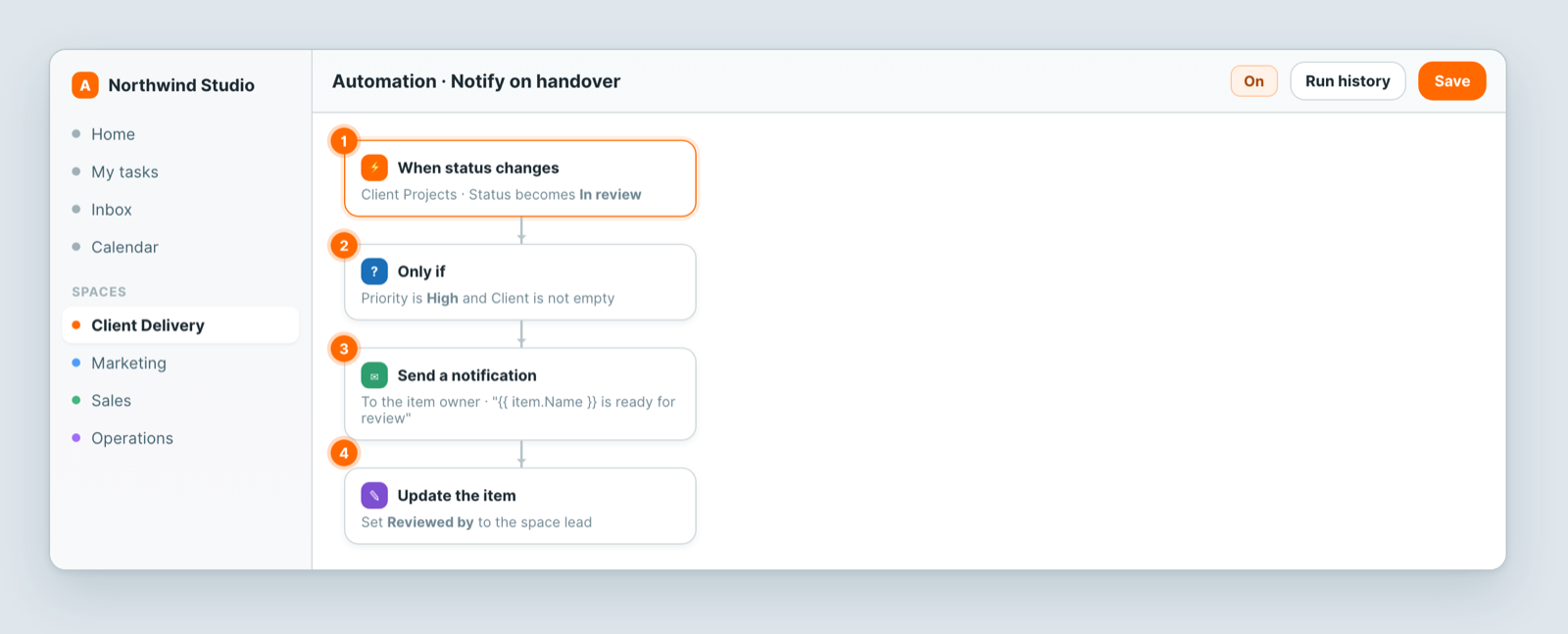
The triggers
A record is created. Good for intake: something new arrived, so set defaults, assign an owner, tell someone.
A record is updated. The broadest trigger: it fires on any change to any field of the record. Use it with conditions, or you will act on every keystroke-level change.
A field changes to a particular value. The most useful one. When Status becomes In review fires at exactly the moment that matters and stays quiet otherwise.
A form is submitted. A form submission is a record creation, but this makes the intent obvious to whoever reads the automation later.
An email arrives at the sheet's address. Every sheet can have its own email address; mail sent or forwarded to it becomes a new row. Good for client requests and briefs that arrive by email — see Email to this sheet.
On a schedule. Nothing changed — time passed. Daily digests, overdue sweeps, weekly reminders.
Pick the narrowest one that works
The difference between an automation people trust and one they mute:
- ❌ When a record is updated → notify the owner.
- ✅ When Status becomes Blocked → notify the owner.
The first fires on every edit. The second fires when someone needs to know.
Schedule triggers are different
A scheduled automation is not reacting to a record, so it usually starts by finding records: everything overdue, everything unassigned. Think of it as a filter that runs on a clock.
Availability of scheduled triggers depends on your plan — see Plans & billing explained.
Test before you rely on it
Make one real change and confirm the automation fired — then check the run history. An automation nobody verified is a guess.
Related: Automate the repetitive parts · Automation actions · Test and debug an automation · Email to this sheet