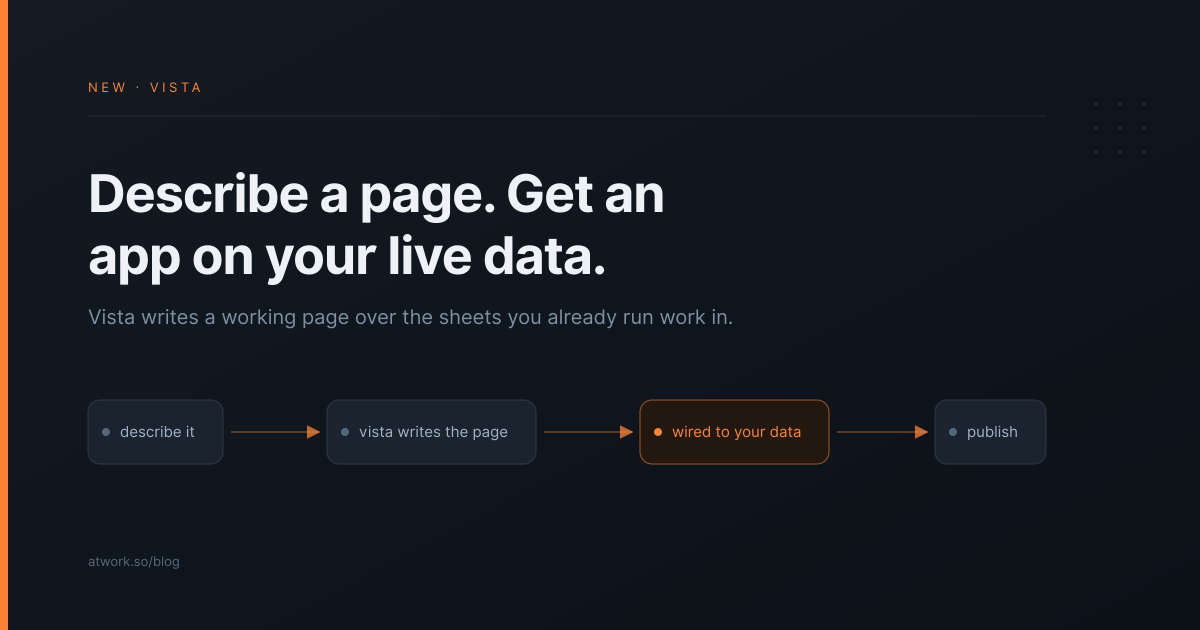
Every agency has a page somebody keeps rebuilding by hand. The retainer burn-down you screenshot into a client email. The intake form that lives in a separate form tool. The status overview you assemble every Friday. Vista, a new AI-generated page type in Atwork, exists for exactly those pages: you describe what you want in chat, and Dana, Atwork's AI assistant, writes a working page on top of the sheets and docs you already run your work in.
This post covers what a Vista page is, how to create one, what it can do, and how to hand one to a client.
What is a Vista page?
A Vista page is a custom page that Dana, Atwork's AI assistant, builds for you inside your workspace. You describe the page in a chat panel; Dana writes it and connects it to the sheets and docs you chose. The page reads live data, so it stays current without anyone maintaining it.
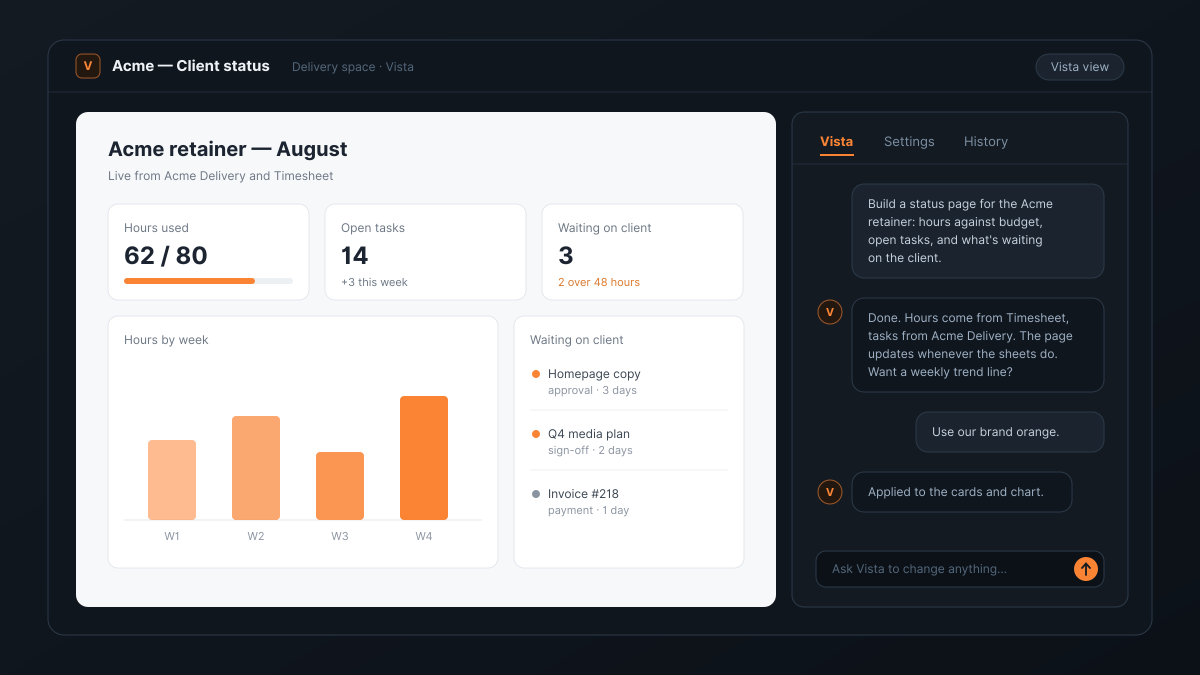
The important word is live. A Vista page is not an export or a snapshot. When a task closes in your delivery sheet, the number on the page changes. When a timesheet row lands, the hours bar moves. Nobody re-generates anything on Friday morning.
It is also not a widget kit. Dana writes the whole page — layout, charts, lists, forms — so the result is shaped by what you asked for, not by which pre-built blocks happen to exist. If you want the three numbers your client actually cares about at the top and everything else below the fold, you say that, and that is what you get.
How do you create a Vista page?
You add Vista the same way you add any view: open a sheet and add a Vista view, or add a standalone Vista page inside a space when the page should draw on several sheets at once. Pick the data sources it may use, then describe the page in the chat panel.
A prompt like this is enough to start:
- Build a status page for the Acme retainer: hours against budget, open tasks by status, and a list of everything waiting on the client.
Dana reads the structure of the sheets you scoped — the attributes, the options, the relations — so it knows what a Status column contains before it draws a chart of it. The first version appears in the view within moments, and from there you refine it in the same conversation.
Two details matter for trust. First, you choose the scope: the page can only touch the sheets and docs you put in its Data sources list, which you can edit later in the Settings tab. Second, the page itself never holds credentials. It runs in a locked-down frame and every read and write passes through Atwork's own permission system. The rules described in what an AI agent in your workspace can actually see apply to Vista too: a page can never show anyone more than its scope allows.
What can a Vista page actually do?
A Vista page can read your data, aggregate it, chart it, and — this is the part most tools skip — write back. A page can create and update items in the sheets it is scoped to, which means Vista pages work as intake forms and lightweight tools, not only as dashboards.
Some pages agencies can build with one prompt each:
- A client status page. Hours used against the retainer, open tasks grouped by status, and the approval queue — the email you keep writing, as a page that writes itself.
- A request intake form. New submissions land as items in your delivery sheet with the right attributes filled, so a client request enters the same pipeline as everything else.
- A capacity overview. Assignments per person across projects, drawn from the sheets your team already updates.
- A brief reader. Vista pages can pull in your workspace docs, so a page can present the client brief next to the work it produced.
Pages can include real charts, use your fonts, and pull images from your own assets. Under the hood they draw on a vetted set of building blocks — that is a deliberate constraint, because a page your client opens should not be loading code from arbitrary places on the internet.
How do you change a page after it is built?
You change a Vista page the way you asked for it: in the chat. Say what should be different — move the approval list above the chart, show hours as a weekly trend, use our brand orange — and Dana edits the existing page rather than starting over, so your earlier decisions survive.
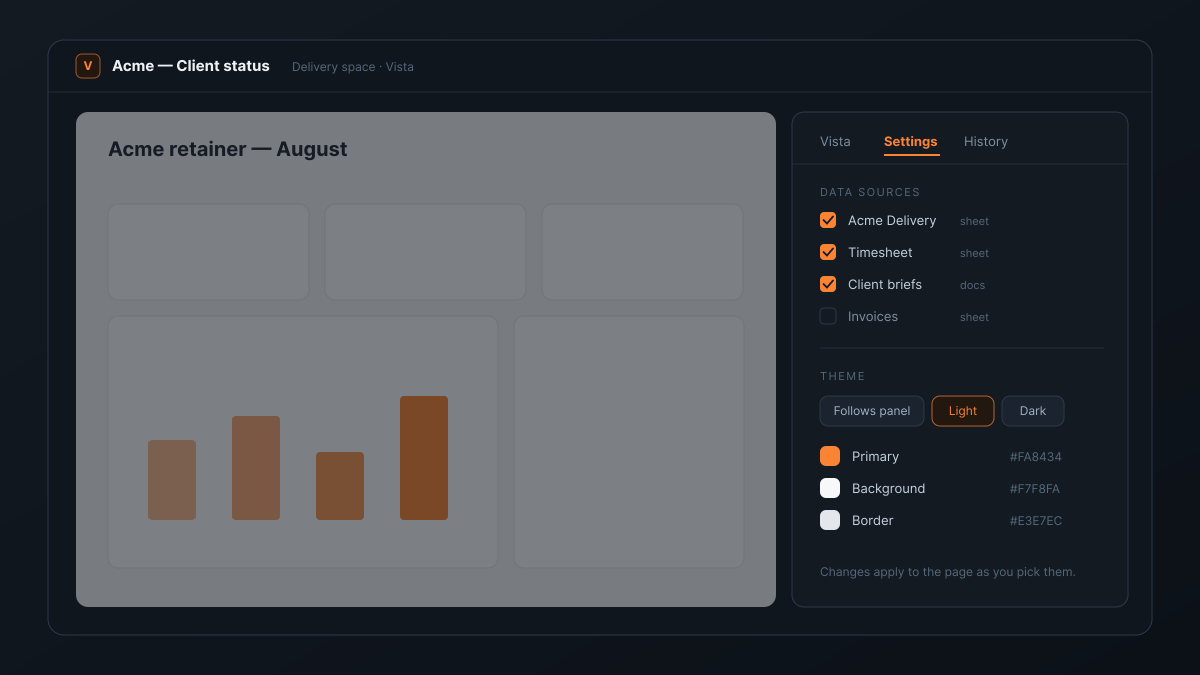
The Settings tab handles the parts that should not need a conversation. Data sources can be added or removed. The Theme section carries Atwork Light and Dark presets, follows your panel theme by default, and lets you set colors directly — changes apply to the page as you pick them.
Every generation is kept as a revision in the History tab. If a change took the page somewhere you did not want, you revert to the previous version in one click. That makes experimenting cheap: the worst case of a bad prompt is a click backwards.
Can your clients open a Vista page?
Yes — this is where Vista earns its place in agency work. Any Vista page can be published as an app: a scoped surface that teammates, guests, or your customers open directly, seeing the page and only the data behind it.
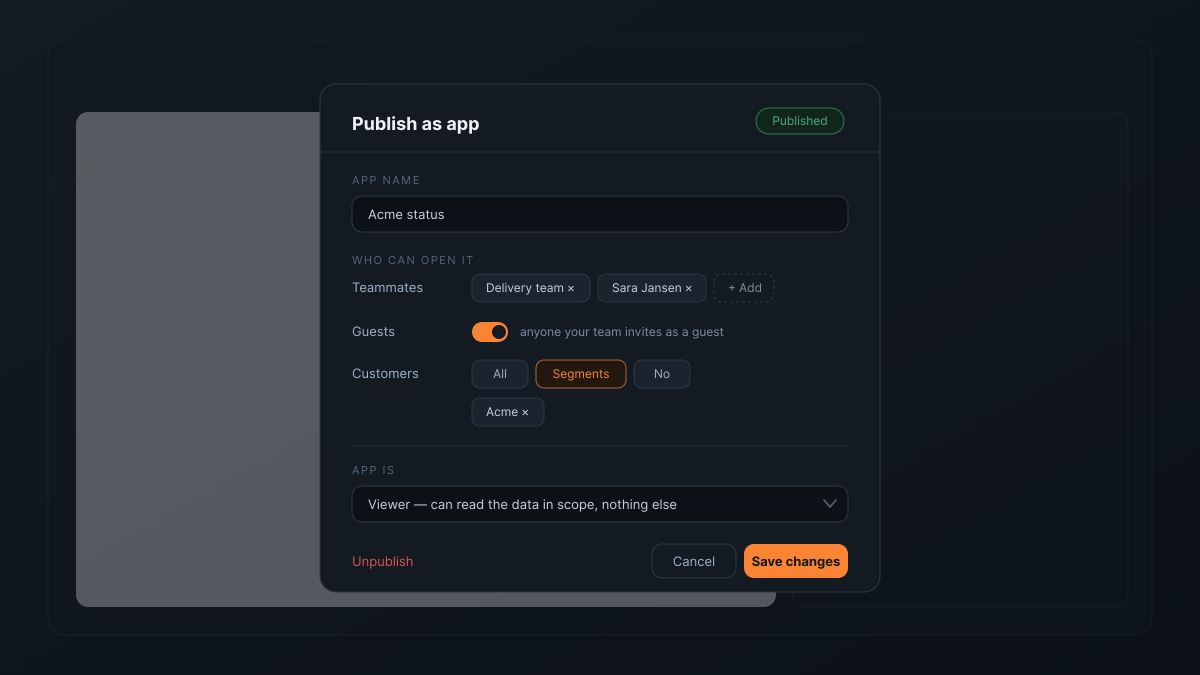
The publish dialog answers two separate questions. Who can open it — specific teammates or teams, guests, and customers, either all of them or particular segments, so the Acme status page is visible to Acme and nobody else. And what the app itself may do with your data — its role on the underlying sheets, which you can keep to read-only for a status page or allow writes for an intake form. Unpublishing takes one click and the page goes back to being internal.
For an agency this replaces a familiar stack of workarounds: the weekly status email, the exported PDF, the shared spreadsheet tab. The client sees where their project is without emailing you about it — the same promise as Atwork for agencies, one page at a time.
How is Vista different from Airtable Cobuilder or v0?
AI app builders today fall into two camps. Tools like Airtable Cobuilder generate structure over your data — tables, views, interface components assembled from a fixed kit, which keeps results predictable but bounded by the kit. Tools like v0 or Lovable write free-form pages with no data behind them; connecting your actual work means exporting files or building an API.
Vista sits in the overlap: a free-form, AI-written page that is wired to the data you already work in, with your existing permissions deciding who sees what.
Both camps do things Vista does not. Airtable's interface tooling gives you drag-and-drop control after generation, and if you want to fine-tune layouts by hand it is genuinely better at that. v0 and Lovable produce standalone web apps you can host anywhere, which is the right shape for a public marketing site. Vista's bet is narrower: for pages about your work, the data being already there — live, scoped, permissioned — matters more than either.
What can't Vista do yet?
Vista is not a replacement for your sheets and views; it is a page on top of them, and heavy day-to-day editing still belongs in the table or board. There is no drag-and-drop editor — every change goes through chat, which is fast for most edits and occasionally slower than dragging a box would be. And a Vista page is a single page, not a multi-page application; if you need the latter, you need an app builder.
What it removes is the gap between we should have a page for this and having one. The pages agencies rebuild by hand every week — status, intake, capacity — now cost one description each.
Vista is live for all workspaces. The assistant that builds your pages is Dana, the same one you ask about your sheets; for an agent with a standing job of its own, start with custom AI agents in Atwork.
Pick the page you rebuild for clients most often and describe it to Dana. If it is not closer than your current version in ten minutes, delete the view. Start free