Most writing about the Model Context Protocol stops at the introduction. MCP is an open standard, it replaces one-off connectors, every major assistant supports it. All true, all now well covered. What is far less documented is the part that takes the time: once you decide to put a real workspace behind an MCP server, almost none of the remaining work is protocol work.
We run one at mcp.atwork.so, backed by its own OAuth 2.1 authorization server. This is what that actually involved.
What does an MCP server actually have to do?
An MCP server exposes tools, resources and prompts to an AI client. For a workspace product, tools carry nearly all the weight, and the protocol layer is the small part. The real work is deciding what a language model may do with another person's data, and shaping each tool so a model can call it correctly without guessing.
That reframing matters because it changes who should build it. The transport and the handshake are largely solved by SDKs. What is not solved is authorization granularity and tool ergonomics, and those are specific to your data model. You cannot copy them from a reference implementation.
It also means the work is mostly product design wearing an infrastructure costume. Every decision — which operations to expose, what an error says, how much data comes back — is a decision about what an agent will do on a user's behalf when nobody is watching.
Why build your own OAuth server instead of using a provider?
Because MCP clients register themselves dynamically, and most identity providers were not built for that. Prevailing advice is to avoid building your own. Speakeasy puts it bluntly: you end up building an entire OAuth authorization server to bridge the gap between MCP's requirements and existing OAuth providers, with significant implications for your security posture.
That advice is sound, and we went the other way for one specific reason: we wanted a scope per tool, and we wanted the consent screen to name those tools in the user's own vocabulary. An off-the-shelf provider models coarse scopes well and fine-grained, product-specific permissions poorly.
The cost was real. A compliant authorization server is not one feature. Ours implements dynamic client registration, PKCE with S256, pushed authorization requests, token revocation, an end-session endpoint, a userinfo endpoint and a published JWKS with RS256 signing keys. Every one of those is a thing that can break.
If your product does not need per-tool scopes, take the advice and use a provider that supports dynamic registration — or skip OAuth entirely. Personal access tokens remain a perfectly good answer for a developer-facing tool.
What breaks when an LLM is the caller?
Identifiers break. A conventional API client holds ids because it just listed them. A language model holds what the user said — a person's name, a status label, a tag. If your tools demand uuids, the model has to fetch, guess, or hallucinate, and it will do all three.
This is the single biggest difference between an MCP tool and the REST endpoint underneath it, and it is barely discussed. Our first tools took attribute ids and option uuids, which is correct for a programmatic caller and close to unusable for an agent.
The fix was a second family of tools that accept human values and resolve them server-side. Instead of an attribute id and an option uuid, a create call takes the field names a user would recognise and the values they would say out loud:
- Status receives the words In Progress, and the server matches them against the sheet's real option set
- Assignee receives a person's name, and the server matches it against the org directory
- Description receives markdown, and the server converts it to the editor's document format
The model never assembles a document structure by hand and never invents an identifier, because it is never asked for one. It works in the vocabulary the user already used.
Why one scope per tool beats read and write
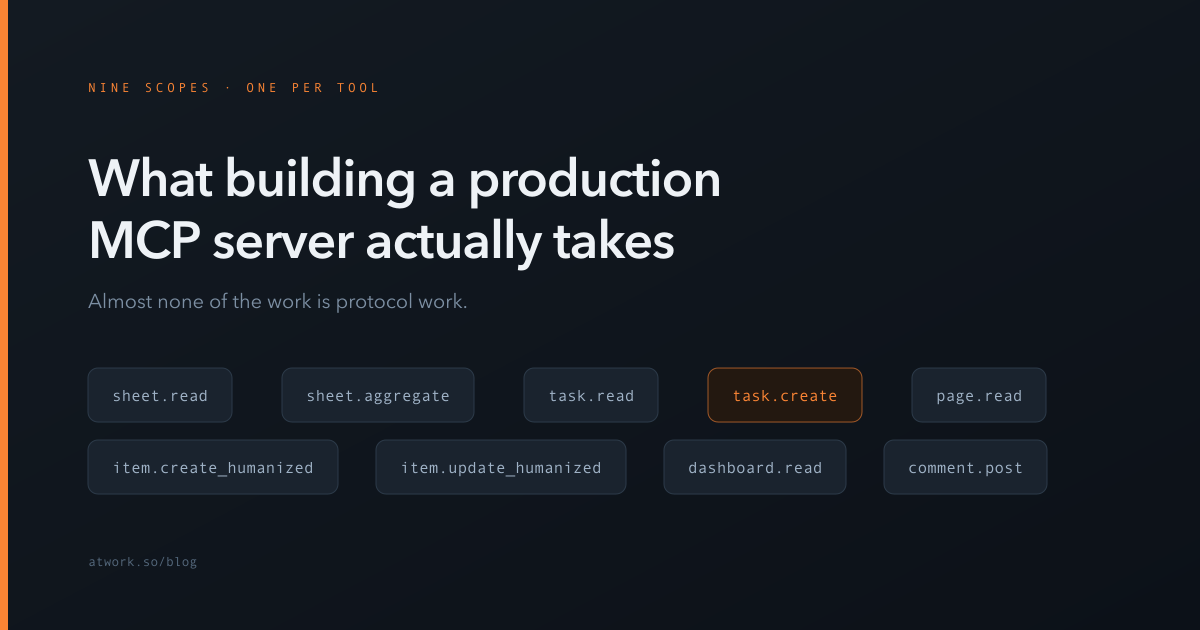
Because consent is only meaningful if the user can tell what they are agreeing to. Read your data tells them nothing. On our authorization server every tool is its own scope, named after the tool — sheet.read, task.create, item.update_humanized, comment.post and so on, one for each tool the server exposes.
The consent screen lists those operations in plain words, and the user allows or denies the request as a whole; there is no per-scope checkbox. What the scopes buy is enforcement rather than choice. Every call runs as the user who connected, so it reaches only what that user can reach. On top of that, the server refuses any call whose tool is not among the token's granted scopes, so the list the user read is the list the connection is held to. Each tool is annotated as reading or writing, so a client can ask before it changes anything. And tools classed as sensitive, the ones that reach outside the workspace or are hard to undo, are not exposed over MCP at all, so no grant reaches them.
The tradeoff is that scopes become an API surface. Adding a tool means adding a scope, and renaming one is a breaking change for every client that already asked for it. Coarse scopes are easier to evolve. An existing connection also has to re-authorise before a newly added tool works for it. We think the clarity is worth it for tools that write to a customer's workspace, and we would not bother for a read-only integration.
What does a failed connection actually look like?
Usually like an outage that isn't one. An unauthenticated request to our MCP endpoint returns a 401, and that response is the protocol working correctly — it is the challenge that tells the client where to authenticate. It reads as broken to anyone testing with curl, and it is the first thing people report.
The more useful lesson is that authorization failures in MCP are quiet by nature. The client is an assistant, not a person watching a console. When a token goes stale, the user does not see a redirect to a login page; they see an assistant that has become oddly unhelpful. Whatever your failure modes are, assume the person affected will describe them as it stopped working.
That argues for two things: authorization errors specific enough to identify the cause from the message alone, and an end-session endpoint so a stuck session can be cleared without hunting for it.
How do you design a tool an AI cannot misuse?
By making the failure mode a correction rather than a guess. When a tool receives a value it does not recognise, it should reject the call and return the valid options in the error. The model then retries with a real value instead of inventing something plausible.
Our multi-select fields work this way. An unrecognised option is an error listing the choices that exist — there is no create-if-missing path at all. A model cannot quietly invent a new category, because the tool physically cannot make one. A constraint the tool enforces beats one the prompt merely requests.
The other half is volume, where MotherDuck's numbers are instructive. They cap results at 2,048 rows and responses at 50,000 characters, and time queries out at 55 seconds because web clients such as Claude.ai give up at 60. As they put it, they experienced clients struggling with result sets larger than this. A tool that returns everything is a tool that blows out the context window and returns nothing useful.
So should you build one?
If you have a developer-facing API and want assistants to use it, yes — but start with personal access tokens and a small set of tools, and add OAuth when real clients demand it. The protocol is the easy part; you can have a working server in a day.
Build your own authorization server only if you need scope granularity a provider cannot express. That was true for us because we expose write tools against customer workspaces, and asking someone to click allow full access is not reasonable. For most products it will not be true, and the advice to use a provider with dynamic client registration is the right default.
What we would tell anyone starting today: spend your time on tool design, not transport. Decide what an agent is allowed to do, name those capabilities in language a user recognises, and make every tool fail in a way that teaches the model what to do next.
Atwork's MCP server is live at mcp.atwork.so, and the Atwork MCP page has the steps for each assistant. If you want to point an assistant at your own workspace, connect it and ask it what is on your plate this week.