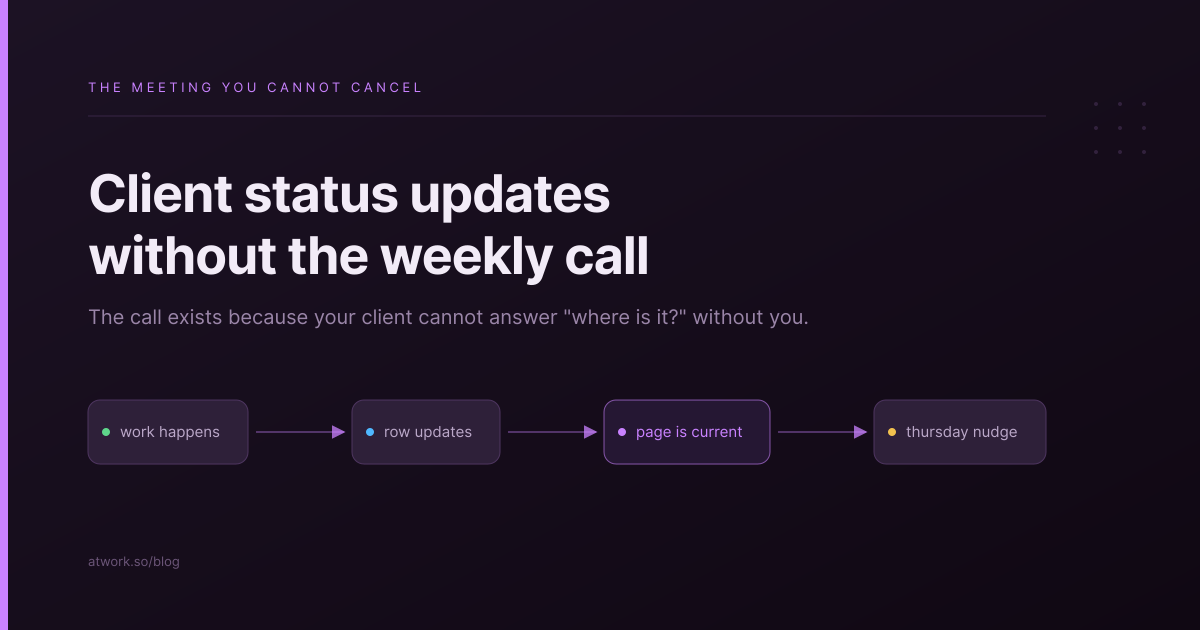
The weekly status call is the most expensive meeting an agency runs, because it is the one nobody can cancel. Thirty minutes, two or three people on your side, repeated across every client, every week. This is about what has to be true before you can stop holding it, and what replaces it. The examples use Atwork, but the decisions come first.
The short version: the call exists because your client cannot answer where is it without you. Fix that, and the meeting stops being load-bearing.
Why does the weekly status call exist?
Not for the information. Almost everything said on a status call could have been three sentences in writing. The call exists because it is the client's insurance against not knowing — a guaranteed slot where somebody has to tell them the truth. Remove the uncertainty and you remove the reason.
This is why we'll just send an email instead usually fails within a month. An email is a one-off. Insurance is a standing arrangement. What replaces a recurring call is not a message, it is a place plus a rhythm.
If your client has to ask you where something is, the meeting is doing a job nothing else is doing yet.
What has to be true before you can cancel it?
Three conditions, and all three have to hold. Cancelling on two out of three is how agencies end up with a dead portal and the call back on the calendar.
- The answer exists somewhere they can reach. Not in your head, not in a thread — somewhere they can open at 9pm without asking.
- It is current without anyone remembering to make it current. If a person has to update it, it will be wrong the week they are on holiday, which is the week the client checks.
- They know what to do when they disagree. A place to comment or a person to contact. Removing the meeting without giving them a channel makes them feel managed rather than informed.
What belongs in a written status update?
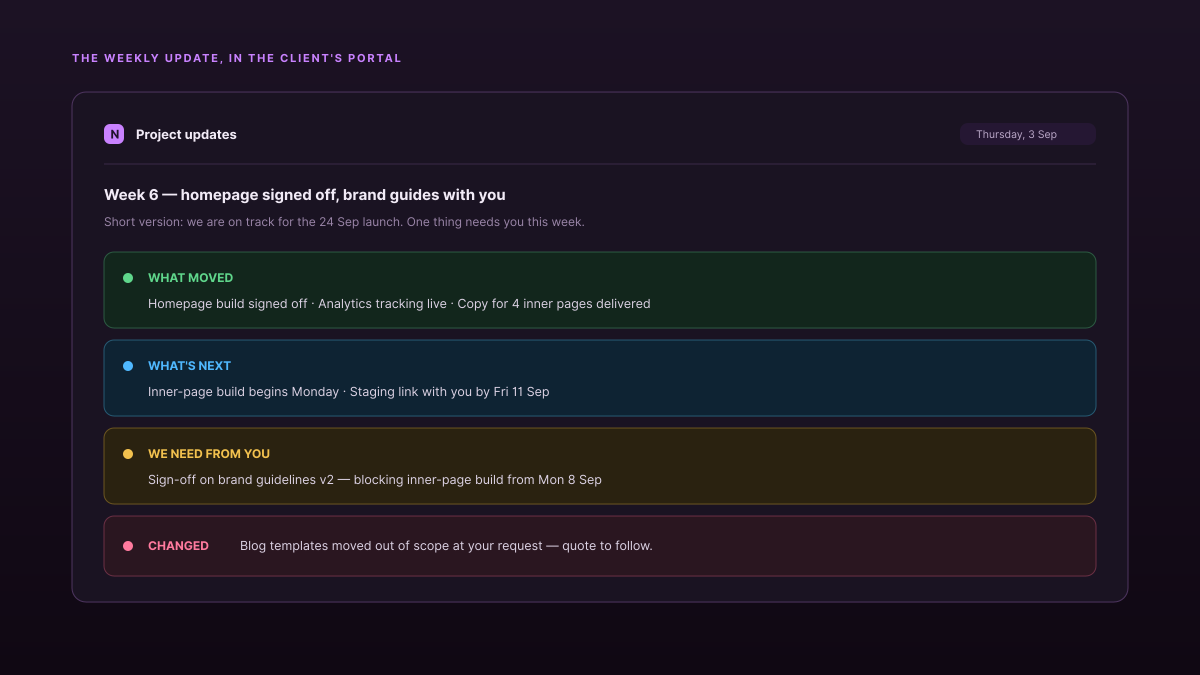
Four things. Anything else is padding, and padding is why people stop reading updates.
- What moved since last time. Named deliverables, not activity. Homepage build signed off beats made good progress on the website.
- What is next, and by when. One or two items. A list of twelve reads as a plan, not an update.
- What we need from you. The single highest-value line in the whole update, and the one most often left out. Clients who know they are blocking something usually unblock it.
- What changed about dates, scope or budget. Say it here, in writing, early. This is the line that prevents the difficult conversation later.
Leave out internal detail. Who on your team did what, how long it took, and what went wrong internally are your business, and sharing them invites management you did not ask for.
How often should you send one?
Weekly, on a fixed day, for active project work. Fortnightly for a steady retainer. The specific cadence matters far less than it being predictable — an update that arrives every Thursday is trusted; one that arrives when there is news is read as something is wrong when it arrives, and they have forgotten us when it does not.
Keep a call, but change what it is for. A monthly or fortnightly conversation about decisions, priorities and what is coming is worth having. A weekly recital of things you could have written down is not.
Should the update be pushed or pulled?
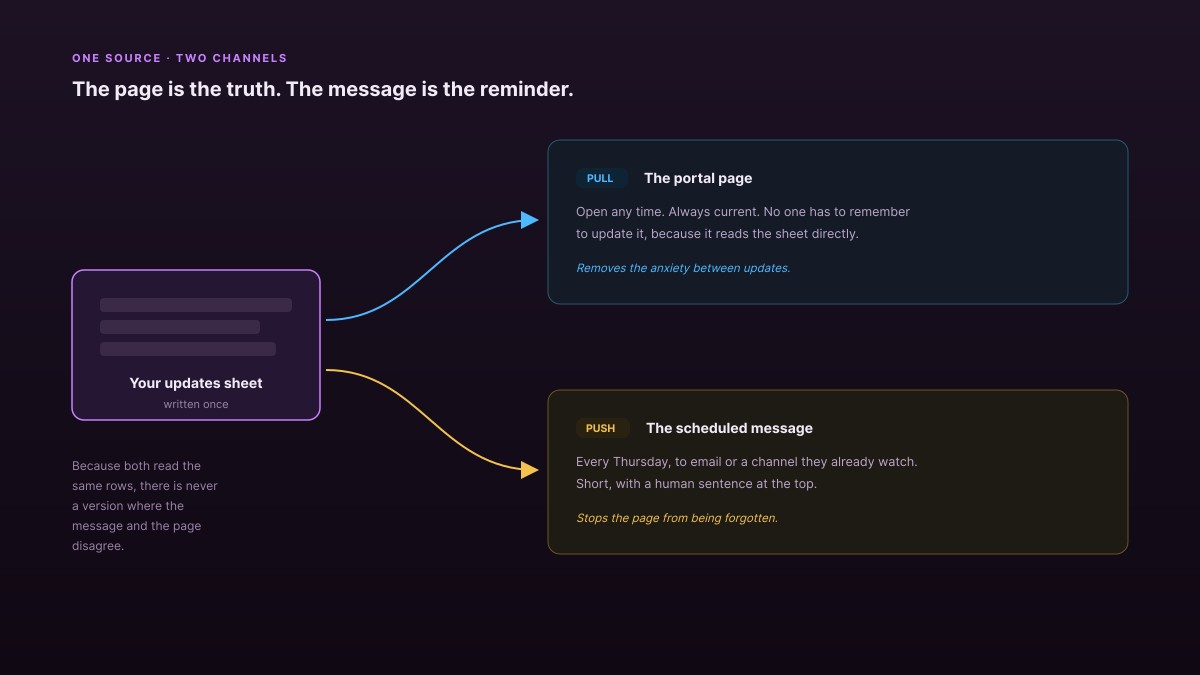
Both, from one source. This is the part most agencies get half right, and the half they miss is usually the push.
- The pull is a page the client can open any time — the current state, always right, no login gymnastics. This is what removes the anxiety between updates.
- The push is a short message on the cadence you agreed, landing where they already are: email, or a shared channel. This is what stops the page from being forgotten.
A portal with no push gets bookmarked and never opened. A push with no portal turns every follow-up question into a reply to you. You need the page to be the truth and the message to be the reminder — and critically, both should read from the same place, so there is never a version where the message and the page disagree.
How do you automate this without it becoming noise?
Automate the delivery and the assembly. Do not automate the judgment.
A scheduled workflow can fire every Thursday morning, gather what changed, and post it. What it should not do is decide what is worth saying. The difference between an update clients read and one they filter is a human sentence at the top — the thing you would have said on the call. Automation buys you the twenty minutes of collecting; it does not buy you the ten seconds of judgment.
The failure mode is a bot that posts every status change as it happens. That is not an update, it is a firehose, and clients mute it within a fortnight. Batch to the cadence, lead with a sentence a person wrote, and let the detail sit underneath.
What does this look like in Atwork?
You keep updates as rows in a sheet, show them on the client's portal, and let a workflow handle the sending.
- The page. In the portal builder at Administration → Customer Portal → Portal, the News feed widget reads a sheet you nominate and maps its columns — title, excerpt, tag, date. Your updates sheet becomes the client's feed, so writing the update is the only step.
- The push. A workflow with a schedule trigger runs on the day you choose and sends the summary out. Providers are configured per workspace, so a message can land by email or in a channel your client already watches.
- The reply path. The Contact card widget puts a named person and a way to reach them on the same page, which is the third condition above.
One honest limit: there is no built-in compose this week's update for me button. The sheet, the feed and the schedule are the plumbing; the sentence at the top is still yours to write, which is the part that should stay yours anyway.
The Agency Client Delivery template ships an updates sheet already shaped for this, and the automation feature page covers how scheduled workflows are built. If you have not decided what the client should be able to see in the first place, start with what your client should actually see in a portal — that decision comes before this one.
Pick one client. Send a written update on a fixed day for four weeks, and put the same content somewhere they can open. In week five, ask them whether they still want the call.
Try it with one client for a month. If they stop asking where things are, you have your evenings back. Start free