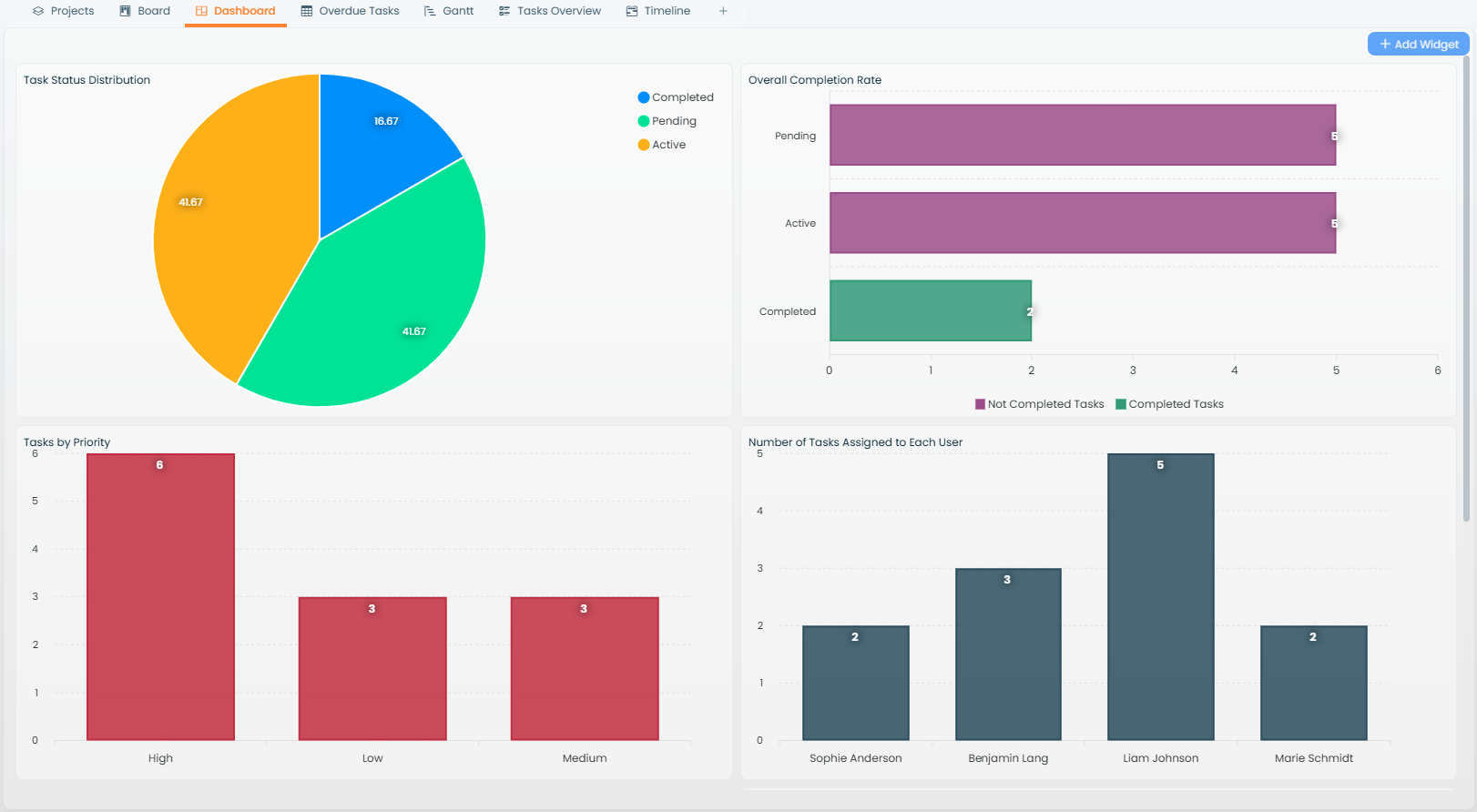
The Charts View in Atwork empowers users to transform raw data into meaningful visualizations, making it ideal for business reporting, performance tracking, and data-driven decision-making.
Adding a Charts View
Once you've added a Charts View to your workspace:
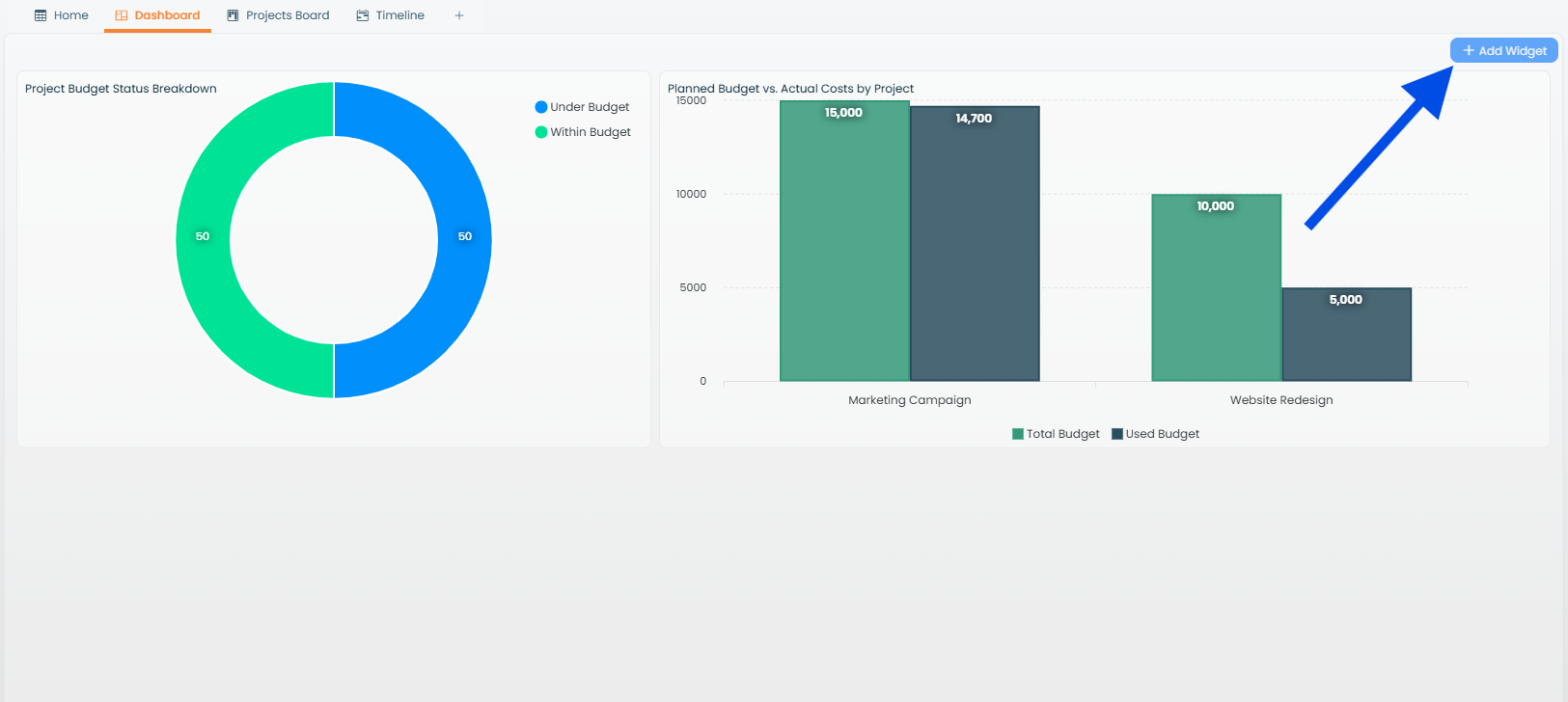
- Use the Add Widget button to start building your first chart.
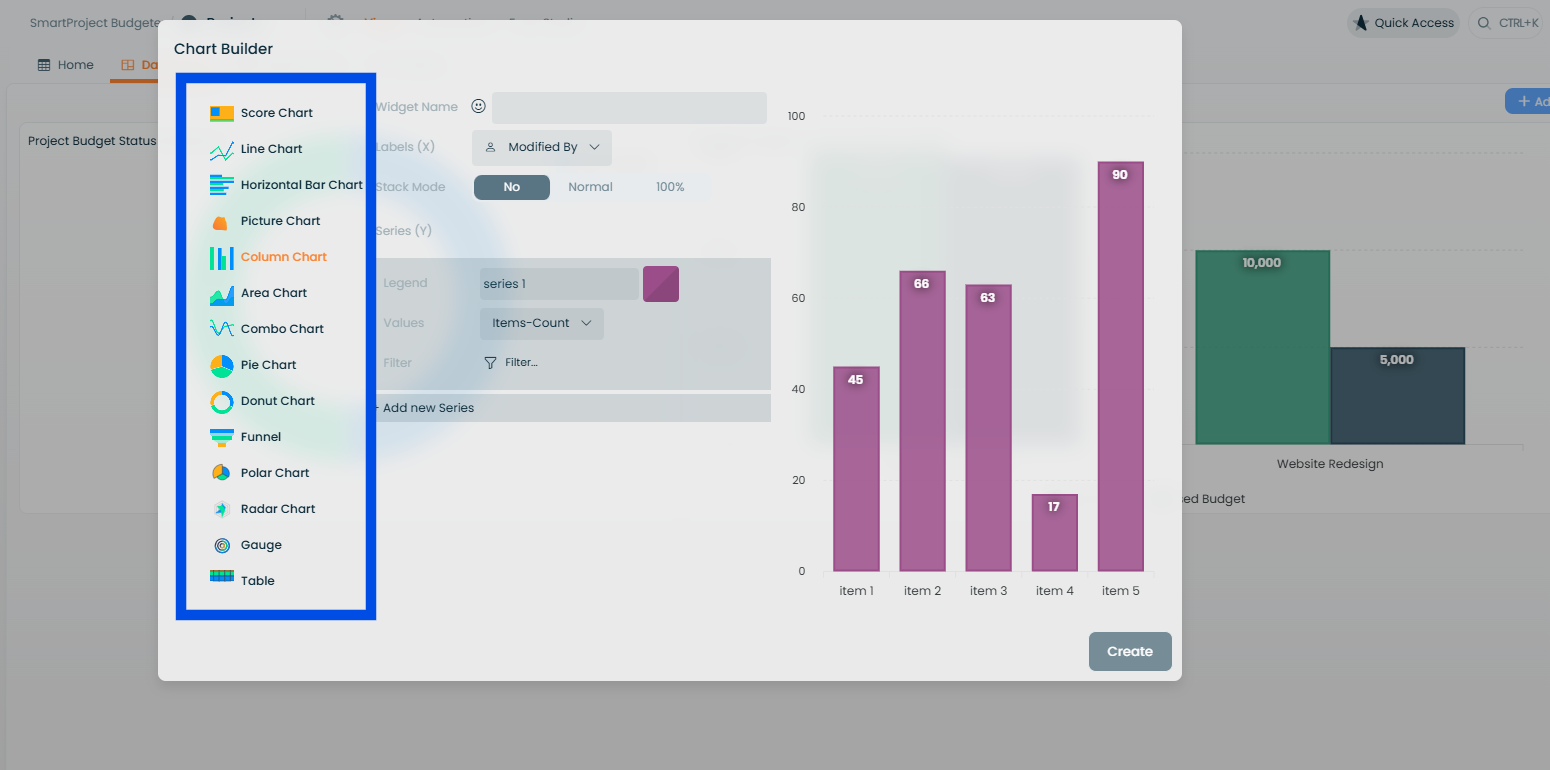
- Choose from a variety of chart types to suit your data and reporting needs.
Available Chart Types
Atwork offers a wide range of chart types for different use cases:
- Score Chart: display key performance indicators (KPIs) in a clean, focused format.
- Line Chart: perfect for showing trends or changes over time.
- Horizontal Bar Chart: compare categories side by side.
- Picture Chart: use visual elements such as icons or images for data representation.
- Column Chart: highlight comparisons in vertical bar formats.
- Area Chart: showcase cumulative trends with filled areas under lines.
- Combo Chart: combine multiple chart types for a comprehensive view.
- Pie Chart and Donut Chart: illustrate proportions and percentages effectively.
- Funnel Chart: ideal for showing stages in a process, such as a sales funnel.
- Polar Chart: circular representation for unique data insights.
- Radar Chart: compare multiple variables across categories.
- Gauge Chart: visualize progress toward a goal, such as completion percentages.
- Table: present summarized data in a tabular format.
Customizing Charts
Each chart type comes with powerful customization options:
- Apply filters to display only the relevant subset of your data.
- Add conditions to refine your visualizations and focus on key metrics.
Interactivity in Charts View
- Combine multiple widgets in one Charts View for a dashboard-like experience.
- Rearrange widgets using drag-and-drop to create a layout that suits your workflow.
- Hover over chart elements to view detailed data insights.
Why Use Charts View?
- Data visualization: simplify complex datasets with intuitive visual charts.
- Custom dashboards: create multi-chart dashboards for monitoring performance.
- Quick insights: gain actionable insights at a glance.
By leveraging the flexibility of Atwork's Charts View, you can make data-driven decisions with confidence.