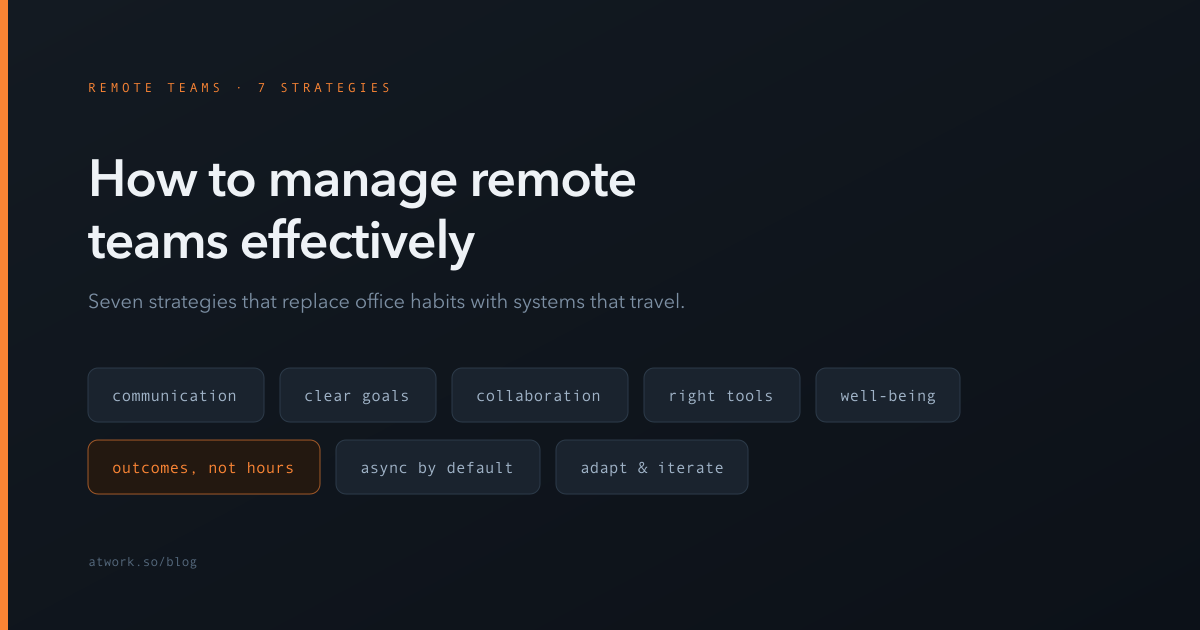

Remote work has transformed the way businesses operate, offering flexibility, access to global talent, and cost savings. However, managing remote teams comes with its own set of challenges, from communication gaps to maintaining productivity and engagement. In this guide, we'll explore proven strategies to manage remote teams effectively and how Atwork, a powerful Work OS, can help you streamline processes, foster collaboration, and drive success.
Why is managing remote teams hard?
A remote team is a group of people working toward a unified goal from different locations—often different cities, countries, and time zones—who may rarely or never meet in person. Most of the difficulties that come with that setup fall into four categories:
- Communication: The quick conversations that happen naturally in an office—by the coffee machine, before a meeting starts—don't happen on their own remotely. Misunderstandings arise more easily, and important context gets lost between tools.
- Belonging: Building a sense of community is harder when coworkers never share a physical space. Team members can feel disconnected from each other and from the company.
- Productivity oversight: Managers can't see work happening, which tempts them toward either micromanagement or anxiety. Neither helps.
- Access to information: When you can't lean over and ask a question, unclear documentation and scattered files slow everyone down—especially in hybrid teams where some people have hallway access and others don't.
The strategies below address each of these directly.
1. Establish clear communication channels
Communication is the backbone of any successful remote team. Without face-to-face interactions, misunderstandings can easily arise, leading to delays and frustration. Here's how to ensure seamless communication:
- Use a centralized platform: Atwork serves as a central hub for all communication, task management, and document sharing. This eliminates the need for multiple tools and keeps everyone on the same page.
- Set clear expectations: Define response times, meeting schedules, and preferred communication channels (chat for quick updates, email for formal communication).
- Err on the side of overcommunicating: It's better to repeat key updates than to leave people guessing. Keep remote team members up to date on changes and progress in every related project—don't rely on a single email that may be missed.
- Use scheduled check-ins: Regular, predictable check-ins—daily or every other day—replace the office habit of following up in passing. Because they're scheduled, teammates can plan their day around them.
- Leverage video calls: Regular video meetings help build personal connections and ensure alignment. Use Atwork's Calendar view to schedule and track these meetings effortlessly.
2. Set clear goals and expectations
Remote teams thrive when they have a clear understanding of their goals and responsibilities. Without a shared vision, productivity can suffer. Here's how to set your team up for success:
- Implement OKRs and KPIs: Use Objectives and Key Results (OKRs) or Key Performance Indicators (KPIs) to track progress and align team efforts with business goals. Atwork's OKR and KPI management tools make this process simple and effective.
- Assign tasks clearly: Use Atwork's Table view or Kanban board to assign tasks, set deadlines, and monitor progress. This ensures everyone knows what they're responsible for and when it's due. Clear objectives also cut down on back-and-forth questions.
- Regularly review goals: Hold weekly or bi-weekly check-ins to review progress, address challenges, and adjust priorities as needed.
3. Foster a collaborative work environment
Collaboration is key to keeping remote teams engaged and productive. Here's how to create a collaborative culture:
- Centralize project discussions: Atwork's collaboration features allow team members to discuss tasks, share feedback, and brainstorm ideas in one place.
- Make meetings inclusive: In mixed meetings of on-site and remote participants, remote teammates often struggle to get a word in. Go out of your way to invite their input, and offer chat as a channel for those who find it hard to speak up in a large call.
- Run virtual team-building: Small rituals build the trust that office life creates for free. A few ideas that work well: online games (Pictionary, trivia, drawing games), virtual movie sessions, a casual break-room channel for non-work chat, a good-news thread where people share wins, or daily snapshots—photos of lunches, pets, and desks.
- Promote transparency: Create an open environment where team members feel comfortable sharing ideas, concerns, and updates.
4. Provide the right tools and resources
Equipping your team with the right tools is essential for remote work success. Atwork offers a comprehensive suite of features designed to enhance productivity and collaboration:
- Task management: Assign and track tasks using multiple views, including Gantt, Calendar, and Timeline.
- Document collaboration: Share and edit files in real time with Atwork's built-in docs and file management.
- AI-powered insights: Automate repetitive tasks, analyze performance, and gain actionable insights to optimize workflows.
5. Prioritize employee well-being
Remote work can blur the lines between professional and personal life, leading to burnout. Here's how to support your team's well-being:
- Encourage flexible schedules: Allow team members to work during their most productive hours, as long as deadlines are met. If a parent needs an hour to pick up their child from school, that flexibility costs nothing and buys real commitment.
- Display empathy: Not every conversation has to be about work. Check in on how people are doing, whether they feel isolated, and how they're handling disruptions at home. Small human moments keep a distributed team coherent.
- Provide mental health support: Offer resources such as counseling services or wellness programs to help employees manage stress.
- Promote async communication: Reduce the pressure for immediate responses by encouraging asynchronous communication, especially for global teams.
6. Monitor performance without micromanaging
Tracking productivity without micromanaging is a delicate balance. Here's how to do it effectively:
- Focus on results, not hours: Measure success based on outcomes rather than time online. It doesn't matter whether a teammate was visibly active for eight hours—what matters is that the work shipped before the deadline. This fosters trust and empowers employees to manage their own time.
- Use AI-driven analytics: Atwork's AI-powered performance analysis provides insights into work trends, helping you identify areas for improvement without over-monitoring.
- Establish feedback loops: Regular feedback sessions encourage continuous improvement and help team members feel supported.
7. Adapt to changing needs
The remote work landscape is constantly evolving. Staying ahead requires flexibility and a willingness to adapt. Here's how:
- Gather team feedback: Regularly ask for input on what's working and what's not. Use this feedback to make necessary adjustments.
- Build coherent processes: Create streamlined procedures for recurring work—how a project kicks off, where questions get asked, how handoffs happen. The clearer the process, the less time your team spends reinventing it.
- Consider hybrid models: For some teams, a hybrid model that combines remote and in-office work may offer the best of both worlds.
Why Atwork is the ultimate solution for remote team management
Atwork is more than just a Work OS—it's a complete productivity platform designed to meet the unique needs of remote teams. With features like AI-powered automation, multiple project views, and seamless collaboration tools, Atwork empowers you to manage your team effectively and efficiently.
Key features for remote teams:
- Multiple views: Table, Kanban, Calendar, Gantt, and more.
- AI tools: Automated task suggestions, performance analysis, and business model generation.
- Document management: Real-time editing, file sharing, and advanced search.
- Agile methodologies: Support for Scrum, Kanban, and Waterfall.
Conclusion
Managing remote teams effectively requires clear communication, goal-setting, collaboration, and the right tools. Atwork simplifies remote work management, providing teams with the structure and flexibility needed to thrive. By implementing these strategies, you can create a productive, engaged, and successful remote workforce.
Ready to optimize your remote team's efficiency? Try Atwork today and experience the future of work management.