Social Media Calendar Business
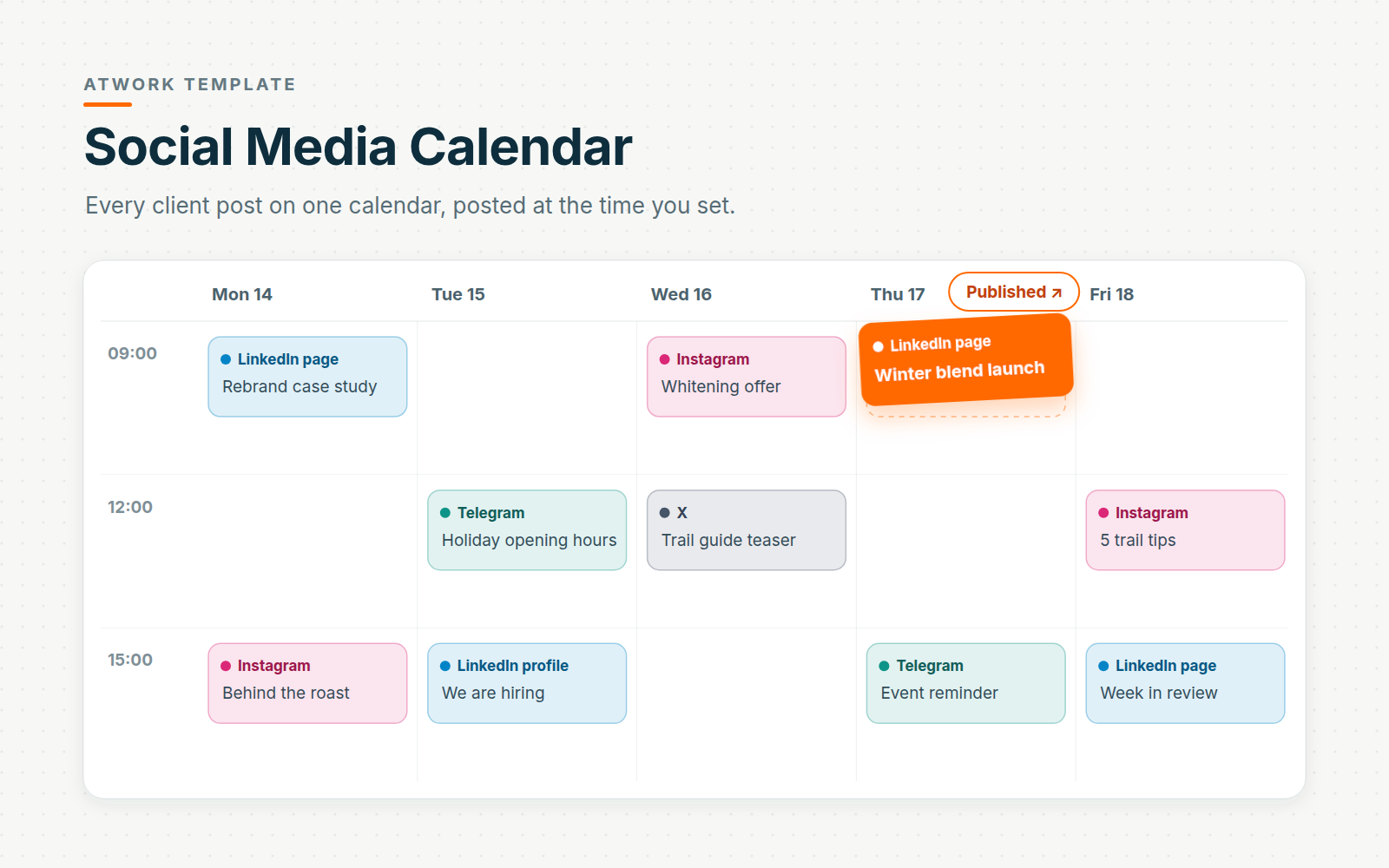
A social media calendar for agencies: plan and approve client posts, and Atwork publishes them to LinkedIn, Instagram and Telegram at the time you set.
About this template
Plan, approve and publish client social posts in one place
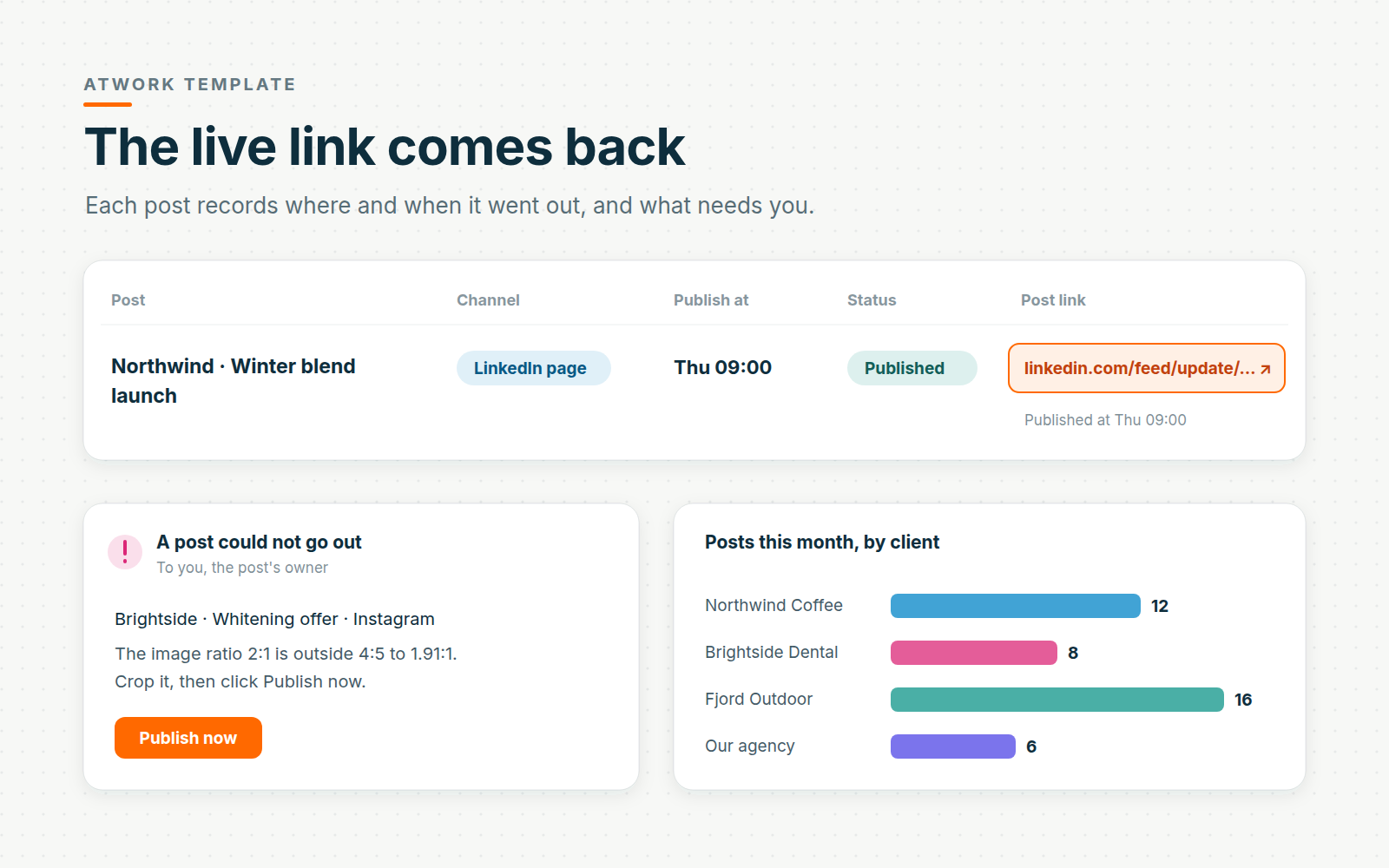
Social Media Calendar gives an agency one calendar for every client's posts on LinkedIn, Instagram and Telegram. Each post has a channel, a Publish at time and a status. When a post is set to Scheduled, Atwork posts it at that time and records when it went out, with the live link for LinkedIn and Instagram posts. If you only need to plan posts, not send them, use Agency Content Calendar.
What you get
- Posts: one row per post per channel, with its copy, media, alt text, link, owner and status
- Clients and Campaigns: the accounts you post for, and the launches, offers and articles your posts are cut from
- Views: Calendar, Board, This week, Needs me, Failed and By client
- A Social pipeline dashboard: posts by status, by channel and by client
- Automations: posting on time, one per channel, Publish now, reminders for posts you make by hand, Mark posted, draft posts from a campaign, a 09:00 daily check and an alert when a post is approved too late
How approval works
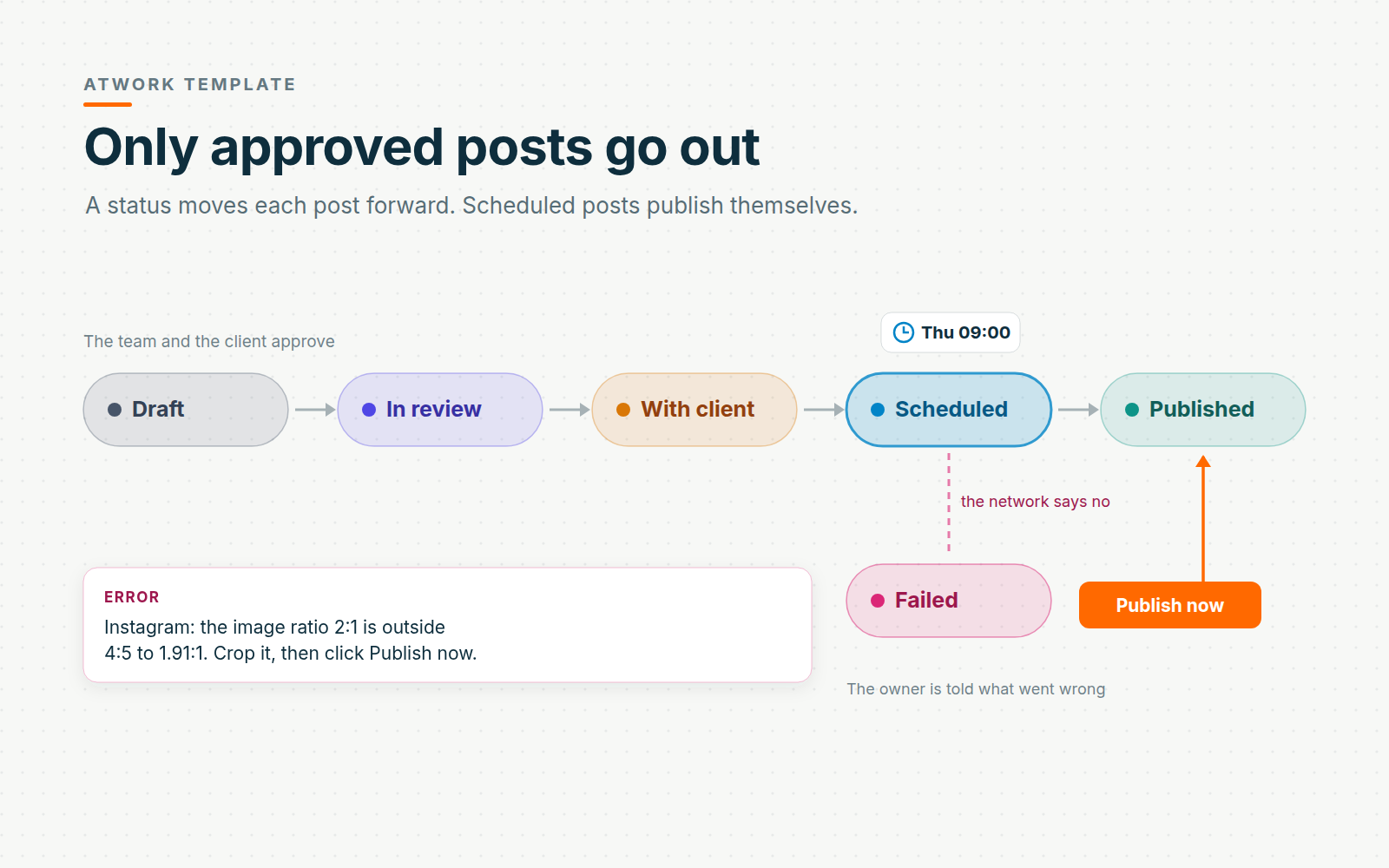
Only Scheduled posts go out. Draft, In review and With client posts never post on their own, so nothing reaches a client's page before it is approved.
When a post fails
The post turns Failed, its Error field says why, and its owner gets a notification. Fix the post and click Publish now.
Plans
The calendar, views and dashboard work on every plan. Mark posted and campaign drafts need Pro. Posting, at its time or with Publish now, reminders at the post's time and the daily check need Business. See plans and prices.
Frequently asked questions
Which networks does it post to? LinkedIn (a company page or a personal profile), Instagram and Telegram (text only). For X or any other network, Atwork reminds the post's owner at the time, and they post it by hand.
How does a client approve a post? Set the post to With client while you wait for their answer, then to Scheduled once they say yes. To keep those rounds short, read why revision rounds multiply.
Can I post to each client's own page? Yes. Connect the client's account, add a channel for it and give that channel its own posting automation. The template's "Add a client account" page walks through it.